After creating a playlist and setting it as dynamic, only the already tagged items we’re filtering for will play. After scheduling the playlist, the first time it works great, but if a new item is tagged, it will show up in the playlist’s inventory for items to play, but it never actually plays that item, either in the preview when scheduling, or after a player picks up the new playlist.
My Enable Maintenance is set to On. I’ve selected “Run Now” on the Sync Dynamic Playlist task, and the “Run Now” column stays checked, but I don’t know that anything is actually happening.
Any non-dynamic item I publish/schedule works fine, it’s just the dynamic playlist, which is pretty much all we want to use anyway so we can allow the users to manage the playlists instead of us.
Update: It’s not just tagged items. When I remove the tag filter, and use a folder filter instead, the Edit dialogue shows me that all of the files I put into a particular folder will be included in the playlist, but when the playlist is downloaded by a player, there are no images. Also no images in the scheduler preview.
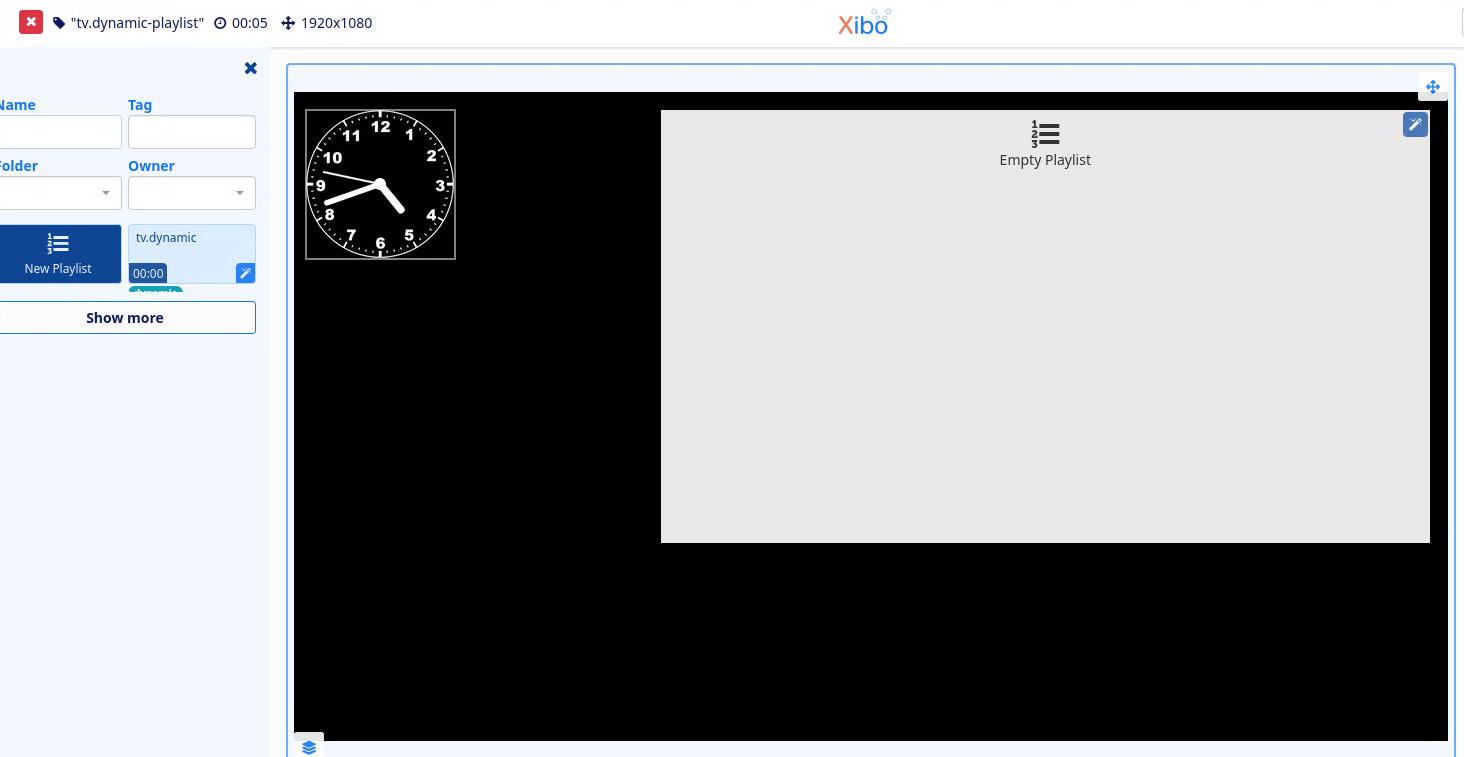
I created new DYNAMIC playlist as user, added 4 images to that playlist, created new layout and set in that layout DYNAMIC playlist module. I could not publish layout with only DYNAMIC playlist module so added clock, still can not publish this layout with DYNAMIC playlist.
As you can see top left, icon is always RED so i could not even test problem you have described.
Since I’m not entirely sure how the whole environment really operates, I’m suspicious that none of the tasks under administration ever actually run because there’s no scheduled tasks set up to run except for the one I added for the maintenance task.
Thank you for reporting this issue. Please can you go to the Tasks page in your CMS and see if they are in fact running automatically? It’s essential that the tasks are running, as they are responsible for a lot of the functionality in your CMS remaining up to date, especially the regular maintenance task.
Your Dynamic playlist appears to be empty in your screenshot. If you view the playlist on the Playlists page in your, does it also look empty there too?
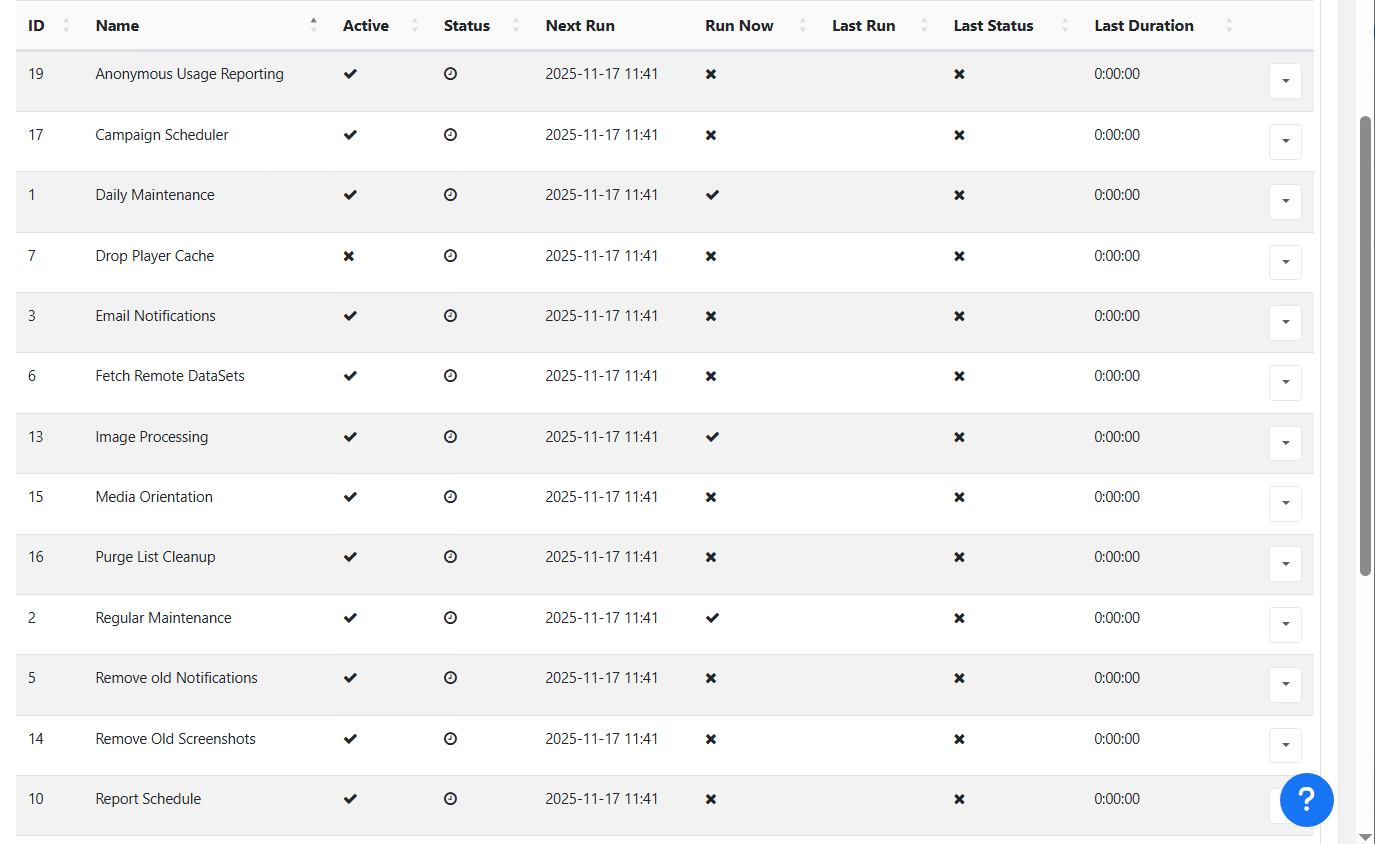
Below is a screenshot of my tasks page. I never get a “last run” or “last status” and the “Next Run” is always whatever time I look at the page. I have a scheduled task to run xtr.php, and it doesn’t appear to “fail” but I do get the following “success” in my history:
I can manually run the php.exe etc etc xtr.php and nothing is echoed back to the console, so I’m not seeing any errors there. Not seeing any kind of failures in my event logs either.
I noticed image processing doesn’t run, so any images xibo decides aren’t the right size stay in that error state when I try to schedule the playlist. I removed the tag from the image, and tried to schedule the playlist again, and it it still provides the image processing error for that particular file, as if it were still in the playlist.
We changed the database password to not have any special characters in it as I saw that that could be an issue from earlier posts.
Thanks, I was trying to add wrong playlist which is indeed empty !
I think the playlist with 4 images in list was hidden below “Show more” button and I didnt notice it was empty one I was loading
Though I’m pretty sure that has to do with more than playlists - none of my tasks have Last Run time, Last Duration, and Last Status is X. Status is a little clock that doesn’t provide more information on a mouseover.
I can manually create any playlist I like with a timeline, no problem with adding Displays and having them get their assigned layouts, etc (No collect now, since XMR doesn’t work either) so the CMS isn’t totally broken, but I’ve run out of places to look for hints.
Looking at your screenshot of your tasks, I also noted that there are no last run dates, which would suggest that the tasks are not running.
What install type are you using? Is this a Docker based installation or a web server/custom setup?
Hi Dan, It’s a Apache 2.4, PHP 8.4 install on Windows Server 2019.
I’ve enabled legacy PHP providers, we’ve got the private/public/key taken care of. I can start the run.php from the command line and it doesn’t seem to do much more than prod the web server for a second and die - I know there’s some activity going on, and I was able to output a lot of the server activity to a log, similar to the report fault zip file , but it’s mostly just debugs, no errors. Anything else I can look for or post in here?
Thank you for your reply confirming this is a web server setup. This link will take you to the XTR task setup section of the CMS installation guide. Can you take a look and make sure that your XTR/tasks are set up correctly?
XTR Task is set up correctly, with the user account being “SYSTEM” and running with the highest privileges. The task runs every 5 minutes. Unfortunately, I’m not sure it’s actually accomplishing much, as it’s a “success” but with a funny return code:
Running xtr.php or run.php from the command line doesn’t post anything at all back to the console, or to the log, and i have PHP logging on, and the only php related errors are from recently trying to run XMR.phar and it telling me that my php-zmq.dll is invalid. I figured we can do without that anyway so not concerning myself with it for now.
I’ve seen that code interpreted as either “Access denied” or “Invalid Function” depending on the forum, and I assumed it had something to do with openssl, so I enabled the legacy provider in my php.ini file. The System account running the task wouldn’t be denied permissions to anywhere as it’s the highest local authority. The media library is in c:\xibo\lib, and permissions are fine there too.
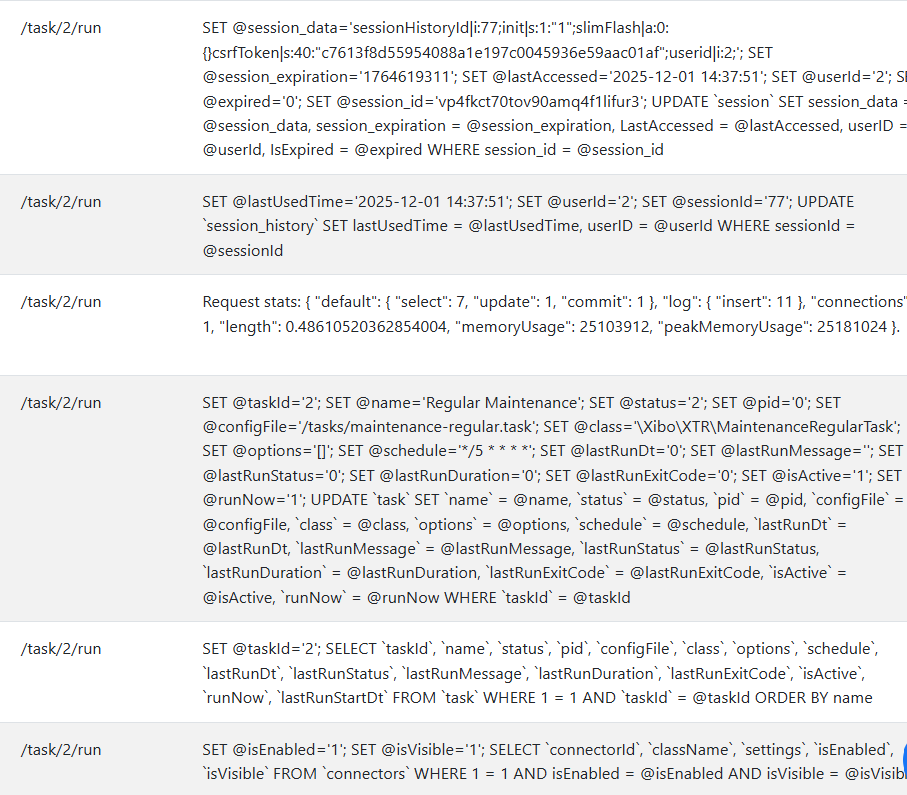
This is some of the log output in test mode (since this comment editor thinks I’m addressing individual users due to all the @'s), when I try to run the ‘Regular Maintenance’ task. I don’t know if this is an indicator of success, but I’m still at the point where none of my tasks show an actual run time, status’ are all X, and the little clock as if it’s scheduled to run at the “Next Run Time” which is whenever I refresh the page.