Let me explain it on the example posted by @git_andre - also I apologise for the delay in our reply.
Ok, let’s get to it, as mentioned, we will use the json posted in the very first post in this topic.
DataSet configuration:
Data root is rows
and that’s pretty much it there, now for columns
We will want 4 columns, the problematic part ie remote data path, in this case that would be like this:
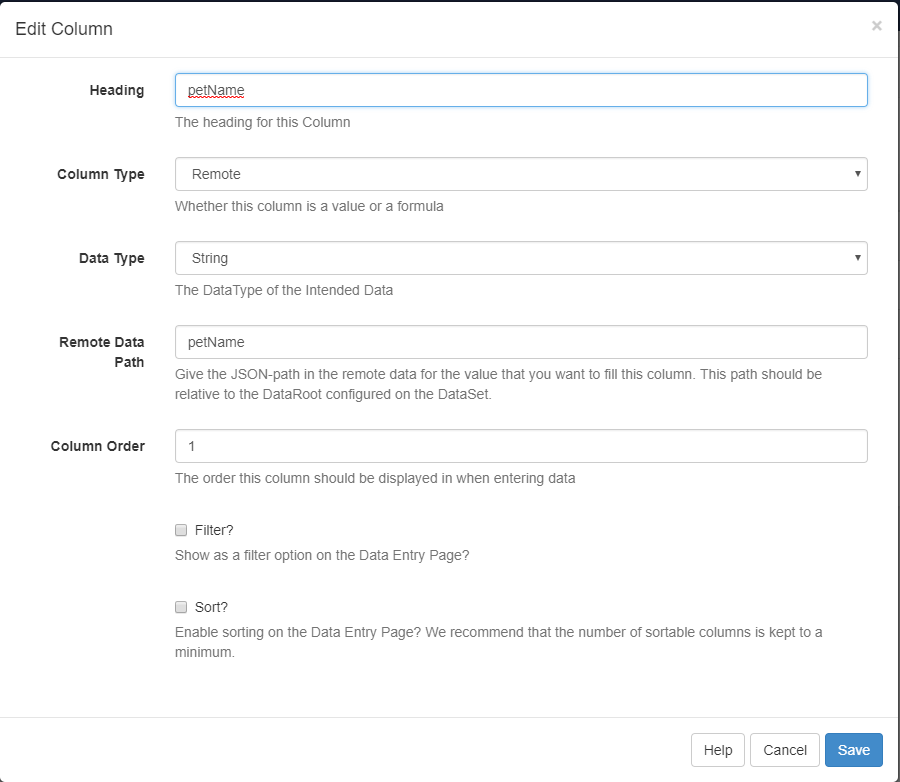
remote data path for other columns in this example would be:
ownerName then aptDate and last but not least aptNotes
with that prepared, we can hit the Test Data URL button, we’d expect to see the following as a result
first the entries (ie our .json data), then processed which should be like this:
"processed": [
      [
         {
            "petName": "Buffy",
            "ownerName": "Hassum Harrod",
            "aptDate": "2016-06-20 15:30",
            "aptNotes": "This Chihuahua has not eaten for three days and is lethargic"
         },
         {
            "petName": "Spot",
            "ownerName": "Constance Smith",
            "aptDate": "2016-06-24 08:30",
            "aptNotes": "This German Shepherd is having some back pain"
         },
         {
            "petName": "Goldie",
            "ownerName": "Barot Bellingham",
            "aptDate": "2016-06-22 15:50",
            "aptNotes": "This Goldfish has some weird spots in the belly"
         },
         {
            "petName": "Mitten",
            "ownerName": "Hillary Goldwyn",
            "aptDate": "2016-06-21 9:15",
            "aptNotes": "Cat has excessive hairballs"
         }
      ]
   ],