So I would like to do the following if its possible.
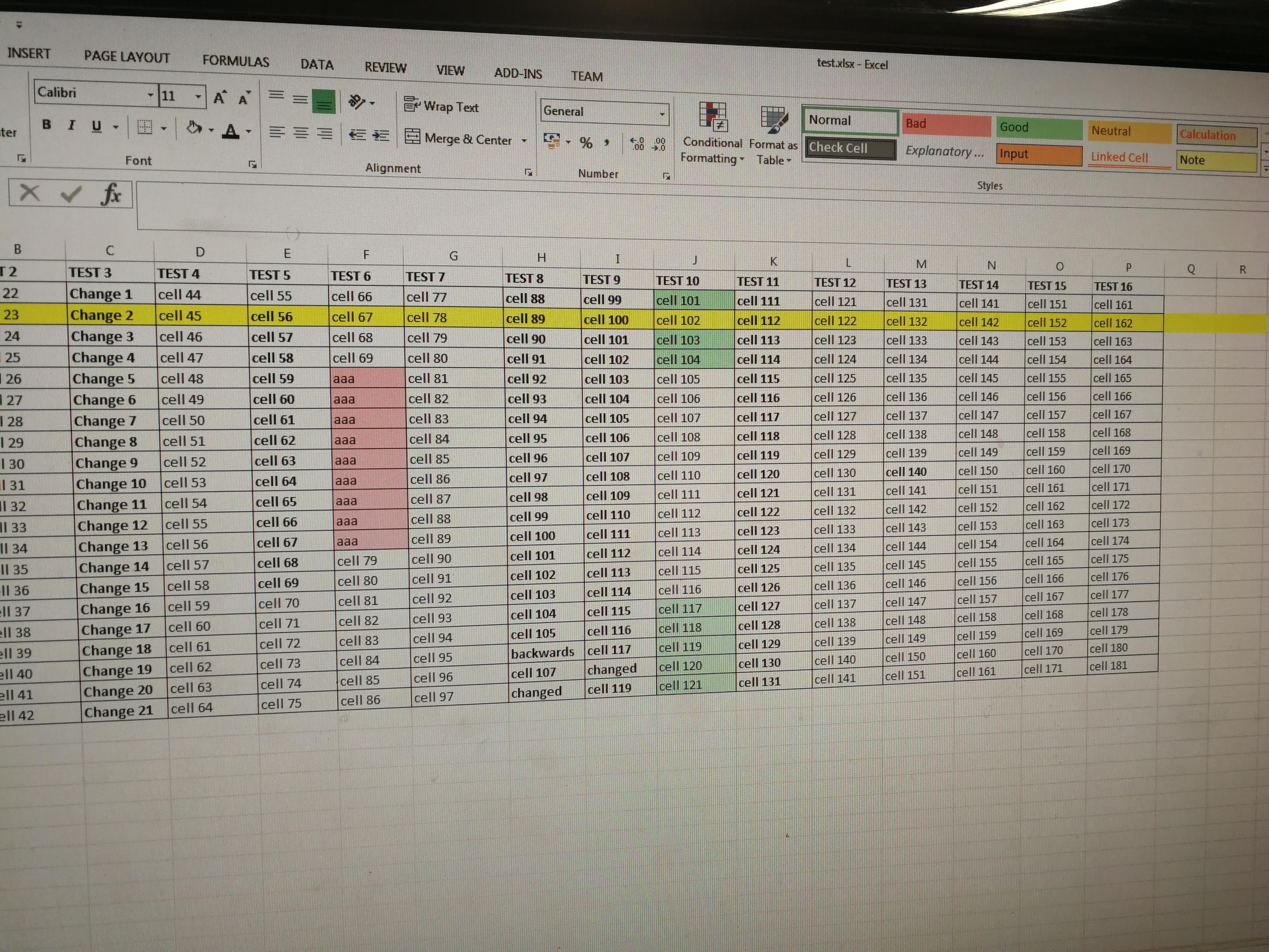
The customer want to view a large excel sheet (Project management) on a 60inch 4K TV we will be installing.
The Spreadsheet is hosted on their own server which the will update daily. I would like this to be displayed via an Android player on the screen using our Xibo CMS hosted else where.
My thinking is that I will save this and an HTML file which should update everytime they save the file. How can I get that file to be either uploaded to Xibo CMS or for the CMS to access the file and display it on the screen.
This will be the only thing displayed on the screen which makes me worry about screen burn as well.
I might add that the CMS is hosted on a Synology docker if that makes any difference.
Quick idea would be to just make sure that the particular HTML file would be accessible to whatever network the player is on. Presuming they have a server, even if it’s Windows, if it is a IIS server the file could be stashed away in a subfolder on the default website, and linked to in xibo. I haven’t linked to any html sites on my preproduction system, but the standard website module should handle this. It may need some IE settings regarding disabling cache if using a Windows client.
Installed WAMP on my PC and this is hosting the Excel.htm file and is accessible from the Xibo CMS as its on the same LAN.
This seems to work but is not updating the player when the excel sheet is changed. How can I get Xibo to refresh sooner using the Android player?
Hello,
Just a couple of questions.
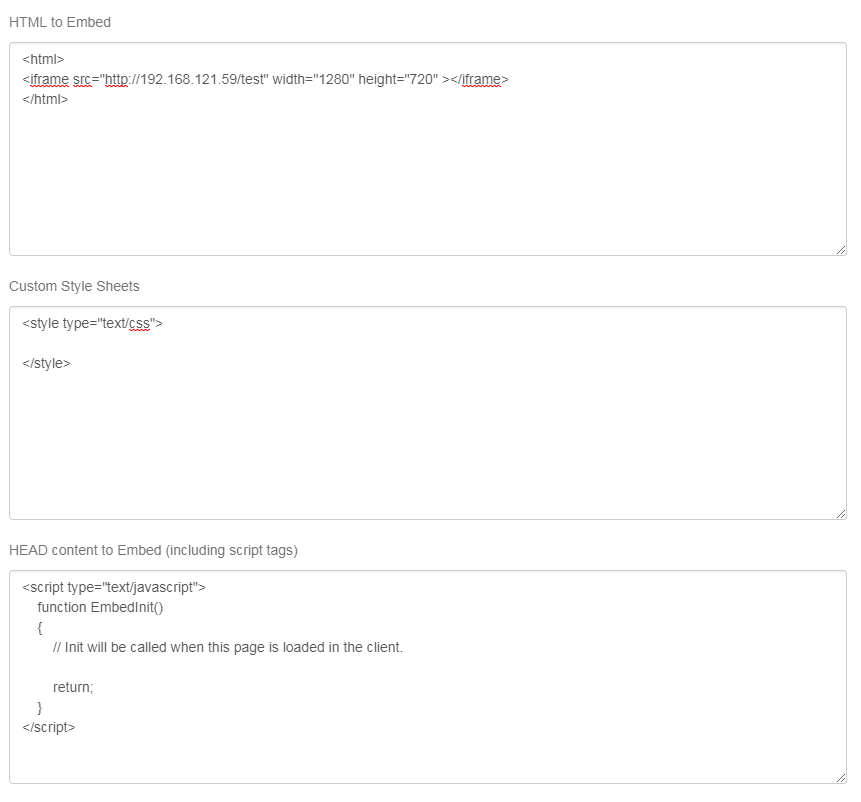
Are you using the web page module or the embed one (with an iframe)?
Just running through the forums had a couple recommendations on earlier versions about using embed module.
I can’t check it out (expired, waiting on mgment to approve), but can toss some ideas your way.
If you’re using web page you may try embed (and iframe). I do something similar on one TV just using a browser, with the base file defining the iframe and two others that have reload tags and html files as frame sources.
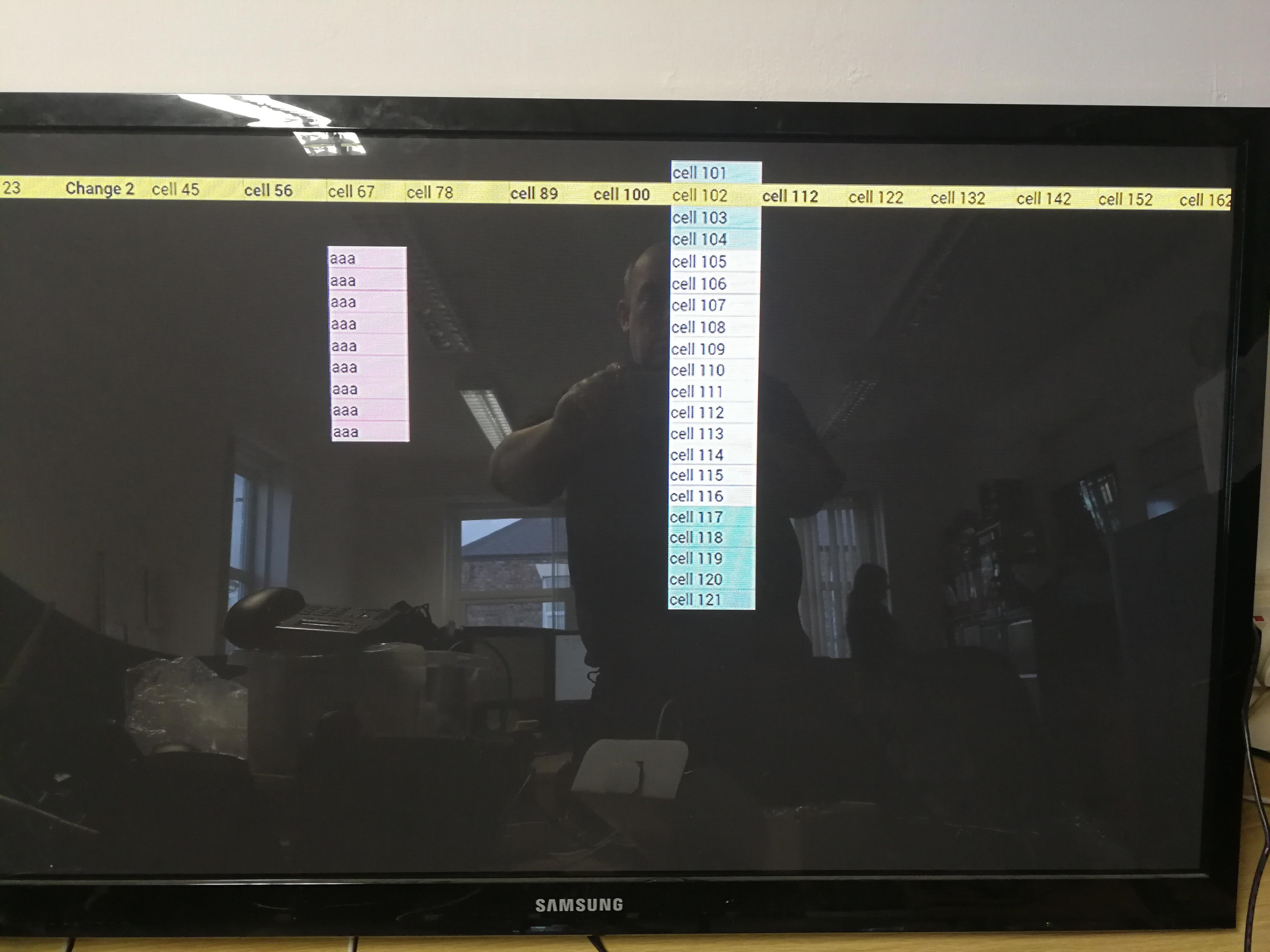
If you open the file from chrome or IE what does it look like? It is kind of odd that every white cell that is not between green and green is hidden or black., i wonder if some odd css or file formatting is getting in the way.
Either way, Peter or Alex will surely have an idea or two.
To be honest I think it may be the device to be honest. I’ve just tried a campaign on it with three layouts and none of them are displaying correctly, However they are fine on a Windows player.
How about this.
Can you try putting the data into an excel table and turning on border (I’m using a thick border), then saving as htm?
You may have to style the table if you want to get rid of the odd/even row colors.
Not probable but I’ve missed it before. When you update the style of the Excel html, are you updating the xxx_files folder it creates as well?
I did that yesterday during our discussion as I’m not saving directly on the web server for testing.