Hi,
I’m Diogo from Portugal and I use Xibo quite extensively. My server is currently running version 4.1.0.
I’m facing an issue for which I haven’t found a proper solution yet.
I have a layout with some videos and a website embedded in part of the screen. The problem is that the website was poorly developed and some menu links open in a new window/tab. Even in Chrome or Edge outside of Xibo, those links open a new tab.
I managed to solve the issue in normal Edge by using browser extensions that block popups/new tabs. However, when I try to use the same extensions with Xibo’s embedded Edge browser (EBWebView), they do not work.
Is there any way to prevent Xibo from opening new windows/tabs from an embedded website, or to force all links to stay inside the same embedded window?
Any help would be appreciated. Thanks!
Hi DiogoPuga,
Thank you for reaching out to Xibo Community!
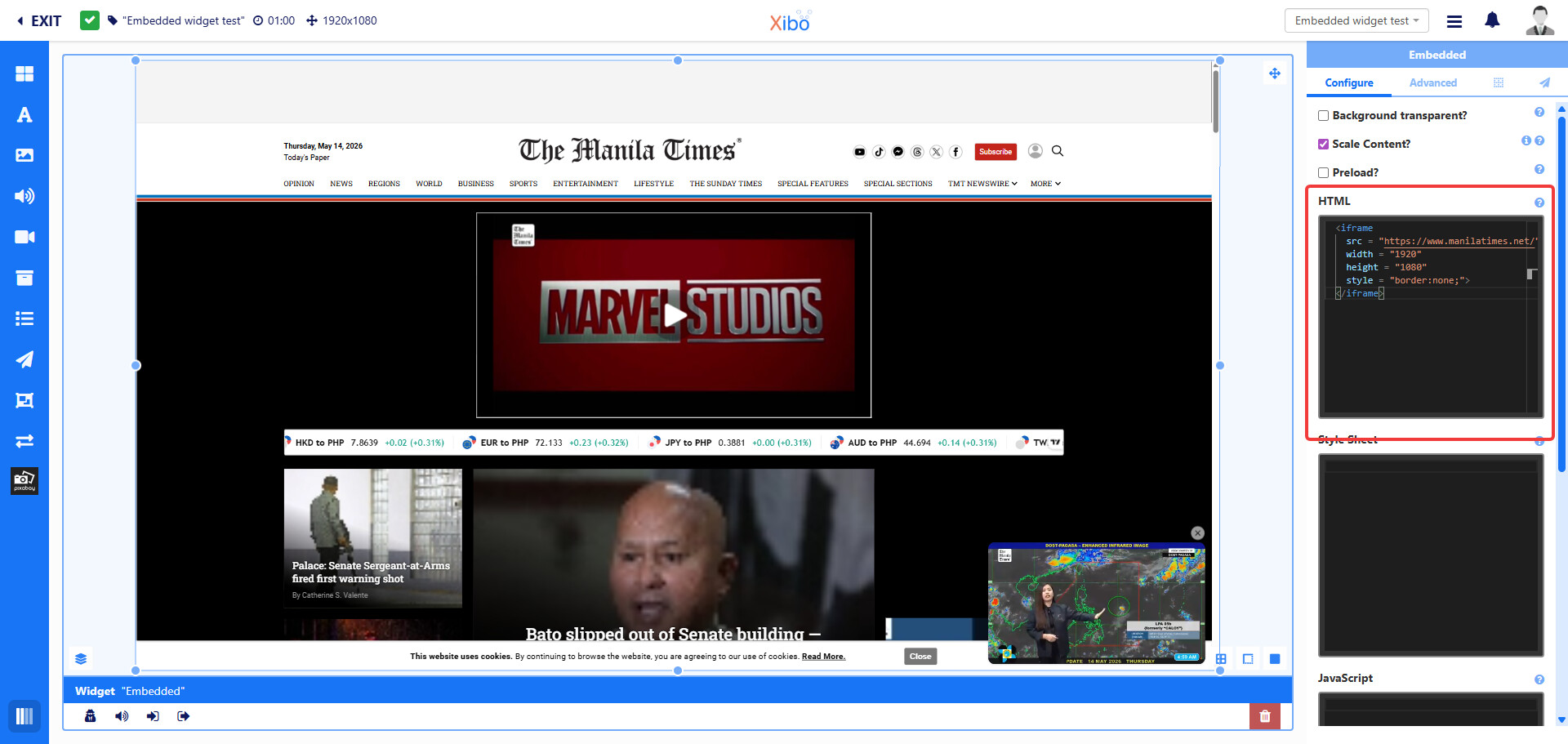
You may try to use an iframe in your HTML section in the ‘Embedded’ widget as shown on the image below. I have tested it to be working with the Xibo cloud CMS V4.1.0 and Xibo for Windows (XfW) V4 R406 player on a Windows 11 machine. What the iframe does is encapsulate your website in the player app, and when you click on any link on the webpage, it shows the page inside the player app. You can download the test layout I have created for you here. Please schedule it on your display to test.
<iframe
  src = "https://www.manilatimes.net/"

  width = "1920"

  height = "1080"

  style = "border:none;">
</iframe>
In this example, I have a publicly available website (no login password required to access the website content) that I wrapped in an iframe.
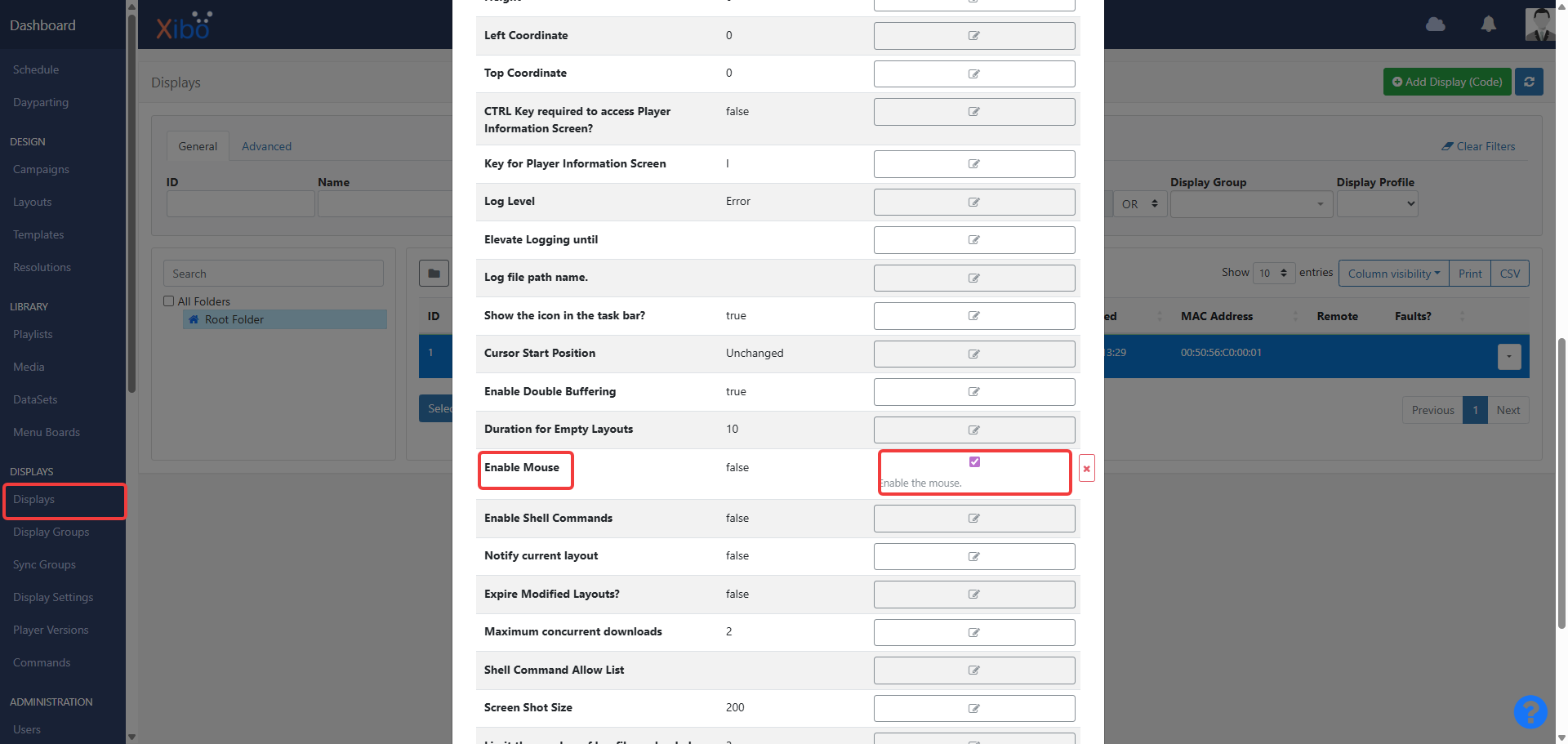
Also, please enable the mouse in the CMS display page. To do so, click on the display entry, click on ‘Edit’, go to the ‘Settings’ tab, and scroll down to find the ‘Enable Mouse’ option by ticking it and finally ‘Save’ it. You will need to restart your XfW player for the changes to apply.
Kind regards,
Jerry
Hi Jerry,
Thanks for the ultra-fast reply.
I tried it both on my own layout and by scheduling your test layout, but my monitor stays black.
In the logs I can see this error:
2026-05-14 15:35:52 WebCefWebView_LoadError: Cannot navigate. e = ERR_BLOCKED_BY_RESPONSE, code = BlockedByResponse
Is there anything else that I need to configure or enable for this to work?
Thanks again for your help.
Hi DiogoPuga,
Sorry to hear about the issue. Could you please confirm that you are using the latest Xibo for Windows (XfW) player V4 R406? If not, could you please download it here and then test it to see if you are still getting the same error?
Also, are you able to open the website when you directly access it on a Google Chrome browser?
Hope to hear from you soon!
Kind regards,
Jerry
Hi Jerry,
Yes i’m using V4 R406 and yes the website open on Chrome. I’ve try with others websites too and have always same issue.
Best Regards