I recently set up Xibo in Docker mode ( 4.2.3 ), using an external MySQL database, in order to upgrade our old version (1.8).
Video are download on different player ( 4 R405.3 ).
However, I’m encountering a rather strange issue:
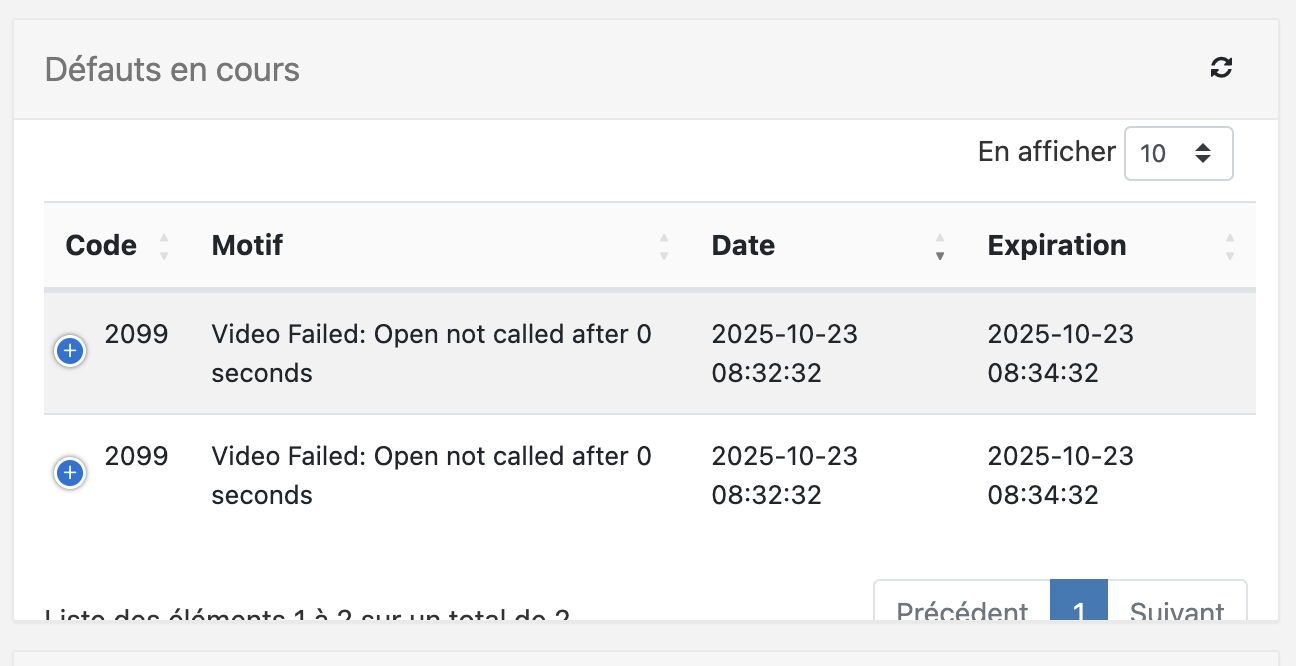
Video playback does not start and shows the following error: “Video Failed: Open not called after 0 seconds”
Interestingly, the video plays correctly if I add a widget on top of it (for example, a clock).
I haven’t been able to determine the cause of this issue yet. I’ve tested it on several machines (ranging from 4 GB to 32 GB of RAM), with different processors (i3, i7), and I’ve updated both graphics and audio drivers as suggested in other posts — but without any improvement.
The videos are relatively small (between 5 MB and 25 MB) and in a compatible format, since they work fine on our previous Xibo 1.8 installation. Moreover, if I play the videos locally on the PC itself, they run without any problem.
Sorry to hear about the issue. For best compatibility and performance, we highly recommend that the videos are endcoded in .H264 in .MP4 format. Technically, the videos should be encoded with encoder profile set to ‘Main’ and encoder lever set to ‘4.0’. These settings are already pre-configured when you use ‘HandBrake’ to re-encode your videos. Could you please try to re-encode your videos using ‘HandBrake’? To do so, please download and follow the steps outlined in the guide here.
Could you please try to recreate your layout in your V4 CMS and check if the issue will still persist? If it does, could you please respond to my Direct Message to you with the exported copy of the layout you are having issues with?
I have tested your layout on a cloud CMS V4.2.3 using a Xibo for Windows (XfW) V4 R405, the same CMS and player version you are using. The layout with a video played without any issues or errors on my end. This could be an issue with your Graphic Card? To isolate the issue further, could you please try to test on a PC with a dedicated GPU (Graphics Processing Unit)?
To further isolate if this is a CMS issue, could you also create a trial Cloud CMS, connect your test display, and see if the issue stil happens? To create a trial Cloud CMS, you can go here.
Hello JerryW !
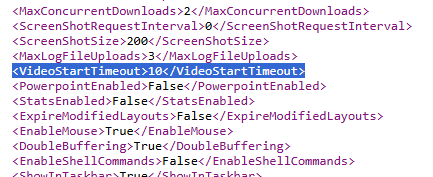
you found it ! that’s resolve the problem on my test player.
You know why this occured ? that’s never happen on ours 2000 players on 1.8 CMS.
I’m not so sure as to why that was set to 0 in your case. As far as I know, is that it should be 10seconds by default. I am glad that finally fixed the issue for you.
Hello Jerry,
I would like to thank you for help me before.
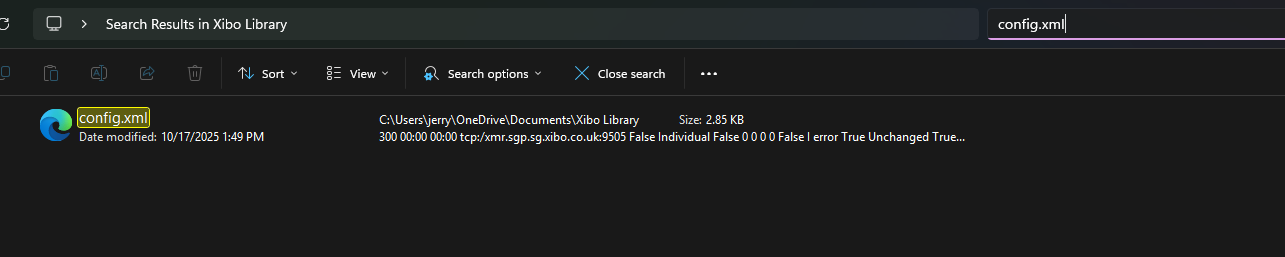
One quesiton, where i can find the “videostarttimeout” setting to modificate for all time.
Because, when the player download a new config.xml, this setting return to 0.
i try to modificate the displaysetting on mysql database directly with mysql workbench, but what ever i see the videoStratTimeout at 10, on the player the setting appared to 0.
I don’t found the setting on my cms, where i can found it please ?
I did some testing on my CMS V4.2.3 and the most recent 4.3.1 and I can’t replicate the ‘VideoStartTimeout’ defaulting to 0 seconds. In my test they both default 10 seconds, however as you said, when a change is commited in CMS, Display Profile Settings, the player downloads a new config.xml and it defaults back to 10seconds which in your case for some odd reason it defaults to 0 seconds. You would then need to set it back to 10seconds everythime the player downloads a new config.xml file.
I have reported it to our developers to check if there is somewhere in CMS that this could be set and I will get back to you as soon as I have news from them.
Could you tell me what version is your CMS before you got it upgraded to V4.2.3? Also, how did you upgraded it? Did you upgraded it one major version up until you reached V4.2.3 or you have directly upgraded to V4.2.3?
I haven’t upgraded it; I created a new Xibo server on RHEL 9.0, using Docker.
I imported the different Docker containers via WinSCP because the servers are in a closed environment where the Xibo repository isn’t accessible.
Everything is working, except for this video start timeout.
I’ve checked with our developers and was advised that the default value for the ‘VideoStartTimeout’ is 10 seconds in a CMS V4.2.3 release build. May I ask if you modified it locally right after installing the CMS on your server?