I am using the newest Xibo CMS Docker installation.
I cannot connect the screen through the App Manager, but it works when I install it via USB.
I have changed the default layout, but the screen still only shows the standard screensaver.
The CMS indicates that the layouts were updated, but nothing changes on the display.
It seems like there could be a network issue. However, if that were the case, the screen would not appear in the CMS ?
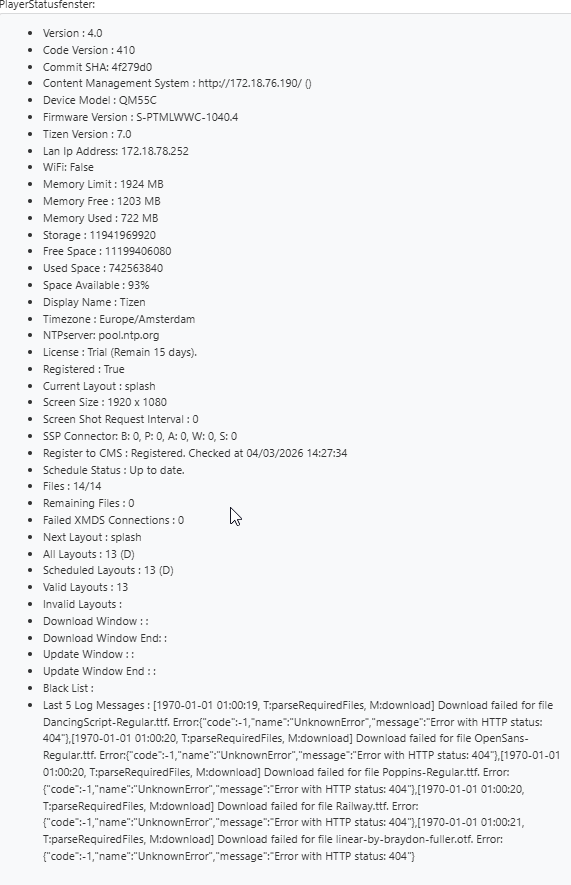
Thanks for your message. I can see that there are 404 errors being returned by the player and that the dates of those logs are from 1970, suggesting an issue with the time service while those errors were being logged.
In this image here, you can see there is a button at the end of the entry for your display. Please click that button and choose the Manage option from the menu (should b at the top of the menu that appears). Can you choose that and show me what files are missing?
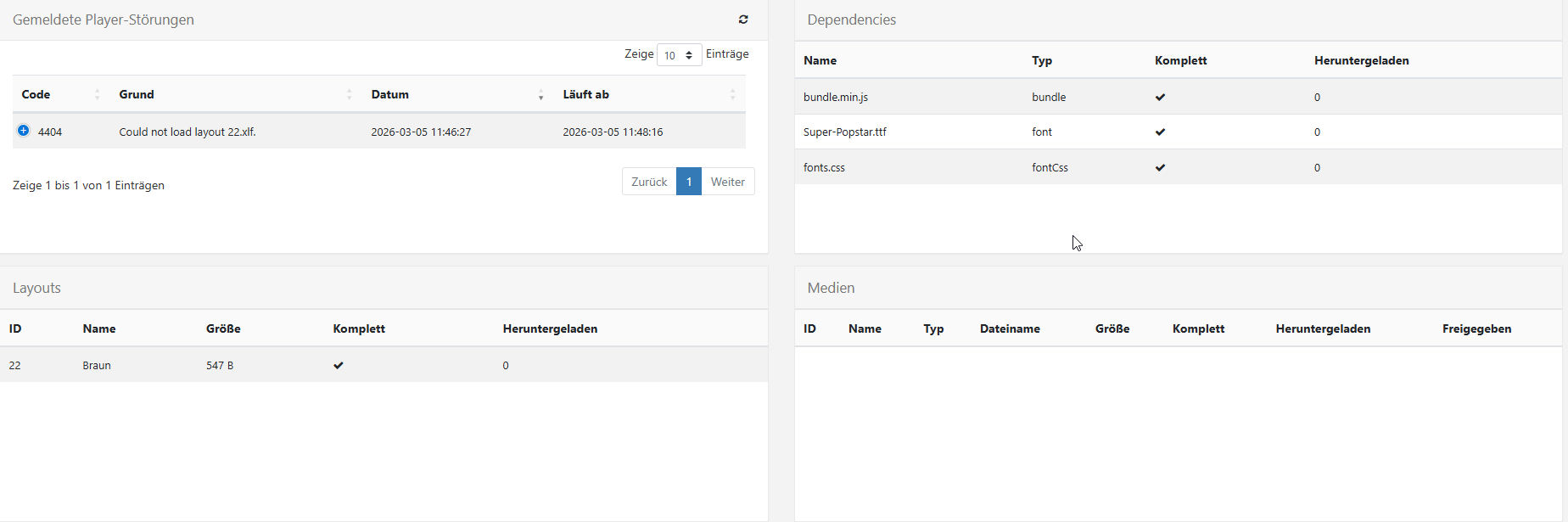
Thank you for your screenshot. Your screenshot of the manage page suggests all files have been downloaded. Is the entry for your player still showing as red?
Also you have a fault saying layout 22, named Braun cannot load. Please go to the Layouts page in your CMS and show me the entry for the layout named Braun. I want to see if it is valid and published.
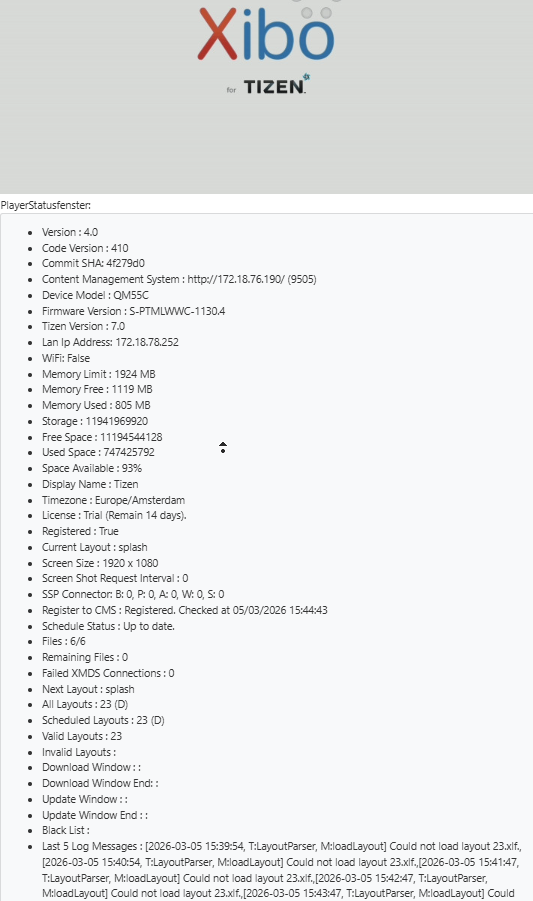
The player is now shown as green. The layout is valid and published, but all layouts have the same error. At first i also had an error saying that fonts were missing, but I have resolved that. Now only the error mentioned above appears.
Thank you for your reply sharing the status screenshot.
I noticed that your CMS URL uses http. Can you also make sure that you switched off force HTTPS, in case this is stopping the files from being received?
Would you also be willing to test connecting that display to a Xibo cloud trial instance, so we can narrow down if the issue is related to your CMS or the player?