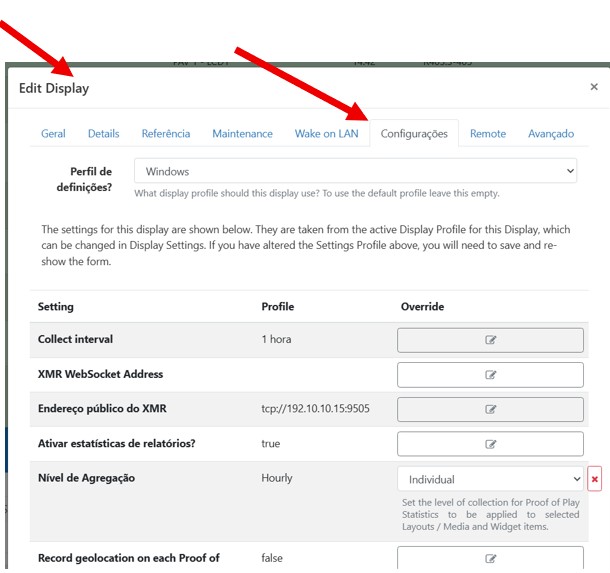
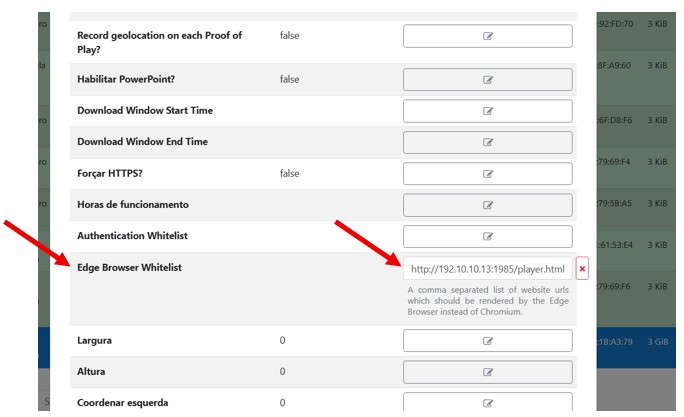
I’m using Xibo Player on Windows and trying to display a CCTV camera stream (HLS).
The stream itself works fine in browsers, but it doesn’t play inside the Xibo Player.
Environment:
- Xibo CMS: Version 4.3.0
- Xibo Player Windows: Version Windows 4 R405.3-405
- Ubuntu Server running ffmpeg to output HLS
- The HLS stream works correctly in Google Chrome on the Player PC:
http://192.10.10.13:8080/player.html?src=/hls/cam1.m3u8 - However, when I embed the same link in Xibo as a Web Page, the Player just shows the loading spinner and never plays.
- From what I understand, Xibo on Windows uses Chromium/WebView2. WebView2 runtime is installed on the Player machine.
Question:
Is there a known limitation with HLS.js or MSE playback inside Xibo for Windows?
How can I make the HLS stream (served by ffmpeg/nginx) display correctly in the Windows Player?