To be completed by the original poster:
CMS Version
4.3
Installation Method
Docker
Operating System
aws ubuntu 24.
we are using windows player for disply
Issue
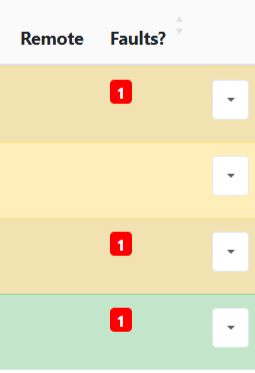
this is a new installation, we notice there is 1 under fault, we are using windows 11 computer with xibo windows latest update.
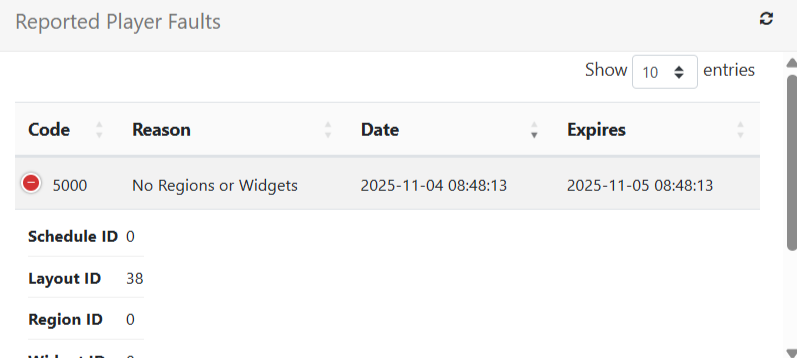
You can see the error message by clicking the white square with the small arrow, then selecting Manage at the top. In the Reported Player Faults field, you’ll find details about what went wrong.
If you can, please share a screenshot of the error message so we can try to help you out resolve it.
great thank you
, I see this error, how I can fix this or find out which missing layout?
it says layout ID 38. I do not have that under my layout. so not sure
Every Layout gets assigned an ID. This increases for every new layout that you make and can never be changed. This is intended.
For the error message apearing in the screenshot above, I have not encountered it myself but could make an assumption what might be the problem. Someone else may have a better answer for this.
What might be the cause is that de layout, assigned to these displays, is not valid. If you head to the Layouts page, you should see if a layout is valid as showcased on the screenshot below:
Have to make a small correction here:
- It’s valid when a checkmark is shown.
- It’s invalid when a cross is shown. Hovering over the cross reveals the error message.