Aplication Info
- Player Version:v4-R405.3
- CMS Version: v3.2.3
- OS: Windows 11
Issue
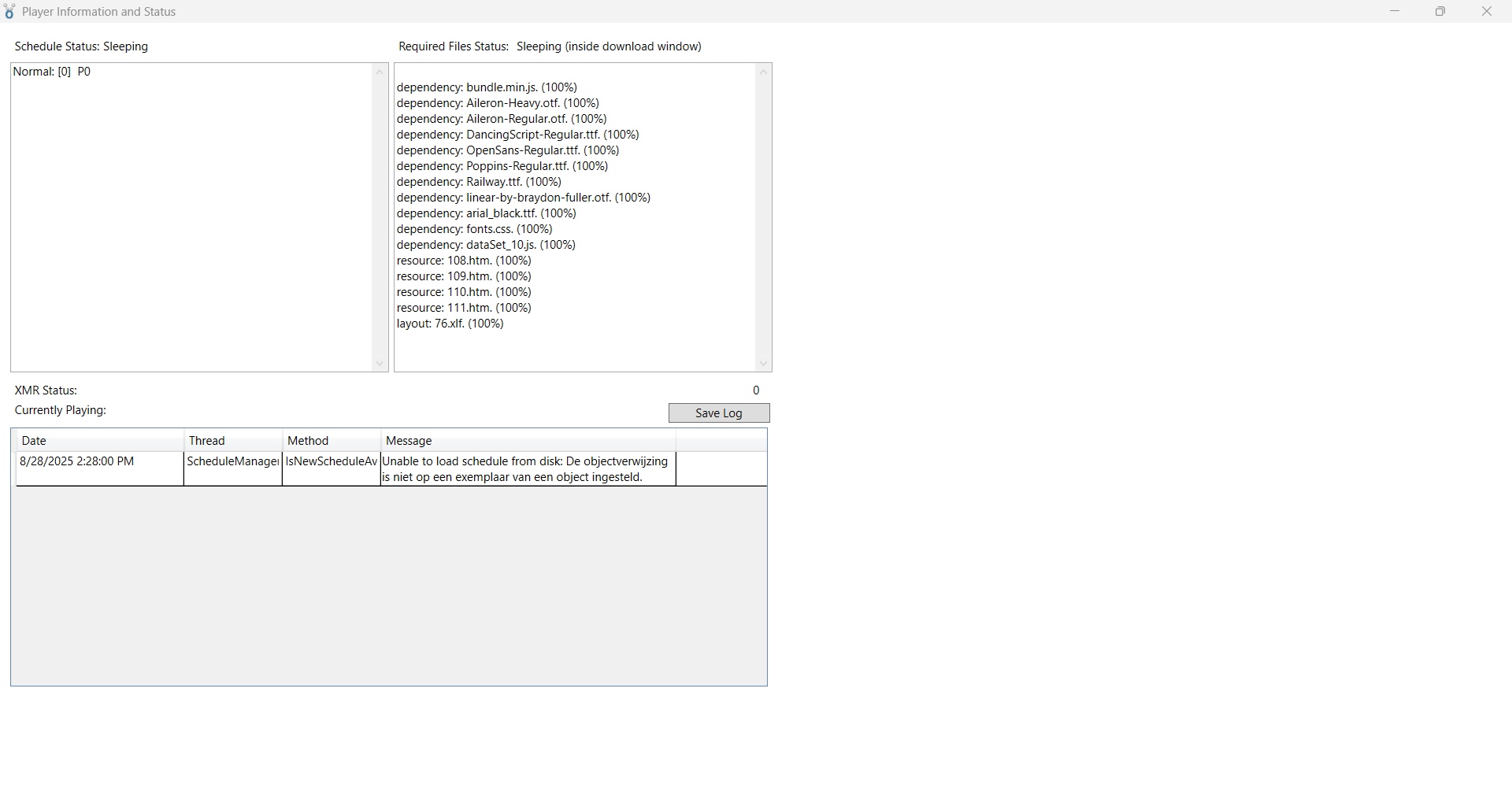
The Xibo Windows Player frequently throws a NullReferenceException in the logs when live datasets are used and set the screen to the default xibo start screen. This appears to happen when the Player attempts to load the schedule from disk:
<logdate>2025-08-26 21:27:18</logdate><thread>ScheduleManagerThread</thread><method>IsNewScheduleAvailable</method><message>Unable to load schedule from disk: De objectverwijzing is niet op een exemplaar van een object ingesteld.</message> <logdate>2025-08-26 21:27:08</logdate><thread>ScheduleManagerThread</thread><method>IsNewScheduleAvailable</method><message>Unable to load schedule from disk: De objectverwijzing is niet op een exemplaar van een object ingesteld.</message>
CMS setup
Dataset → Data Connector JavaScript
window.onInit = function () {
  setInterval(function () {
    const url = "https://url.com";

    fetch(url)
      .then((response) => response.json())
      .then((j) => {
        if (Array.isArray(j) && j.length > 0 && j[0].TIME != null) {
          const firstTime = parseInt(j[0].TIME, 10);

          if (!isNaN(firstTime)) {
            // doorsturen naar Xibo
            xiboDC.setData("clock21km", String(firstTime), {
              done: () => xiboDC.notifyHost("clock21km"),
            });
          } else {
            console.warn("Ongeldige TIME ontvangen:", j[0].TIME);
          }
        } else {
          console.warn("Leeg of ongeldig antwoord:", j);
        }
      })
      .catch((e) => xiboDC.notifyHost("Fetch error: " + e));
  }, 1000); // elke 5 seconden ipv elke 1 seconde
};
Output: (This is being fetch every seccond)
[25-08-28 14:33:25] Notify for clock21km
[25-08-28 14:33:24] Notify for clock21km
[25-08-28 14:33:23] Notify for Fetch error: TypeError: Failed to fetch
[25-08-28 14:33:22] Notify for clock21km
Layout → Dataset
let startSeconds = null;
let timerId = null; // voorkomt dubbele timers

xiboIC.registerNotifyDataListener(function (dataKey) {
  if (dataKey !== "clock21km") {
    return;
  }

  xiboIC.getData("clock21km", {
    done: function (code, data) {
      console.log("Ontvangen starttijd (in seconden):", data);

      // omzetten naar getal
      startSeconds = parseInt(data, 10);

      // check op geldigheid
      if (isNaN(startSeconds)) {
        $("#clock21km").html("Geen starttijd beschikbaar");
        return;
      }

      // voorkom meerdere timers
      if (timerId) {
        clearInterval(timerId);
      }

      // elke seconde verschil berekenen
      timerId = setInterval(function () {
        let nowSeconds = getRealTime();
        let diffSeconds = nowSeconds - startSeconds;

        if (diffSeconds < 0) {
          // wedstrijd nog niet gestart
          $("#clock21km").html("00:00:00");
          return;
        }

        let hours = Math.floor(diffSeconds / 3600);
        let min = Math.floor((diffSeconds % 3600) / 60);
        let sec = diffSeconds % 60;

        let timeString = `${hours
          .toString()
          .padStart(2, "0")}:${min
          .toString()
          .padStart(2, "0")}:${sec.toString().padStart(2, "0")}`;
        $("#clock21km").html(timeString);
      }, 1000);
    },
    error: function () {
      $("#clock21km").html("Error");
    },
  });
});

function getRealTime() {
  let now = new Date();
  return now.getHours() * 3600 + now.getMinutes() * 60 + now.getSeconds();
}
In the CMS, I get the data to show on the screen.
When I delete the dataset out of my schedule then it works fine but i don’t get my data.