Hi
Thank you for the support
In line with your suggestion, we have re-encoded all videos by selecting Fast1080p constant 30 frame rate and fast decoding from the encoder options. Videos have fixed on all but one of the screens. I think if we uninstall and reinstall xibo player on the troubled screen, the problem will be fixed on that screen as well.
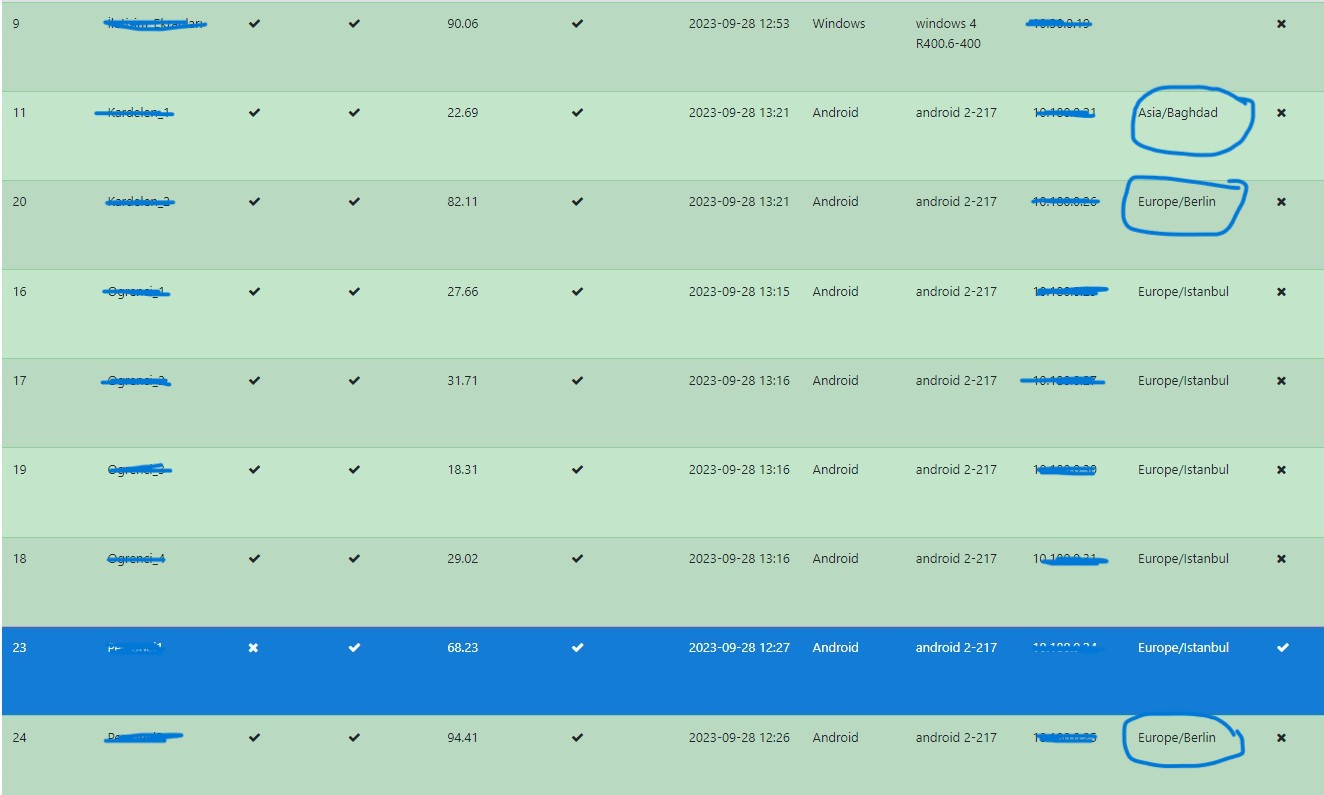
but I’m trying to fix another problem. As you can see in the screenshots, some screens don’t work in the correct time zone. I selected “Use the (CMS) Content Management System schedule” in the android features menu in the screen settings menu on the CMS When I enter the edit menu in the screens menu, I see other regions as time zone in the details window. I fix this manually. In the option “Set time zone for this screen or leave blank to use the CMS zone.” I leave blank to use the CMS zone, but the screen still assigns a different time zone to itself. How can I fix this?
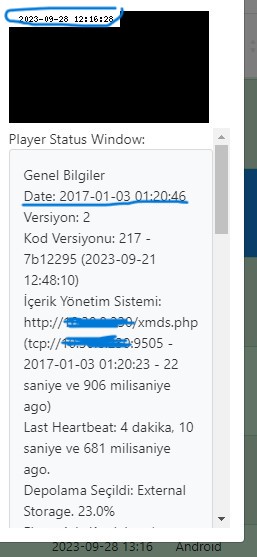
As you can see when I ask for a screenshot, it gives a different date in the details