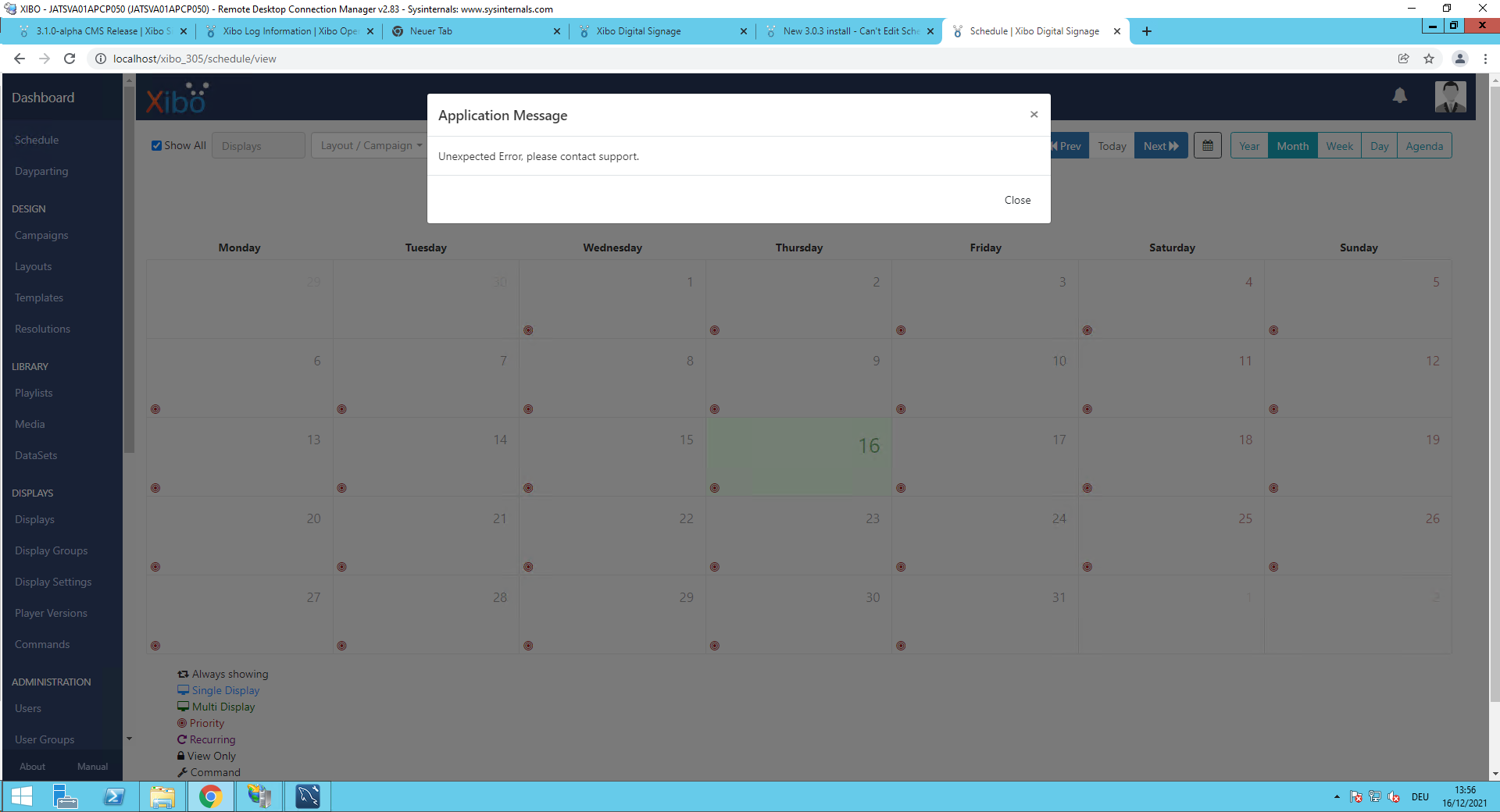
Any ideas what could be the problem?
In error log I could also not find anything.
Fresh 3.0.5 install - "Unexpected Error, please contact support" when trying to edit scheduled event
Hi mariodaxner, welcome to the community!
Could you record some troubleshoot logs and send them to me in a private message? I can take a look and see what may be causing your issue.
To record the logs I need:
- Log in as the user account with this issue and go to the
Report Faultmenu. - Follow the steps and choose
Turn On Debuggingwhen the option appears. - Continue with the steps and choose
Open in a new Window/tab. Do not close the original tab/window, you will need to return here shortly. - Go to the new tab/window and recreate the issue so that you receive the unexpected error message. When you see the error, wait a few seconds then close the new window/tab and return to the original window.
- Continue with the steps and click
Collect and Savewhen the option appears. This will create and download a zip file namedtroubleshoot. - Finally continue with the steps and choose
Turn Off Debuggingwhen the option appears.
I will need a copy of that troubleshoot zip file and also some more information about your setup:
- The installation method used (Docker or Custom).
- The operating system it is installed onto.
- Have you been experiencing this issue from the very beginning or has this occurred after any changes were made to your setup/CMS?
- What user type are you logged in as when this issue occurs? If you have not tried a Super Admin account, please can you try it and confirm if the same error is returned.
I will send you a message that you can reply to with the troubleshoot zip, just in case you are unable to send me a message (I’ve heard this can be tricky sometimes).
Many Thanks.
Hi DanBW,
attached you will find the troubleshoot zip file.
· The installation method used (Docker or Custom).
the installation is a custom installation
· The operating system it is installed onto.
the system is installed on a Windows Server 2012R2 operating system
· Have you been experiencing this issue from the very beginning or has this occurred after any changes were made to your setup/CMS?
the problem is already there since installation of first version 3.0.0. I have hoped that with the new updates this problem is solved and disappears. In order to exclude any historical issues I have therefore test wise installed a new fresh system to see if the problem exists also there.
· What user type are you logged in as when this issue occurs? If you have not tried a Super Admin account, please can you try it and confirm if the same error is returned.
in my case I have used the Super Admin account
Let me know if I can provide additional information?
Many thanks in advance!
Regards
Mario

(Attachment troubleshoot.zip is missing)