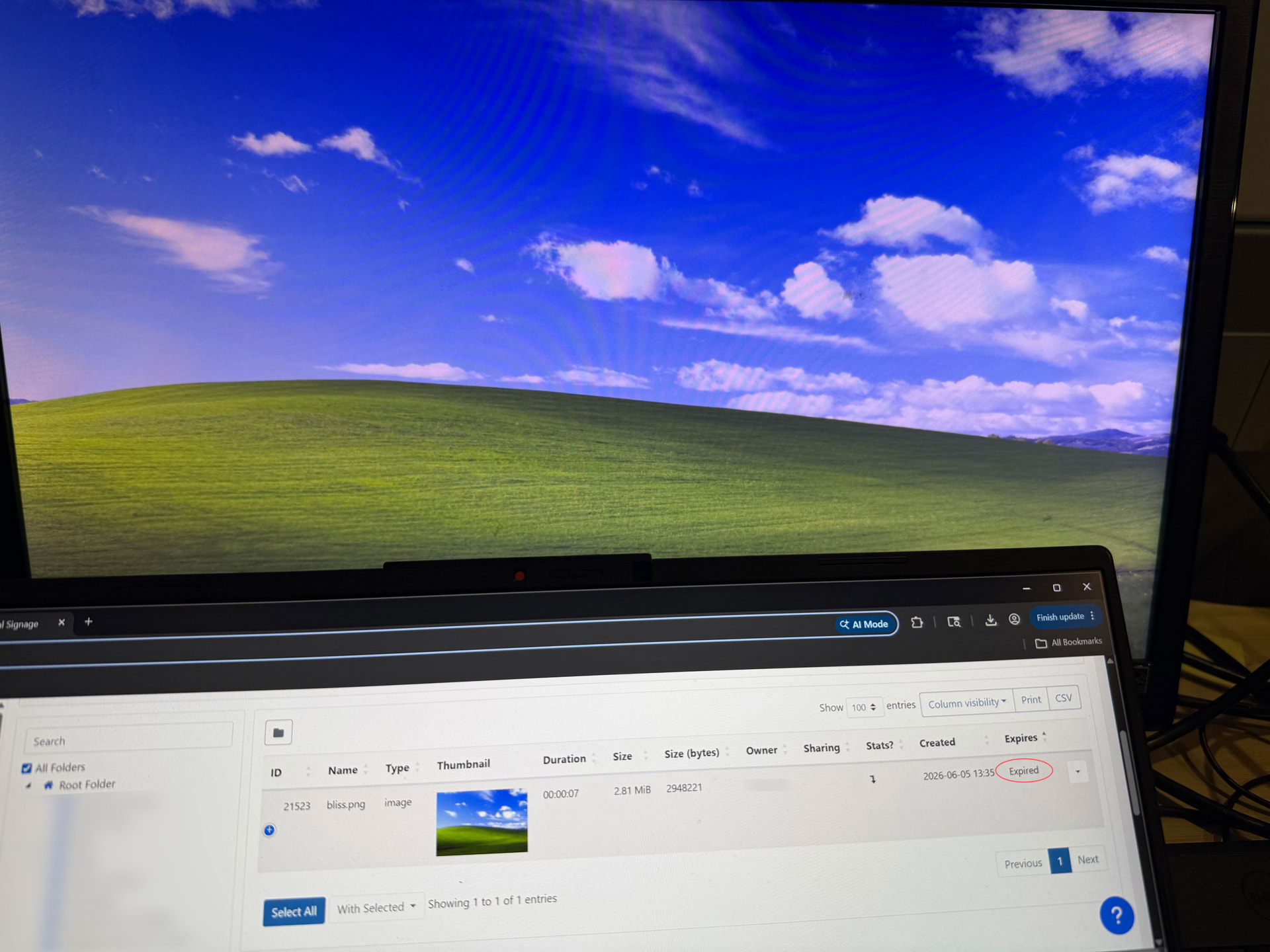
I seem to be having issues with media and expiry dates.
As a test, I uploaded the Windows XP Bliss wallpaper to the CMS, set it on a layout with a few images in a playlist, and set the image to expire. However, as you can see in the image below, the bliss wallpaper is still in the CMS and is still in the layout after it was supposed to have expired.
I had posted about this issue previously and was told that this was expected to be fixed in 4.3.1, however, it looks like I’m still experiencing the issue detailed in this post in the current version of the CMS.
I remember reading in the above post about the default TTL for entries in the purge_list table being 7 days. I’m assuming expired media would also be put in this table? But wouldn’t setting an expiry date mean the media is removed/deleted on that date? Let me know if I’m missing something!
Check your tasks are all running properly as it’s that that would remove the image from the playlist. If they’re not running at all or in an error state then nothing will happen.
Thanks gain for the reply! It looks like I get the following error on the Regular Maintenance task:
Problem copying provided file into the Library Folder
I looked around a bit and saw that it may be either a permissions issue or a storage issue, but from what I can tell, the permissions should be fine. And storage isn’t at capacity.
Here are the permissions for reference.
What other troubleshooting steps would you recommend?