CMS Version: 4.2.3
Description of the issue:
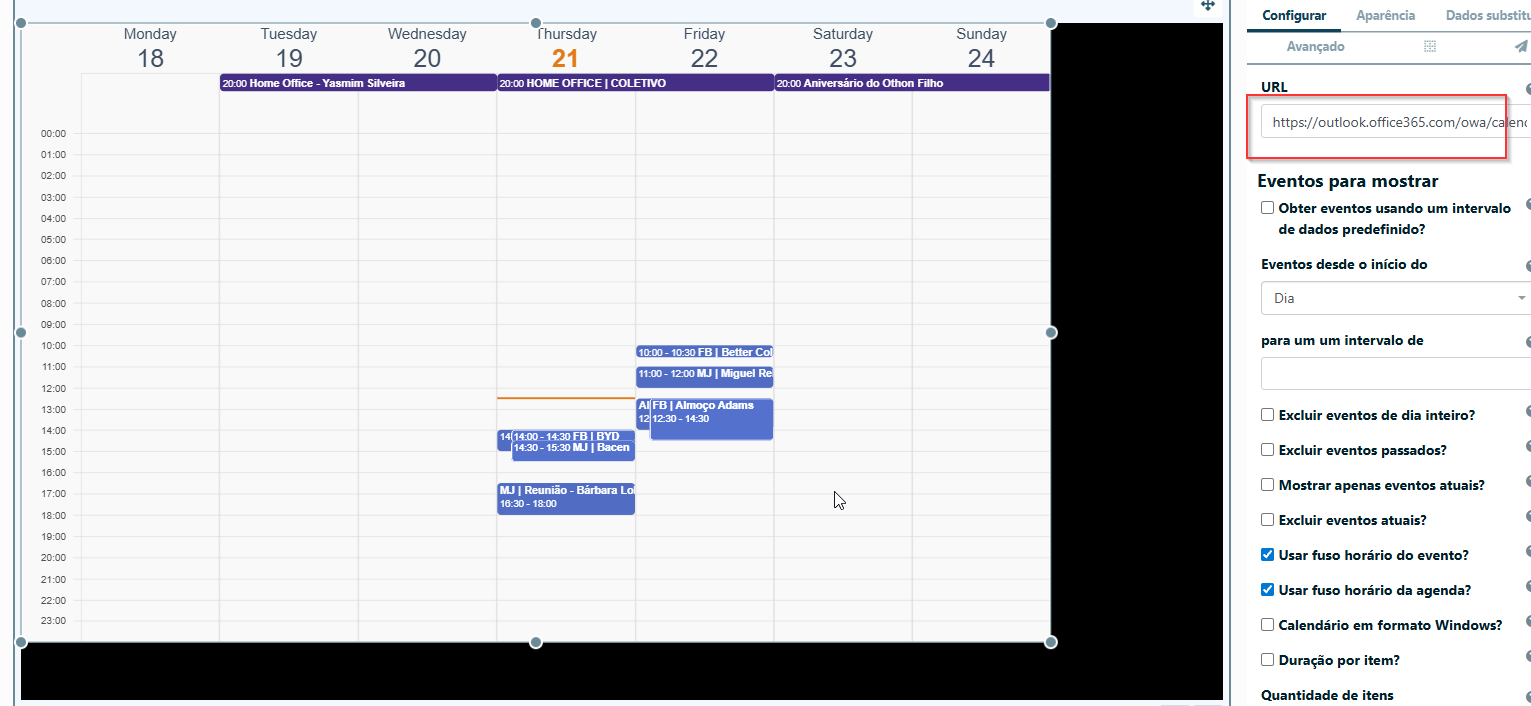
When trying to use an ICS feed published from Office 365 Outlook Calendar, the widget failed to fetch the data. The same ICS URL downloaded fine via a browser or manual curl request, but the CMS log showed errors similar to:
Unable to download feed
HTTP 302 → 500 (OwaBasicUnsupportedException)
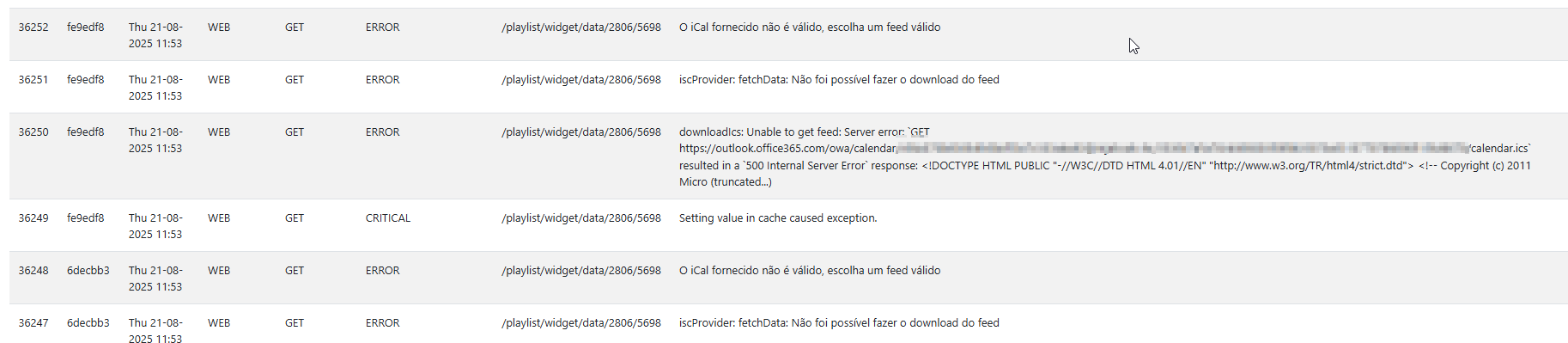
The problem only occurred with Office 365 ICS URLs. Google Calendar ICS links worked normally.
Root cause:
Office 365 expects requests to look like those from a modern browser. The default Guzzle client in Xibo did not send the required headers or forced protocols, causing the server to redirect to an unsupported page and return a 500 error.
Solution / Fix:
We modified the downloadIcs method in IcsProvider.php to:
- Force HTTP/1.1 instead of HTTP/2
- Force IPv4 resolution to avoid IPv6 routing issues
- Add standard browser-like headers (e.g.,
User-Agent,Accept,Referer,Accept-Language) - Enable gzip/deflate support with
CURLOPT_ENCODING
After applying these changes, the Office 365 ICS feeds started downloading correctly and the widget now parses events without issues.
Recommendation:
Include these settings in the default IcsProvider implementation so that Outlook/Office 365 ICS feeds are supported out-of-the-box.
here’s my paliative solution:
\lib\widget\IcsProvider.php
Update in downloadIcs function:
    /**
 * @throws \Xibo\Support\Exception\GeneralException
 */
private function downloadIcs(string $uri, DataProviderInterface $dataProvider): string
{
    // See if we have this ICS cached already.
    $cache = $dataProvider->getPool()->getItem('/widget/' . $dataProvider->getDataType() . '/' . md5($uri));
    $ics = $cache->get();

    if ($cache->isMiss() || $ics === null) {
        $this->getLog()->debug('downloadIcs: cache miss');

        // Opções de request que tornam o cliente "compatível" com o Outlook
        $requestOptions = [
            'timeout'        => 20,
            'version'        => 1.1, // força HTTP/1.1
            'allow_redirects'=> [
                'max'            => 10,
                'strict'         => false,
                'referer'        => true,
                'track_redirects'=> true,
            ],
            'http_errors'    => false, // não lançar exceção automática em 4xx/5xx
            'headers'        => [
                'User-Agent'      => 'Mozilla/5.0 (Windows NT 10.0; Win64; x64) ' .
                                     'AppleWebKit/537.36 (KHTML, like Gecko) ' .
                                     'Chrome/124.0.0.0 Safari/537.36',
                'Accept'          => 'text/calendar, text/plain, */*',
                'Accept-Language' => 'en-US,en;q=0.9,pt-BR;q=0.8',
                'Connection'      => 'keep-alive',
                'Referer'         => 'https://outlook.office365.com/',
            ],
            // Força IPv4 e aceita gzip/deflate no handler cURL do Guzzle
            'curl'           => [
                CURLOPT_IPRESOLVE    => CURL_IPRESOLVE_V4,
                CURLOPT_HTTP_VERSION => CURL_HTTP_VERSION_1_1,
                CURLOPT_ENCODING     => '', // habilita gzip/deflate
            ],
            // Mantenha verify=true (ou aponte para seu CA bundle, se necessário)
            'verify'         => true,
        ];

        try {
            $client   = $dataProvider->getGuzzleClient($requestOptions);
            $response = $client->get($uri);
            $status   = $response->getStatusCode();
            $ctype    = $response->getHeaderLine('Content-Type');

            // Alguns tenants do O365 respondem 302->500 se o client não parecer navegador.
            // Com as opções acima, esperamos 200 + text/calendar.
            if ($status !== 200 || stripos($ctype, 'text/calendar') === false) {
                $this->getLog()->error(sprintf(
                    'downloadIcs: Unexpected response. HTTP=%s CT=%s Redirects=%s',
                    $status,
                    $ctype,
                    implode(' | ', $response->getHeader('X-Guzzle-Redirect-History') ?: [])
                ));
                throw new ConfigurationException(__('Unable to download feed'));
            }

            $ics = $response->getBody()->getContents();

            // Cache com TTL configurável (em minutos -> segundos)
            $cache->set($ics);
            $cache->expiresAfter($dataProvider->getSetting('cachePeriod', 1440) * 60);
            $dataProvider->getPool()->saveDeferred($cache);

        } catch (RequestException $e) {
            $this->getLog()->error('downloadIcs: Unable to get feed: ' . $e->getMessage());
            $this->getLog()->debug($e->getTraceAsString());
            throw new ConfigurationException(__('Unable to download feed'));
        }
    } else {
        $this->getLog()->debug('downloadIcs: cache hit');
    }

    return $ics;
}
RESULT:
Everythin ok now, both on Google ICS or Office 365