Hi Philipp,
Thanks for your response.
I have replicated this issue with both XfA V4 R406 and XfW R404 on various V4 CMS versions and it seems that even enabling mouse and touch capabilities in CMS > Displays > rown menu > Settings tab does not allow scrolling for PDFs with multiple pages. I have reported this to our developers to check if this is by design and if I will need to log this as a feature request instead.
In the meantime, you can set the duration per pages so it wouldn’t take long for the pages to swtich to the next.
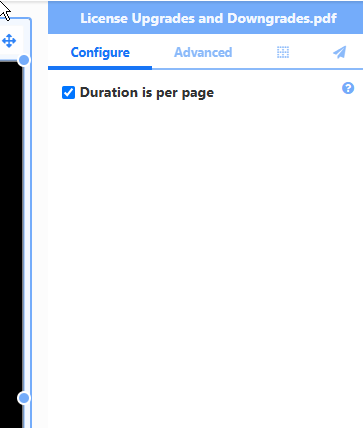
Tick the option for ‘Duration is per page’ under the ‘Configure Tab’.
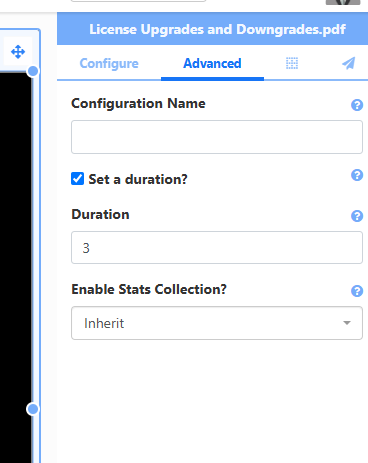
On the ‘Advanced’ tab, tick the option ‘Set a Duration?’ then finally set your desired duration in seconds in the ‘Duration’ field.
I will keep you posted when I hear from our developers.
Kind regards,