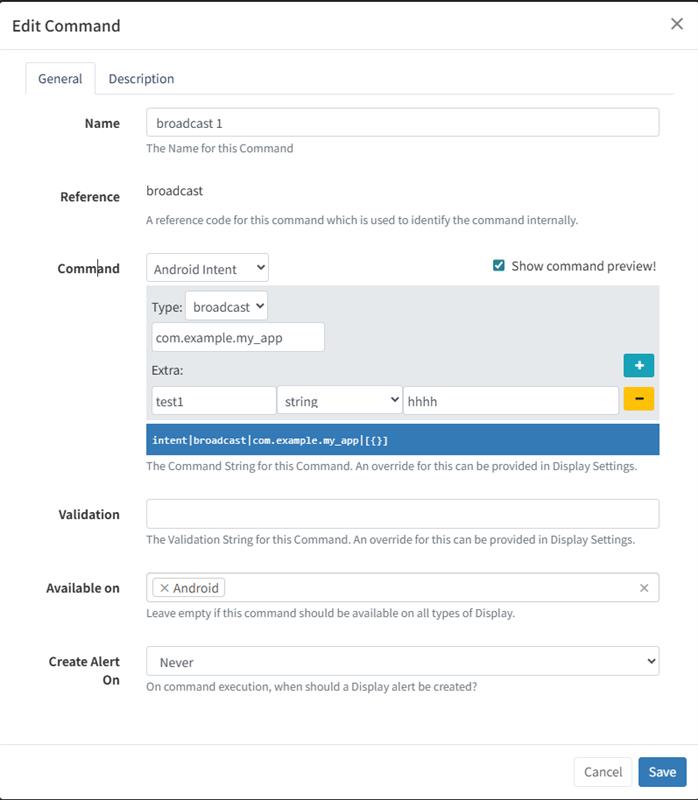
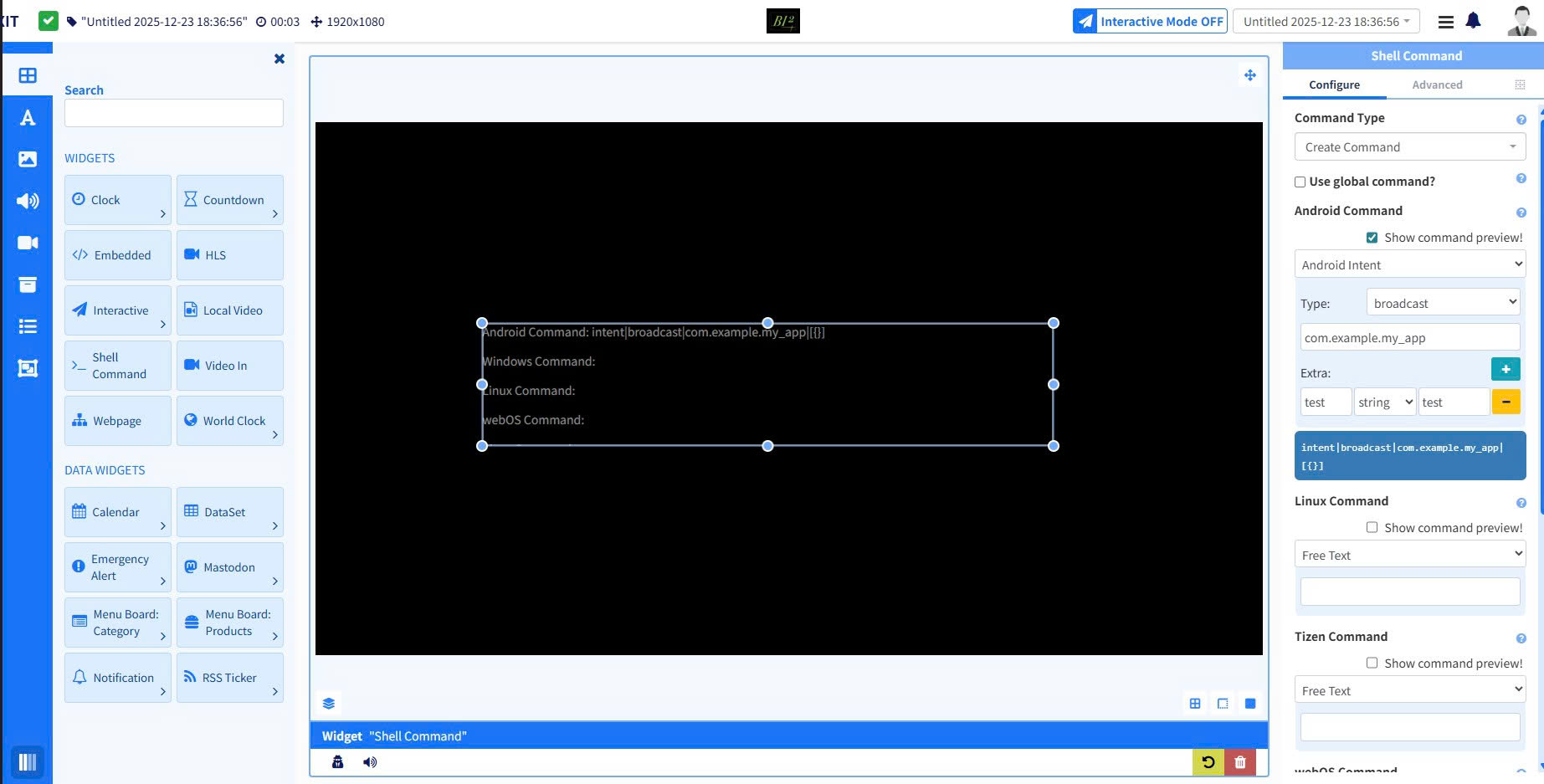
We are developing a feature related to Android Intent commands and encountered an issue while creating a broadcast intent with extras.
Configuration:
Command Type: Android Intent
Intent Type: Broadcast
Action / Package: com.example.my_app
Extras:
Key: test
Type: string
Value: hhhh
Observed Result:
The generated command is displayed as:
intent|broadcast|com.example.my_app|[{}]
Expected Behavior:
The extra values should be included in the generated command instead of an empty object.
Question:
Why are the extras not included in the generated command, and what is the correct format or structure required to ensure that extras are properly displayed rather than appearing as an empty object ([{}])?
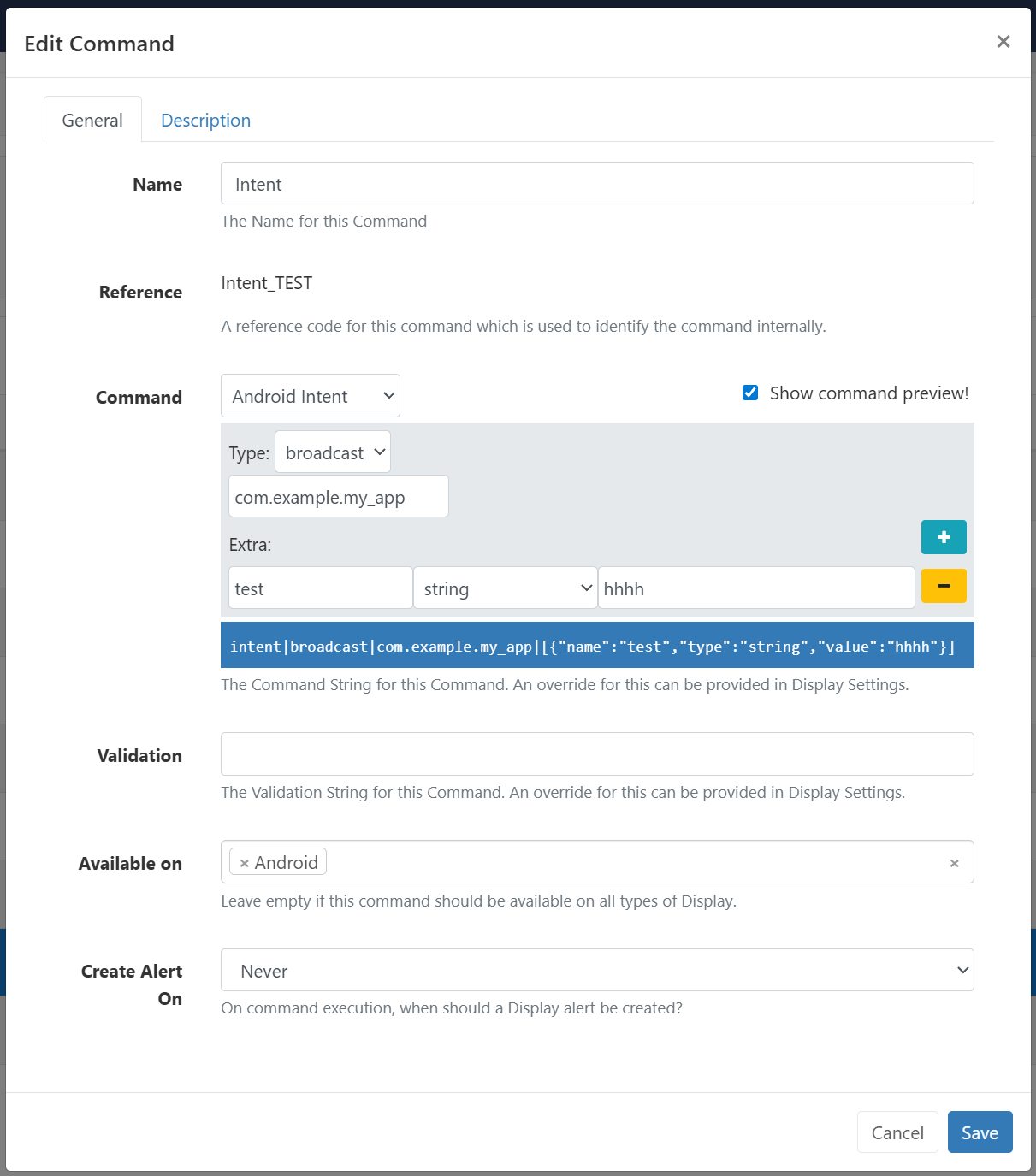
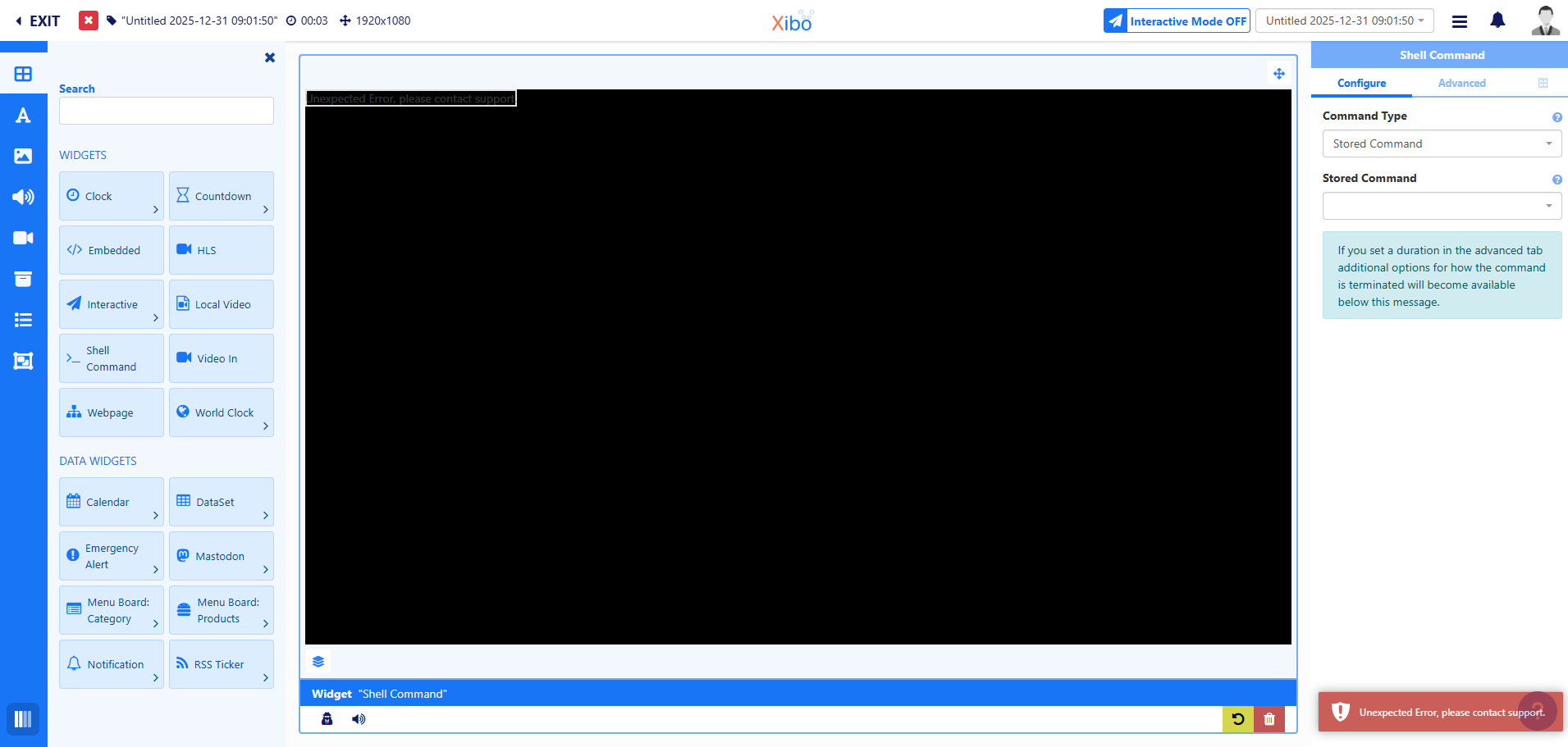
I have tested version 4.3.1 (include 4.4-alpha), and the issue mentioned previously has been resolved. However, after updating to this version, we encountered a new issue, as shown in the image below.
With this bug, we are unable to move the Shell Command widget. It consistently shows an error message: “Unexpected Error” , displayed at the bottom-right corner of the screen.
Could you please let us know the possible cause of this issue?
Sorry for not clearly describing the issue in the previous message. We would like to provide a more detailed explanation as follows:
Resolved:
The issue where the [Extras] field could not save the input content has been resolved.
New Issue:
Currently, the Shell Command function in the Layout has the following problems:
When dragging and dropping it onto the layout screen, an error message is displayed.
On the first drag-and-drop attempt, the edit screen appears; however, after editing, an error still occurs when publishing.
Once the edit screen is closed (by clicking outside), it is no longer possible to click on the Shell Command again to reopen the edit screen.
Finally, as today is the last day of 2025, we would like to wish you a joyful, successful, and happy New Year.
We look forward to working with you again next year.