I’ve created 2 layouts that I want to alternate every 30 seconds on 1 display. I’ve tried using Campaigns and Scheduling by following the instructions from the Xibo website. All I can get to display is the 1st layout.
Does anyone have this arrangement set and if so what’s the best way to proceed, campaign or schedule?
I’m not an expert but hopefully this will explain how I managed to do what I wanted to (which was similar):
Make sure both layouts have a duration of 30 seconds
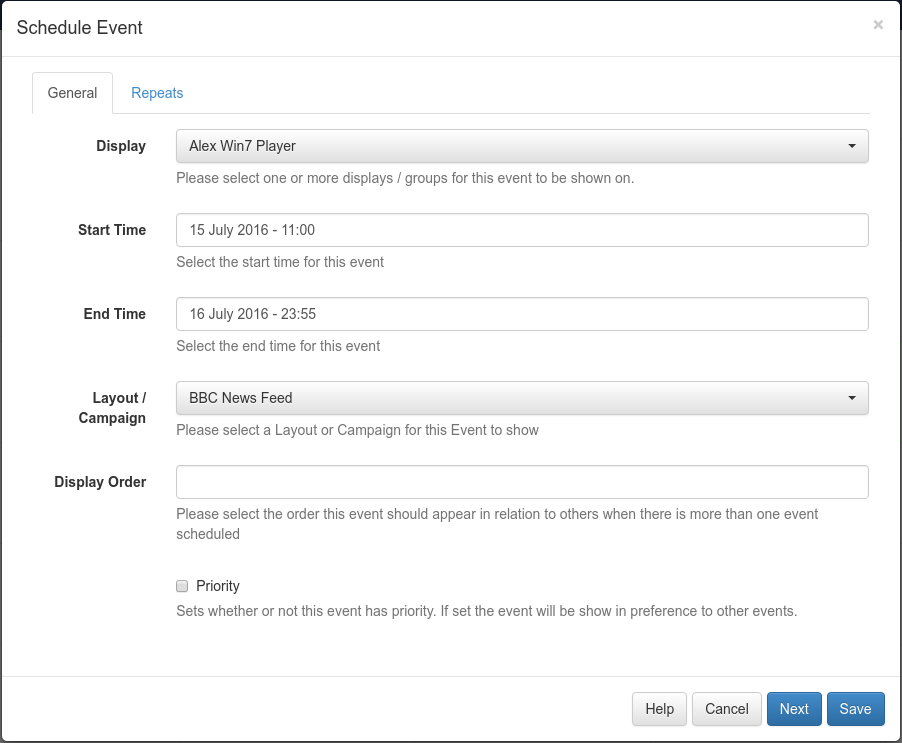
In the scheduler, make sure you select your layout, and have it running from 00:00:00 on the say you start, and end at 00:00:00 at a date in the future. Have the first layout priority 1. Make sure you have set it NOT to repeat (as I couldn’t get the repeat function to work as I expected… Again I’m new also to this)
Do the same for the second layout but give it a priority 2.
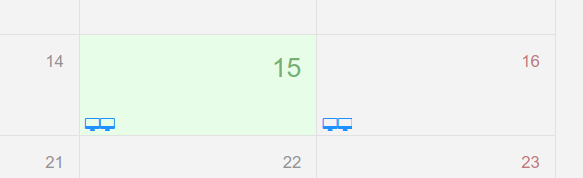
You SHOULD see 2 icons representing the 2 layouts. Once the screens update, you should have both layouts repeating.
If not, I would also check to make sure your 2nd layout doesn’t contain any empty regions. As I understand it, this would cause a layout to be invalid and not passed to the screen. You can see if there is a tick or a cross in the layout itself to know if it’s valid or not.
You don’t want to use the Repeat in the scheduler.
As Paul said, you first create your layouts so that they have a duration of 30 seconds each - that means that the combined time of the longest running region on each layout should equal 30 seconds.
The you can either put them both in to a campaign, and schedule that, or you can put them in the scheduler individually, but with exactly the same schedule - eg
Start: 13/07/2016 15:00
Finish: 14/07/2016 15:00
Leave priority unticked and do not set up any kind of repeats.
Once you have your campaign scheduled, or both layouts setup with that same schedule setup, the Player will show Layout 1 for 30 seconds, then Layout 2 for 30 seconds, and then Layout 1 again etc.
You only ever use repeats when you need a gap in the schedule - for example if you wanted a layout to only show on a Monday, or every other hour etc.
I was going to upload screen shots of my settings but I received a popup that new users cannot upload files. Can you enable this or provide an email for me to send this to?
Your document doesn’t show the durations of the layouts you’ve created. Check each layout, and the durations of the media items in them. Ensure that in both layouts, the sum of the media durations in each region is equal to 30 seconds, or less.
Next, go to the Schedule page, and click Add Event
It’s not the content that I’m having an issue with. I have the elements of each layout set to change every 15 seconds and that’s working fine. What I wanted to happen was for the background to seamlessly change so I created two layouts that were exactly the same with the exception of the backgrounds being different. The idea was that every 30 seconds the layout would change (you would not notice the elements change because they would all be the same) rather, you would see a different background every 30 seconds. I don’t see an option for setting a duration to the background so I was hoping to just alternate the layouts as such:
Layout 1
Background - A
Content - A
Display for 30 seconds
Layout 2
Background - B
Content - A
Display for 30 seconds
Because there is no duration setting for the background, the 30 seconds I’ve been referring to is what I’m entering while in: Layouts > Schedule Now > Seconds
The layout duration depends on your media items, so say you have image A and B, you would do layout 1 with image A for 15 seconds, then image B for 15 seconds. Then layout 2 would have the same, but a different background image. When you schedule them together, it will then switch background every 30 seconds.
The important concept is that it’s the duration of your media items that control the frequency of the switch, not the scheduling.
How would I do Layout 1 with Image A for 15 seconds and then Image B for 15 seconds if there is no duration setting on the background image? The image I’m looking to change every 30 seconds “is” the background image.
No, I’m referring to the other content on the layout. Image A and B could just as easily be Text A or Weather A or any of the other media types.
The key is that it’s the combined duration of your longest running region that determines how long the layout (and hence the background of that layout) remains.
What duration is your Traffic Map? Also is your RSS feed 15 seconds total duration, or 15 seconds per item? If so, how many items in the feed?
It’s normally a good idea to start with a basic setup, and then work up.
So perhaps try two new layouts with just a single 15 second image on each, then schedule both together and see that the Player switches between them as expected.
For the sake of clarity, we’re talking about two schedules, starting now and ending at some point in the future with no repeats. Do not use Schedule Now for these. Ensure priority is unticked on both schedules too.
So in that case your layout duration is the sum of the longest region which is the Region B at 100 seconds, so they would switch between every 100 seconds.
If it isn’t then I’d guess one of the layouts isn’t valid for some reason and therefore isn’t being shown. The Player status screen would shed light on that.