Hi guys,
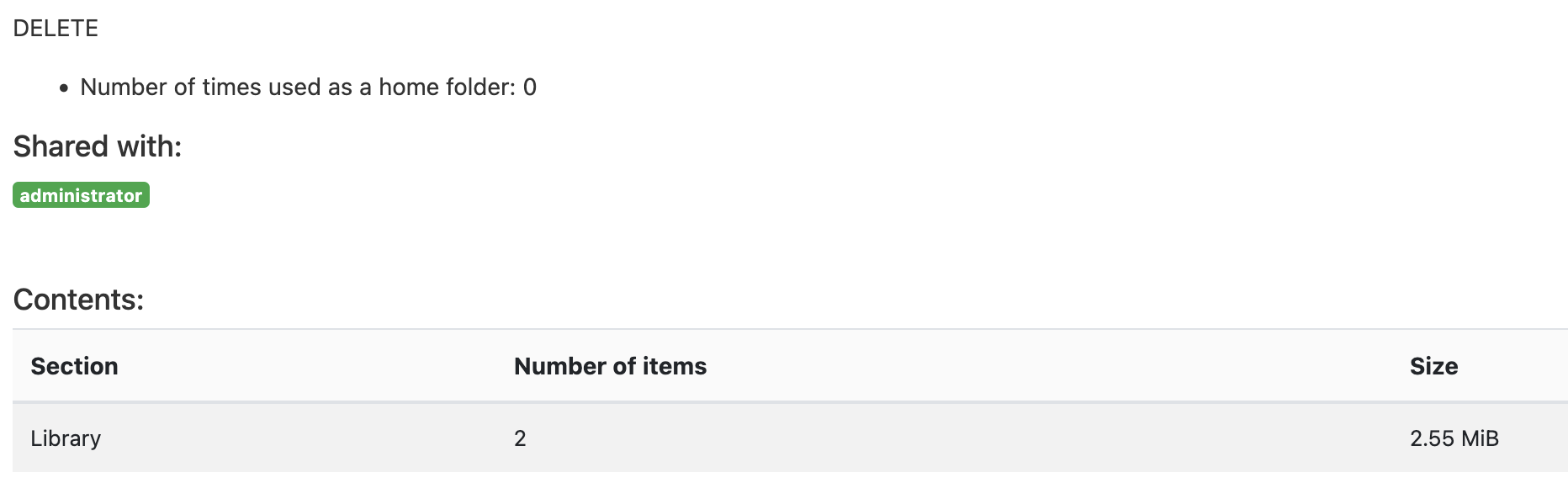
i have a folder on my CMS 3.3.11 which is empty but it does not allow me to delete it by saying folder not being empty. Yes, folder says there are two items in “Library” but there isn’t anything.
BTW,
I am trying to delete the folder as system administrator and yet, it won’t let me delete the folder.
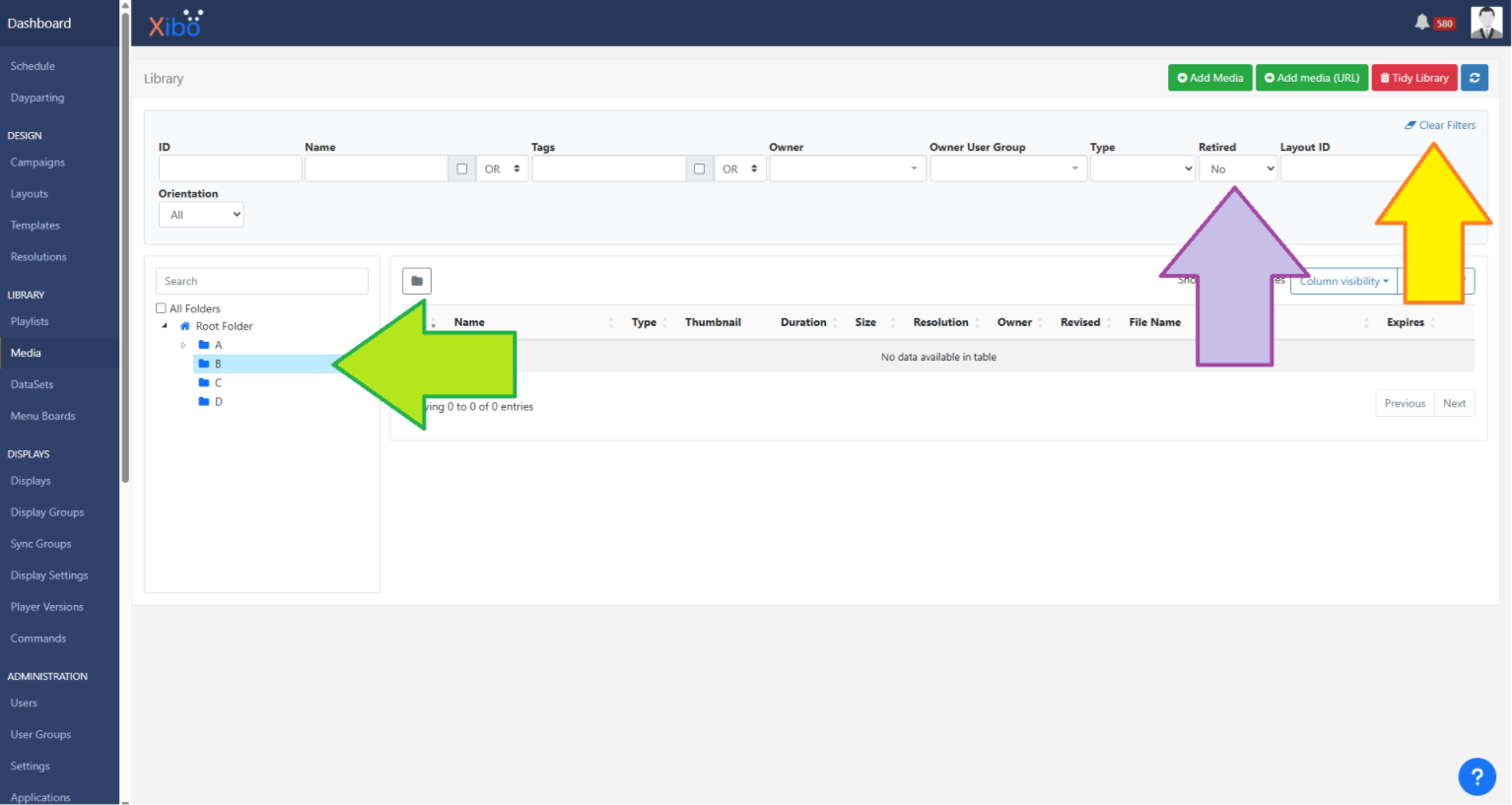
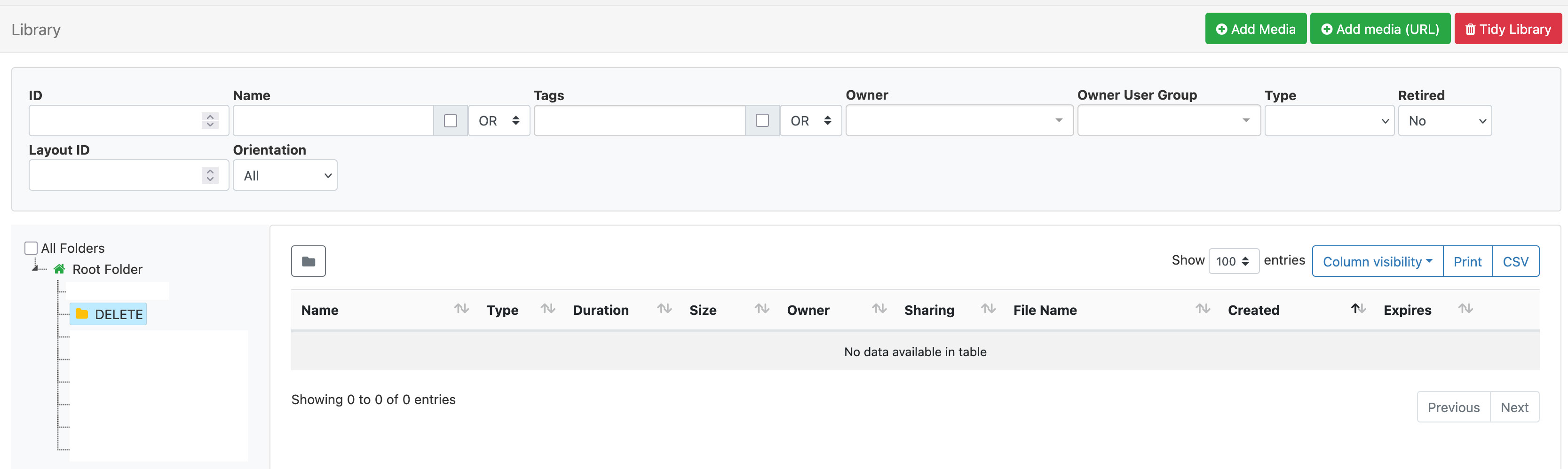
Can you go to the Media page in your CMS and select that folder in the tree on the left of the page, so I can see that nothing is being shown there? For example, you can see in my screenshot I have selected the B folder (green arrow):
When you were using this folder, did you use the replace functionality to upload new files? I ask because I wonder if there is a revision still listed against this folder that is not removed.
If you do use replace, but you are happy to clear the old revisions, you could try a tidy library and see if that clears the remaining files. It is up to you whether to try this, it cannot be undone once you run it, so please consider how this may affect media files that you do wish to keep before you decide to do this
If you do decide to try this, please follow these steps:
Go to the Settings page in your CMS.
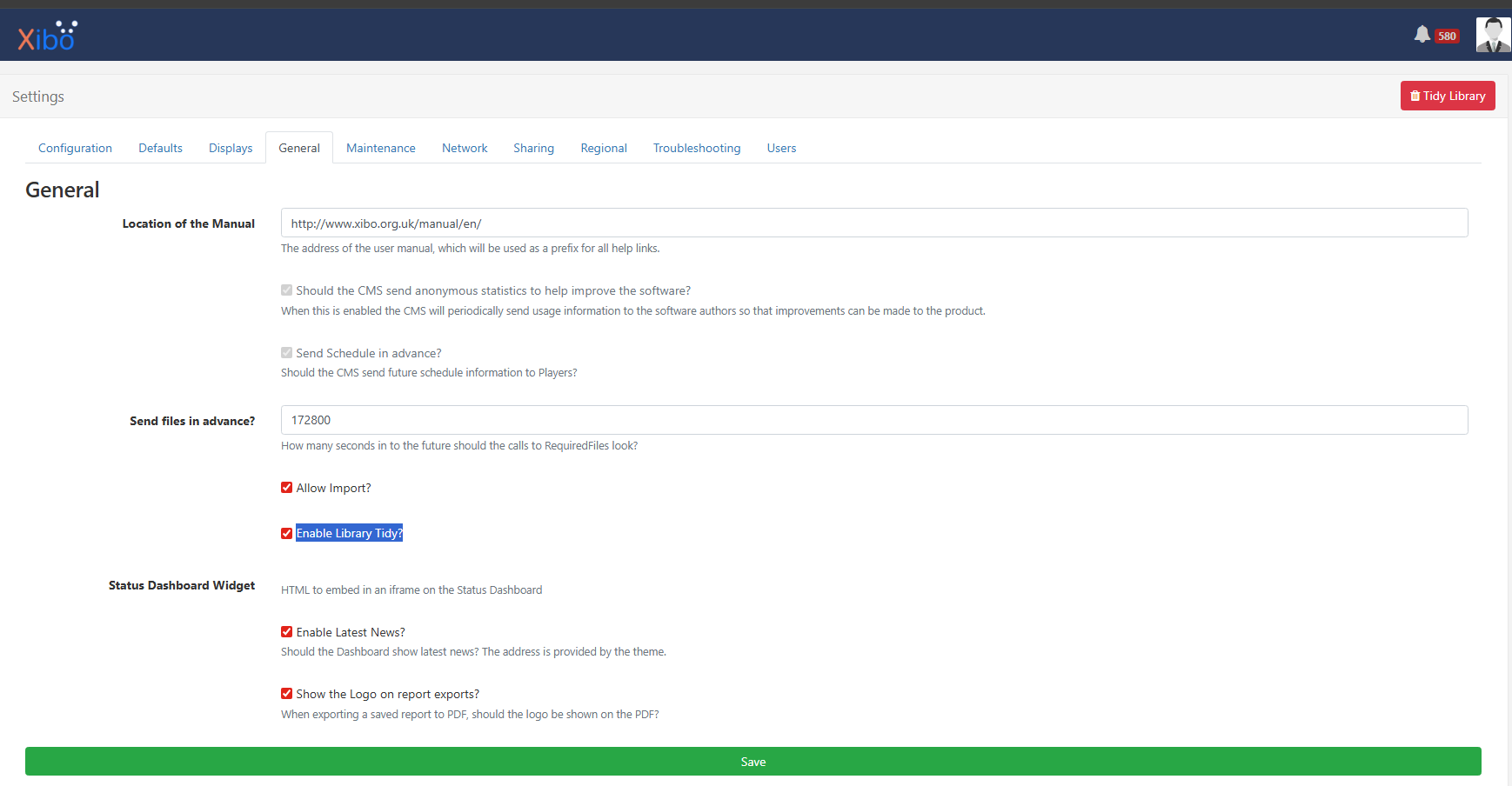
Now click the General tab and locate the option named Enable Tidy Library which is highlighted in this screenshot:
Save that option and refresh the page. You should now see the red Tidy Library button in the top right of the page (you can see it iun the above screenshot).
Click on that Tidy Library button. Do not use the Tidy Library button on the media page, that is a different Tidy button!
Tick the Remove Old Revisions box and save to run that option. Be sure before you do this as it is irreversible.
If you did clear the old revisions, did that clear the hidden files in your Delete folder?