I have set up a single client for the 1.8 Alpha 2 test and have created a schedule which basically runs throughout business hours every day.
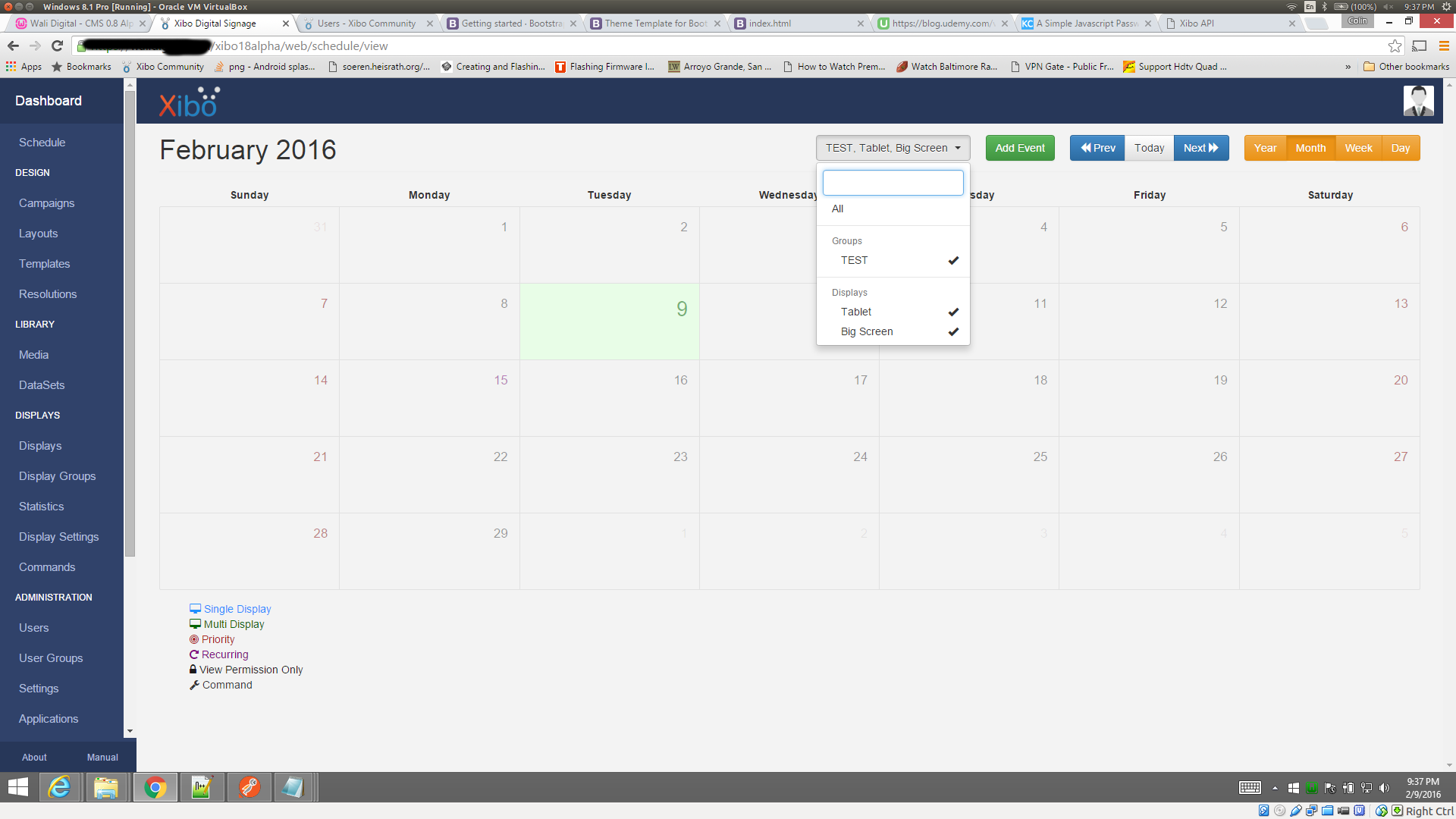
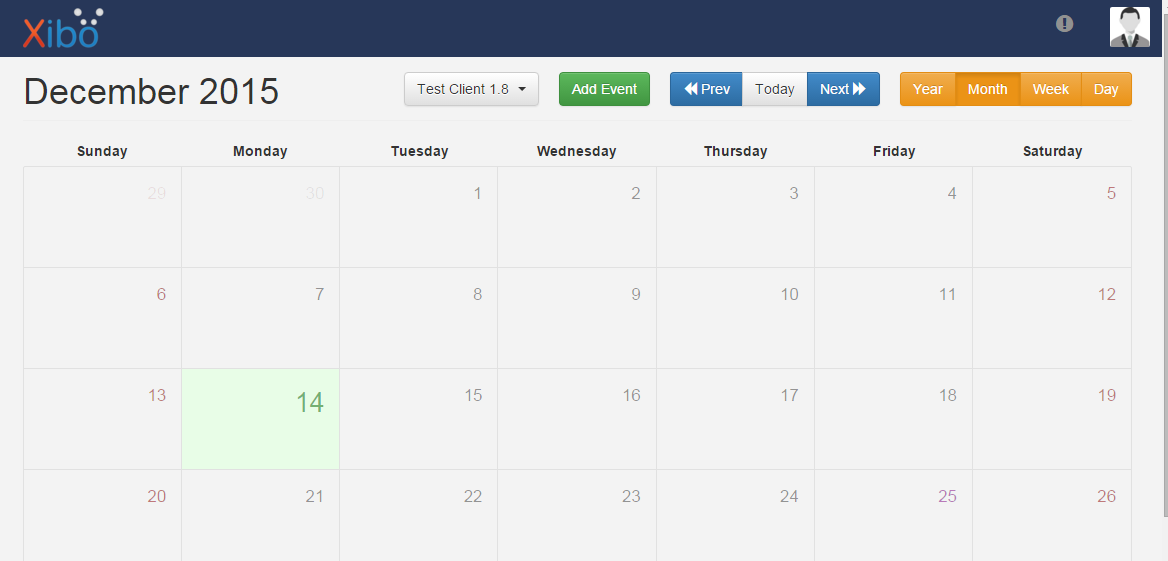
I know that the schedule works because I can see it running on the client (Windows 10 running Xibo Client 1.7.5). However the CMS interface does not show any scheduled tasks (see attached picture). I’ve rechecked the manual (Xibo Documentation) and I’m sure I’m doing the right thing.
If there’s a step I may have left out/misconstrued, please let me know.
Did you perhaps make the schedule on a display group rather than on the specific display? Or did you perhaps set the layout to be default rather than creating a schedule?
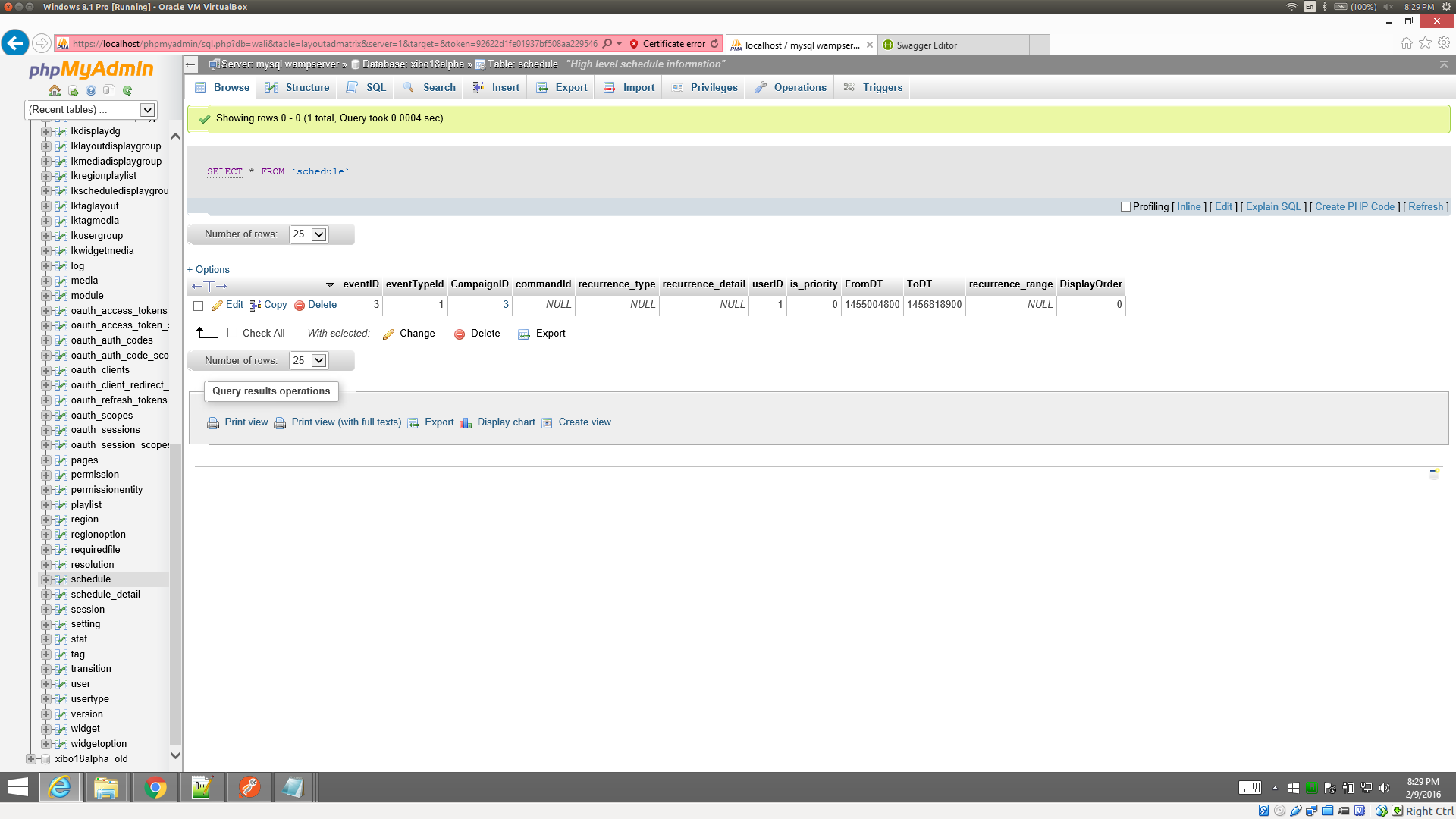
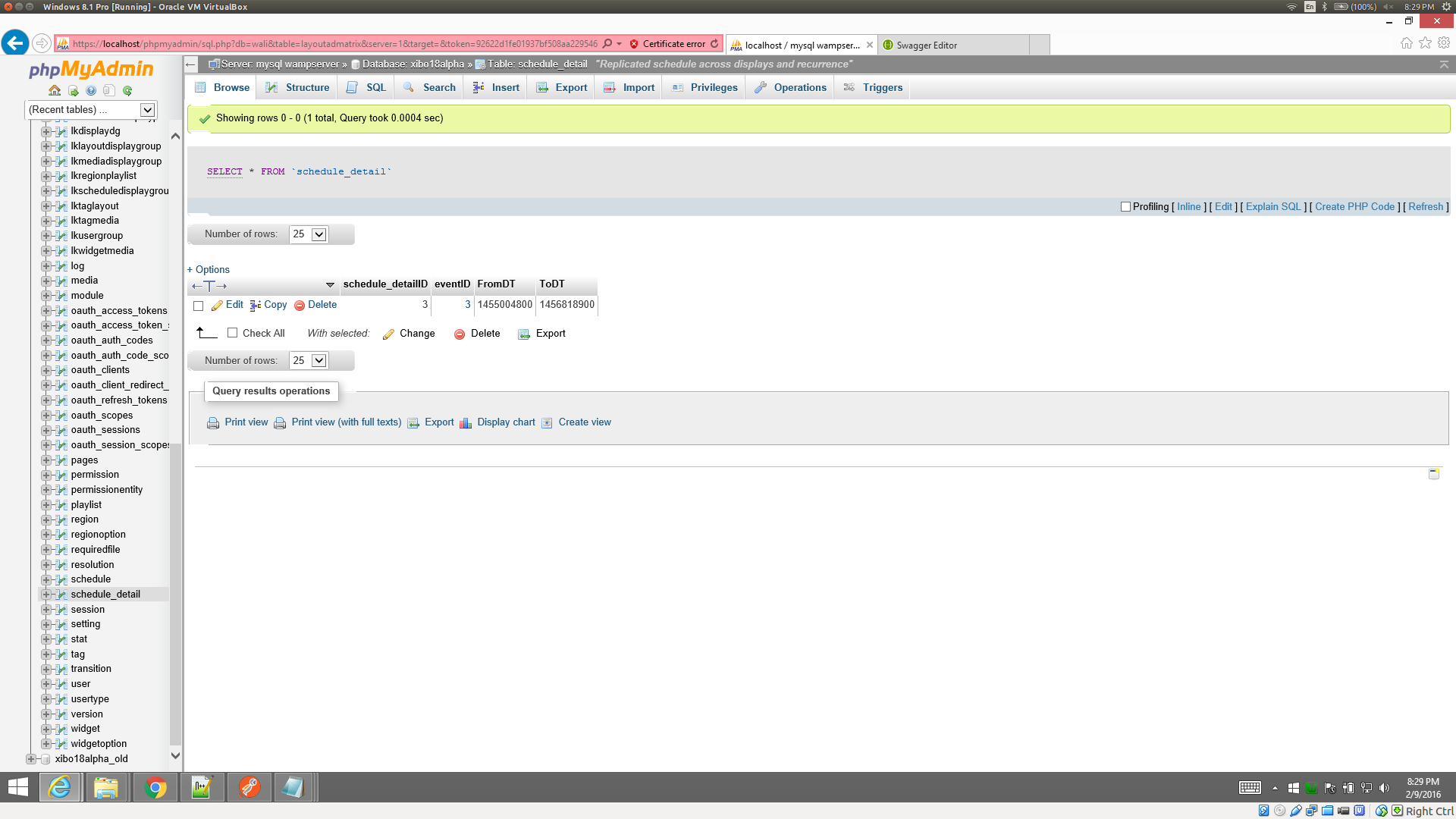
When we go to Schedule, select a display from the list, add an event with everything filled out correctly, after submitting it, we can’t see it anywhere on the schedule screen. We do see the schedule in the database, and the scheduled layout does show like it should on the display at the correct times.
So in short, it is just not showing up on the Schedule screen, but everything else is fine. So this basically leaves no way to edit or removed the schedule once created.
I’ve tried a variety of different things to recreate the issue and can’t manage it i’m wondering now whether it is something to do with the timezone, but again - its not obvious.
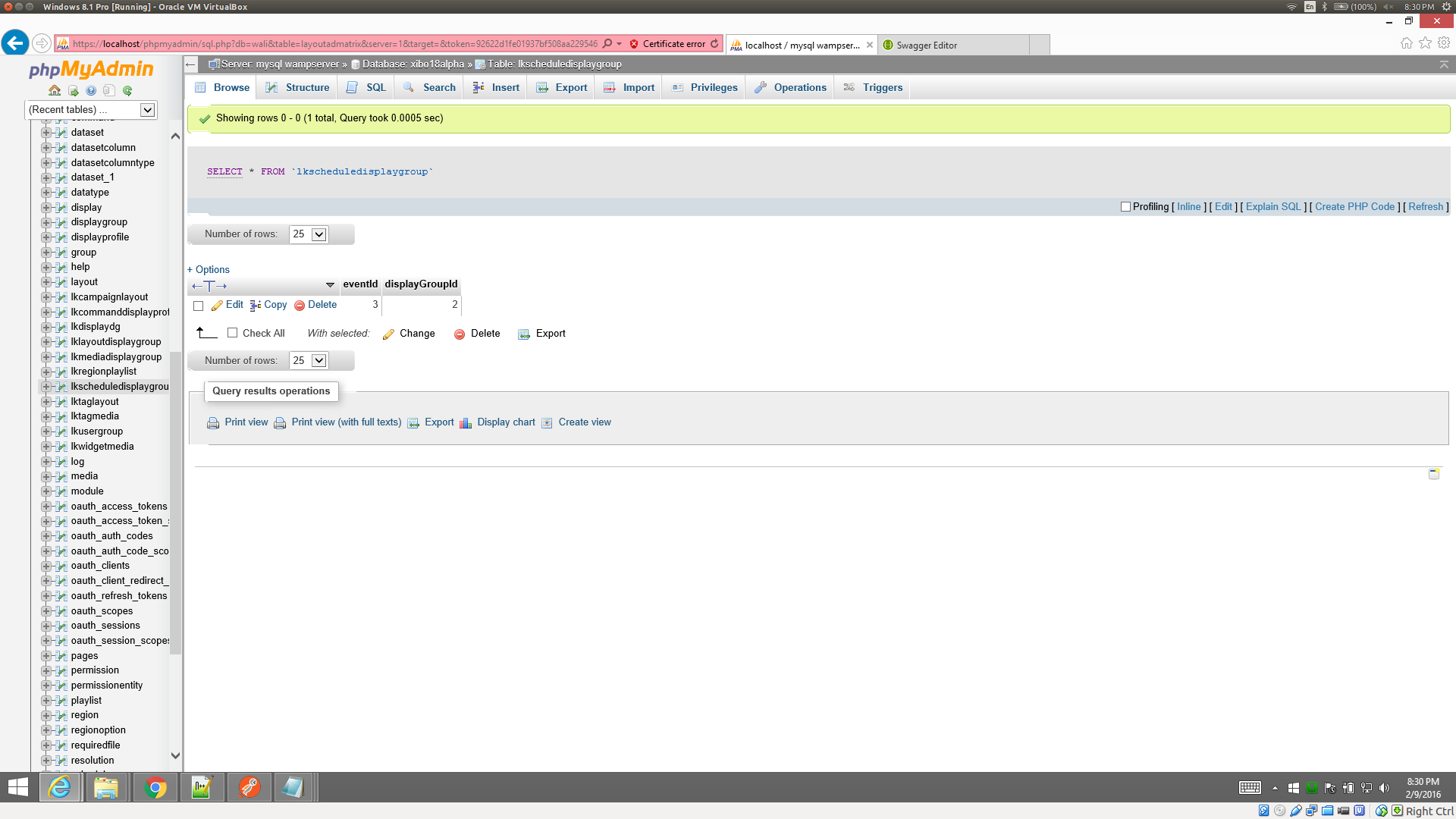
When you see the event in the schedule and schedule detail tables, can you also find that same eventId in the lkscheduledisplaygroup table?
I don’t think so as we have not deleted any layouts recently. Also as soon as we create the schedule, we never see it.
Oh man, I hope not for your sake. I know you love time issues. But, no I don’t think that is it either, because if we schedule something for days we should still see it on the week view or what not, however we do not.
I do not. But should I expect to see it there? I am not scheduling anything for a display group.
Well scheduling a display group made me curious. And well I found another problem. If I try to schedule an event to a display group, upon hitting save we get the message:
Please select a Campaign/Layout for this event.
And the spining gear on save appears, but never stops.
Not sure what to think about this. The scheduled events that we played with yesterday and saw in the database yesterday, are gone today. So to make sure I wasn’t loosing my mind when I told you that we did see the added schedule event in the database, we added another scheduled event, and it does show in the database in schedule, schedule_detail, and lkscheduledisplaygroup. Screen shot of the three in case maybe the timestamp is being recording incorrectly, is in the past, and the system is removing the schedule because it has expired.
All displays are a display group under the hood, you’ll see a column on the group table called “is display specific” which tells you whether its a general group or a single display.
There are only 4 places that the code will delete schedules:
Deleting a Campaign/Layout
Deleting a Display/DisplayGroup
Deleting a User
Deleting the actual scheduled event
Unless of course your API application does some schedule deleting of its own?
You are right, i’ll find out why the spinning gear doesn’t stop on error.
It is possible to get access to your CMS so I can run some testing?
Not presently. Currently we are only deleting Widgets and Media via the API. Also we do not yet manage schedules via the API.
It could be done… Currently on a virtual machine, with a bit of security sensitive items\connections on it. PM if you would and I will see what we can work out.
I’m not sure how else I can solve this without seeing it happening - happy to do a remote session with you if that is at all possible (if so, then please PM me the details )
So we’ve learnt that the sanitization is wrong on the start/end parameters incoming into eventData(). They are Sanitized as integers and not doubles/longs.
What is not clear is why that doesn’t effect all installations - I would imagine something to do with the PHP version.


 i’m wondering now whether it is something to do with the timezone, but again - its not obvious.