Hello,
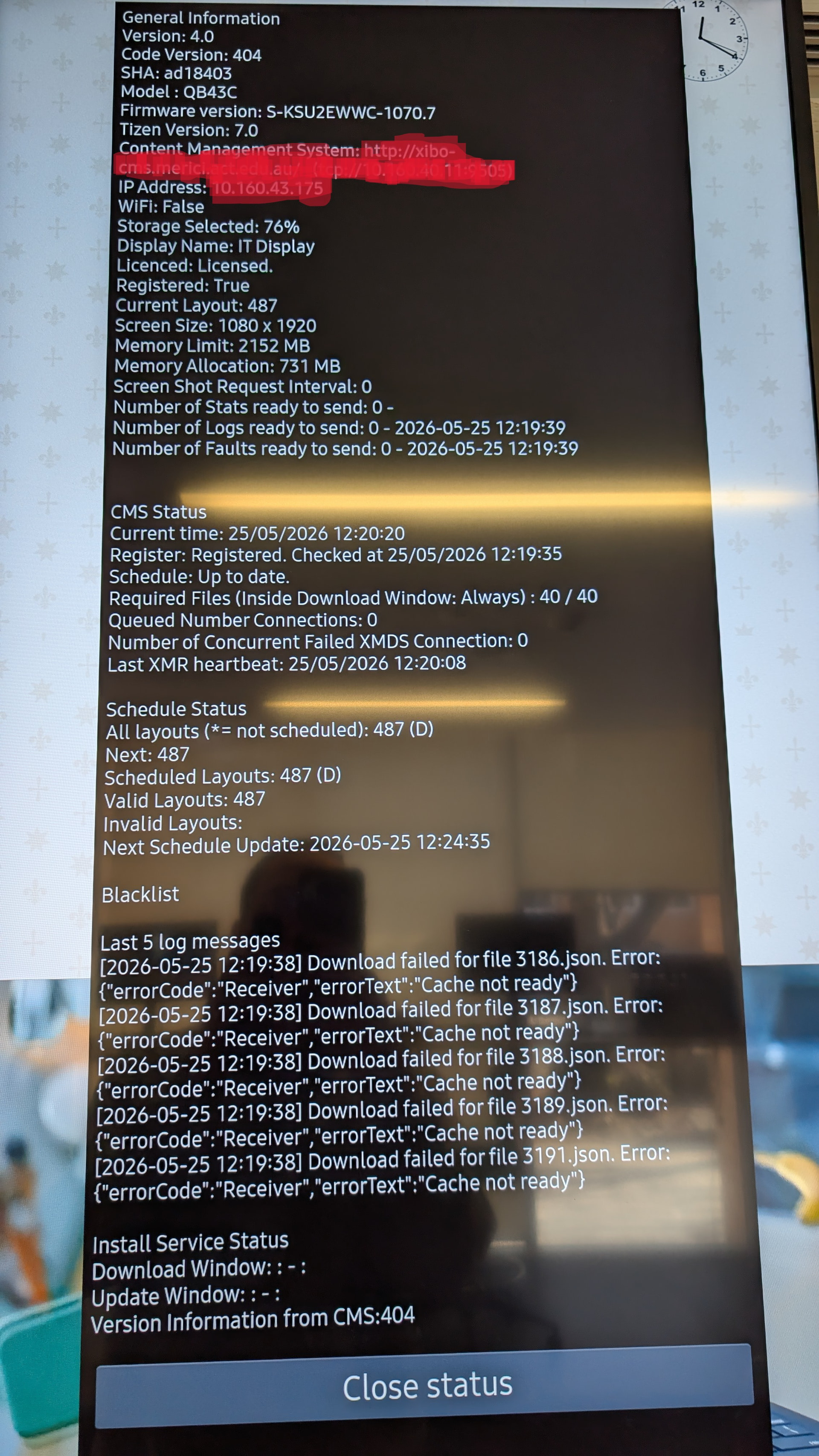
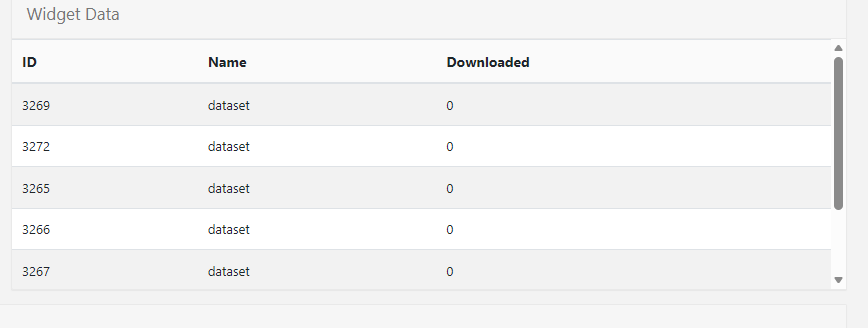
I am having this issue where the Display is showing a cache not ready error. But when I preview the layout itself, it is loading up properly with all the datasets. Then I looked into the Displays from the CMS, and the widget data sets are all 0 KB.
Has anyone faced similar issues?
Hi Sthasuman,
-
Cache Not Ready: If a player requests data that hasn’t been cached yet in the CMS, it may receive a “Cache not ready” error (404). In this case, the widget should skip or report a fault until the data is available [source /t/-/627/1, /t/-/3172/1].
-
In order to Fix, this matter, i would suggest to check the WidgetSyncTask
-
also i highly suggest, to upgrade your player to most recent version.here is the link
-
https://account.xibosignage.com/api/downloads/936
Hope fully this information is help full for you.
Best regards
Hi Erik,
Thank you for you reply.
But where to check this WidgetSyncTask, we are running xibo cms in docker.
Do you think we are missing this in our yml file? Does xibo have a sample for this?
Below our docker yml file.
docker-compose.yml
version: “2.1”
services:
cms-db:
image: mysql:8.0
volumes:
- “./shared/db:/var/lib/mysql:Z”
environment:
- MYSQL_DATABASE=*****
- MYSQL_USER=***
- MYSQL_RANDOM_ROOT_PASSWORD=******
mem_limit: 1g
env_file: config.env
restart: always
cms-xmr:
image: Package xibo-xmr · GitHub
ports:
- “9505:9505”
restart: always
mem_limit: 512m
env_file: config.env
cms-web:
image: Package xibo-cms · GitHub
volumes:
- “./shared/cms/custom:/var/www/cms/custom:Z”
- “./shared/backup:/var/www/backup:Z”
- “./shared/cms/web/theme/custom:/var/www/cms/web/theme/custom:Z”
- “./shared/cms/library:/var/www/cms/library:Z”
- “./shared/cms/web/userscripts:/var/www/cms/web/userscripts:Z”
- “./shared/cms/ca-certs:/var/www/cms/ca-certs:Z”
restart: always
links:
- cms-db:mysql
- cms-xmr:50001
environment:
- XMR_HOST=cms-xmr
- CMS_USE_MEMCACHED=true
- MEMCACHED_HOST=cms-memcached
env_file: config.env
ports:
- “80:80”
mem_limit: 1g
cms-memcached:
image: memcached:alpine
command: memcached -m 15
restart: always
mem_limit: 100M
cms-quickchart:
image: ianw/quickchart
restart: always
Hi Erin,
I have run the xtr.php and it seems the datasets are syncing but the displays can’t download the widget data.
I have also upgraded the player as per your advice.
What could be the issue for not downloading the data in the player?
Hi sthasuman, would it be possible to replicate this issue on a trial CMS and then provide me with the URL? It would be really helpful for us to take a closer look at this behavior on our end to find out why the data set is not updating correctly.
Hi Eric,
The widget sync task in the cms was inactive. It is syncing now, and the cache has downloaded.
Thank you for your help. Really appreciated.
1 Like