# Upgrading to xibo v2 temporarily off-line
**URL:** https://community.xibo.org.uk/t/upgrading-to-xibo-v2-temporarily-off-line/18058
**Category:** Get Help
**Created:** [March 19, 2019, 10:40am UTC](https://community.xibo.org.uk/t/upgrading-to-xibo-v2-temporarily-off-line/18058 "2019-03-19T10:40:14Z")
**Posts on this page:** 20
**Page:** 1
### Author:  [@Tony.J](https://community.xibo.org.uk/u/Tony.J)
#### Post date: [March 19, 2019, 10:40am UTC](https://community.xibo.org.uk/t/upgrading-to-xibo-v2-temporarily-off-line/18058/1 "2019-03-19T10:40:14Z")
Hi,
I want to upgrade my xibo server (apache2 V1.8.12) to the new version but i am stuck on this page :
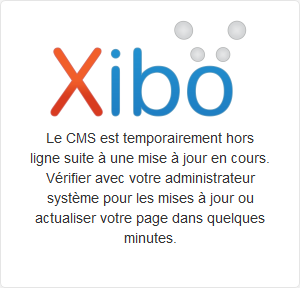
“The CMS is temporarily off-line as an upgrade is in progress. Please check with your system administrator for updates or refresh your page in a few minutes.”
Are there any additional steps required for an upgrade to V2?
Thank you.
---
### Author:  [@alex](https://community.xibo.org.uk/u/alex)
#### Post date: [March 19, 2019, 11:55am UTC](https://community.xibo.org.uk/t/upgrading-to-xibo-v2-temporarily-off-line/18058/2 "2019-03-19T11:55:07Z")
You need to run the database migrations.
From the console, inside your Xibo install directory you’d run
```auto
php vendor/bin/phinx phinx.php migrate
```
You should see migrations run and complete, and then the web interface will be unlocked.
---
### Author:  [@Tony.J](https://community.xibo.org.uk/u/Tony.J)
#### Post date: [March 19, 2019, 1:36pm UTC](https://community.xibo.org.uk/t/upgrading-to-xibo-v2-temporarily-off-line/18058/3 "2019-03-19T13:36:51Z")
Indeed it’s works with this line :
```auto
php vendor/bin/phinx migrate
```
I didn’t found this information on the documentation.
Thanks alot !
---
### Author:  [@sgunther](https://community.xibo.org.uk/u/sgunther)
#### Post date: [March 20, 2019, 6:25pm UTC](https://community.xibo.org.uk/t/upgrading-to-xibo-v2-temporarily-off-line/18058/4 "2019-03-20T18:25:09Z")
I am having the same issue after upgrading to v2. I am running xibo with docker on ubuntu 16.04. When i go to my /opt/xibo directory where i have it installed and try to run the “php vendor/bin/phinx migrate” when i try to run this it says that it could not open the file vendor/bin/phins. Any help?
---
### Author:  [@alex](https://community.xibo.org.uk/u/alex)
#### Post date: [March 20, 2019, 8:10pm UTC](https://community.xibo.org.uk/t/upgrading-to-xibo-v2-temporarily-off-line/18058/5 "2019-03-20T20:10:24Z")
With Docker the migrations are run for you. You don’t need to run them manually.
If you get the logs from the cms-web container (`docker-compose logs -f cms-web`) you should see them having been run - or still running potentially - together with any errors.
---
### Author:  [@sgunther](https://community.xibo.org.uk/u/sgunther)
#### Post date: [March 21, 2019, 11:29am UTC](https://community.xibo.org.uk/t/upgrading-to-xibo-v2-temporarily-off-line/18058/6 "2019-03-21T11:29:34Z")
So far it has taken almost 20 hours. Should it be taking this long? I can post the log out put.
cms-web\_1 mysqldump: Got Error 1146 “table ‘cms.lktagedisplaygroup’ doesn’t exist when using LOCK TABLES” is the only error that it shows.
---
### Author:  [@Thangaraj\_Natarajan](https://community.xibo.org.uk/u/Thangaraj_Natarajan)
#### Post date: [March 21, 2019, 12:17pm UTC](https://community.xibo.org.uk/t/upgrading-to-xibo-v2-temporarily-off-line/18058/7 "2019-03-21T12:17:50Z")
C:\wamp\www\xibo-cms\>php vendor/bin/phinx migrate
Warning: require(C:\wamp\www\xibo-cms\vendor\bin/…/app/phinx.php): failed to open stream: No such file or directory in C:\wamp\www\xibo-cms\vendor\bin\phinx on line 27
Fatal error: require(): Failed opening required ‘C:\wamp\www\xibo-cms\vendor\bin/…/app/phinx.php’ (include\_path=’.;C:\php\pear’) in C:\wamp\www\xibo-cms\vendor\bin\phinx on line 27
Please hep me out in fixing this?
---
### Author:  [@alex](https://community.xibo.org.uk/u/alex)
#### Post date: [March 21, 2019, 1:34pm UTC](https://community.xibo.org.uk/t/upgrading-to-xibo-v2-temporarily-off-line/18058/8 "2019-03-21T13:34:01Z")
It shouldn’t take 20 hours no.
Please post the complete logs for the cms-web container, redacting anything sensitive and I will take a look.
---
### Author:  [@alex](https://community.xibo.org.uk/u/alex)
#### Post date: [March 21, 2019, 1:34pm UTC](https://community.xibo.org.uk/t/upgrading-to-xibo-v2-temporarily-off-line/18058/9 "2019-03-21T13:34:39Z")
Windows is different. See [Upgrading to xibo v2, unable to do database migrations](https://community.xibo.org.uk/t/upgrading-to-xibo-v2-unable-to-do-database-migrations/18074/6?u=alex)
---
### Author:  [@sgunther](https://community.xibo.org.uk/u/sgunther)
#### Post date: [March 21, 2019, 1:35pm UTC](https://community.xibo.org.uk/t/upgrading-to-xibo-v2-temporarily-off-line/18058/10 "2019-03-21T13:35:52Z")
Attaching to xibo\_cms-web\_1
cms-web\_1 | Waiting for MySQL to start - max 300 seconds
cms-web\_1 | MySQL started
cms-web\_1 | Updating settings.php
cms-web\_1 | settingId
cms-web\_1 | 1
cms-web\_1 | Existing Database, checking if we need to upgrade it
cms-web\_1 | Phinx by CakePHP - [https://phinx.org](https://phinx.org). 0.9.2
cms-web\_1 |
cms-web\_1 | using config file .varwwwcmsphinx.php
cms-web\_1 | using config parser php
cms-web\_1 | using migration paths
cms-web\_1 | - /var/www/cms/db/migrations
cms-web\_1 | warning no environment specified, defaulting to: production
cms-web\_1 | ordering by creation time
cms-web\_1 |
cms-web\_1 | Status [Migration ID] Started Finished Migration Name
cms-web\_1 | ----------------------------------------------------------------------------------
cms-web\_1 | up 20180130073838 2019-03-20 15:45:08 2019-03-20 15:45:08 InstallMigration
cms-web\_1 | up 20180131113100 2019-03-20 15:45:08 2019-03-20 15:45:08 OldUpgradeStep85Migration
cms-web\_1 | up 20180131113853 2019-03-20 15:45:08 2019-03-20 15:45:08 OldUpgradeStep86Migration
cms-web\_1 | up 20180131113941 2019-03-20 15:45:08 2019-03-20 15:45:08 OldUpgradeStep87Migration
cms-web\_1 | up 20180131113948 2019-03-20 15:45:08 2019-03-20 15:45:08 OldUpgradeStep88Migration
cms-web\_1 | up 20180131113952 2019-03-20 15:45:08 2019-03-20 15:45:08 OldUpgradeStep92Migration
cms-web\_1 | up 20180131113957 2019-03-20 15:45:08 2019-03-20 15:45:08 OldUpgradeStep120Migration
cms-web\_1 | up 20180131114002 2019-03-20 15:45:08 2019-03-20 15:45:08 OldUpgradeStep121Migration
cms-web\_1 | up 20180131114007 2019-03-20 15:45:08 2019-03-20 15:45:08 OldUpgradeStep122Migration
cms-web\_1 | up 20180131114013 2019-03-20 15:45:08 2019-03-20 15:45:08 OldUpgradeStep123Migration
cms-web\_1 | up 20180131114017 2019-03-20 15:45:08 2019-03-20 15:45:08 OldUpgradeStep124Migration
cms-web\_1 | up 20180131114021 2019-03-20 15:45:08 2019-03-20 15:45:08 OldUpgradeStep125Migration
cms-web\_1 | up 20180131114025 2019-03-20 15:45:08 2019-03-20 15:45:08 OldUpgradeStep126Migration
cms-web\_1 | up 20180131114030 2019-03-20 15:45:08 2019-03-20 15:45:08 OldUpgradeStep127Migration
cms-web\_1 | up 20180131114050 2019-03-20 15:45:08 2019-03-20 15:45:08 OldUpgradeStep128Migration
cms-web\_1 | up 20180131114058 2019-03-20 15:45:08 2019-03-20 15:45:08 OldUpgradeStep129Migration
cms-web\_1 | up 20180131114103 2019-03-20 15:45:08 2019-03-20 15:45:08 OldUpgradeStep130Migration
cms-web\_1 | up 20180131114107 2019-03-20 15:45:08 2019-03-20 15:45:08 OldUpgradeStep131Migration
cms-web\_1 | up 20180131114110 2019-03-20 15:45:08 2019-03-20 15:45:08 OldUpgradeStep132Migration
cms-web\_1 | up 20180131114114 2019-03-20 15:45:08 2019-03-20 15:45:09 OldUpgradeStep133Migration
cms-web\_1 | down 20180131114118 OldUpgradeStep134Migration
cms-web\_1 | down 20180131114123 OldUpgradeStep135Migration
cms-web\_1 | down 20180131122645 OneRegionPerPlaylistMigration
cms-web\_1 | down 20180131123038 PlaylistTagsMigration
cms-web\_1 | down 20180131123248 WidgetFromToDtMigration
cms-web\_1 | down 20180212143336 DaypartSystemEntriesAsRecords
cms-web\_1 | down 20180213173846 MailFromNameSettingMigration
cms-web\_1 | down 20180219141257 DisplayGroupClosureIndexToNonUnique
cms-web\_1 | down 20180223180534 DataSetColumnFilterAndSortOptionsMigration
cms-web\_1 | down 20180302182421 WidgetCreatedAndModifiedDtMigration
cms-web\_1 | down 20180313085749 MediaTableEditedIdIndexMigration
cms-web\_1 | down 20180320154652 PlaylistAddDynamicFilterMigration
cms-web\_1 | down 20180327153325 RemoveUserLoggedInMigration
cms-web\_1 | down 20180514114415 FixCaseOnHelpTextFieldMigration
cms-web\_1 | down 20180515123835 LayoutPublishDraftMigration
cms-web\_1 | down 20180529065816 DataSetTruncateFixMigration
cms-web\_1 | down 20180529073531 DisplayAsVncLinkMigration
cms-web\_1 | down 20180621134013 AddWidgetSyncTaskMigration
cms-web\_1 | down 20180621134250 EventLayoutPermissionSettingMigration
cms-web\_1 | down 20180906115552 AddForeignKeysToTagsMigration
cms-web\_1 | down 20180906115606 AddForeignKeysToPermissionsMigration
cms-web\_1 | down 20180906115712 AddForeignKeysToWidgetMediaMigration
cms-web\_1 | down 20180906131643 ForgottenPasswordReminderMigration
cms-web\_1 | down 20180906131716 DataSetRssMigration
cms-web\_1 | down 20181011160130 SimpleSettingsMigration
cms-web\_1 | down 20181113173310 RemoveFinanceModuleMigration
cms-web\_1 | down 20181113180337 SplitTickerModuleMigration
cms-web\_1 | down 20181126113231 Release1812Migration
cms-web\_1 | down 20181210092443 RemoveImageUriModuleMigration
cms-web\_1 | down 20181212114400 CreatePlayerVersionsTableMigration
cms-web\_1 | down 20181217135044 EventSyncMigration
cms-web\_1 | down 20190121092556 PlayerUpgradeAndOverrideConfigMigration
cms-web\_1 | down 20190125170130 PlayerSoftwareVersionFieldMigration
cms-web\_1 | down 20190129103831 AddLinuxDisplayProfileMigration
cms-web\_1 | down 20190212115432 AddDefaultTransitionDurationSettingMigration
cms-web\_1 | down 20190213162212 AddHorizontalMenuSettingMigration
cms-web\_1 | down 20190220165703 AddScheduleRecurrenceMonthlyRepeatsOnMigration
cms-web\_1 | down 20190227101705 MakeDisplayLicenseColumnUniqueMigration
cms-web\_1 | down 20190228120603 AddDynamicCriteriaTagsMigration
cms-web\_1 | down 20190301115046 AdjustGenericfileValidExtensionsMigration
cms-web\_1 |
cms-web\_1 | We will upgrade it, take a backup
cms-web\_1 | mysqldump: Got error: 1146: “Table ‘cms.lktagdisplaygroup’ doesn’t exist” when using LOCK TABLES
cms-web\_1 | Running database migrations
cms-web\_1 | Phinx by CakePHP - [https://phinx.org](https://phinx.org). 0.9.2
cms-web\_1 |
cms-web\_1 | using config file .varwwwcmsphinx.php
cms-web\_1 | using config parser php
cms-web\_1 | using migration paths
cms-web\_1 | - /var/www/cms/db/migrations
cms-web\_1 | warning no environment specified, defaulting to: production
cms-web\_1 | using adapter mysql
cms-web\_1 | using database cms
cms-web\_1 |
cms-web\_1 | == 20180131114118 OldUpgradeStep134Migration: migrating
cms-web\_1 |
cms-web\_1 |
cms-web\_1 | [PDOException]
cms-web\_1 | SQLSTATE[42S21]: Column already exists: 1060 Duplicate column name ‘isDispl
cms-web\_1 | ayNotification’
cms-web\_1 |
cms-web\_1 |
cms-web\_1 | migrate [-c|–configuration CONFIGURATION] [-p|–parser PARSER] [-e|–environment ENVIRONMENT] [-t|–target TARGET] [-d|–date DATE] [-x|–dry-run]
cms-web\_1 |
cms-web\_1 | Importing ca-certs
cms-web\_1 | cp: can’t stat ‘/var/www/cms/ca-certs/_.pem’: No such file or directory
cms-web\_1 | cp: can’t stat '/var/www/cms/ca-certs/_.crt’: No such file or directory
cms-web\_1 | WARNING: ca-certificates.crt does not contain exactly one certificate or CRL: skipping
cms-web\_1 | Configuring Maintenance
cms-web\_1 | Removing web/install/index.php from production container
cms-web\_1 | Starting cron
cms-web\_1 | Starting webserver
cms-web\_1 | AH00558: httpd: Could not reliably determine the server’s fully qualified domain name, using 172.20.0.4. Set the ‘ServerName’ directive globally to suppress this message
---
### Author:  [@alex](https://community.xibo.org.uk/u/alex)
#### Post date: [March 21, 2019, 1:40pm UTC](https://community.xibo.org.uk/t/upgrading-to-xibo-v2-temporarily-off-line/18058/11 "2019-03-21T13:40:12Z")
So for the first error from mysqldump, I would assume you have a crashed or missing table. Did someone perhaps delete the `idb` file for that table from the `shared/db` folder?
Beyond that, the migrations fail saying that there is already a column “isDisplayNotification”. That should only happen if you’ve previously run upgrades in 1.8 that failed or partially completed.
To resolve, you’d need to fix the error with the missing table first. Once that is corrected, you’ll need to initially remove the column shown from the database and that should allow the migration to run.
---
### Author:  [@sgunther](https://community.xibo.org.uk/u/sgunther)
#### Post date: [March 21, 2019, 1:46pm UTC](https://community.xibo.org.uk/t/upgrading-to-xibo-v2-temporarily-off-line/18058/12 "2019-03-21T13:46:55Z")
in the shared/db/cms folder i can see both the .frm and the .idb files for the the table in question. as for the isDisplayNotification error there was an error with the database the last time we upgraded. We had to restore the db from an older backup.
---
### Author:  [@sgunther](https://community.xibo.org.uk/u/sgunther)
#### Post date: [March 21, 2019, 1:49pm UTC](https://community.xibo.org.uk/t/upgrading-to-xibo-v2-temporarily-off-line/18058/13 "2019-03-21T13:49:14Z")
Also looking at the backup we have of the old database the iktagdisplaygroup.idb or iktagdisplagroup.frm do not exist.
---
### Author:  [@alex](https://community.xibo.org.uk/u/alex)
#### Post date: [March 21, 2019, 1:50pm UTC](https://community.xibo.org.uk/t/upgrading-to-xibo-v2-temporarily-off-line/18058/14 "2019-03-21T13:50:08Z")
If the files are there, then perhaps the table is crashed. You could try repairing the table first.
---
### Author:  [@sgunther](https://community.xibo.org.uk/u/sgunther)
#### Post date: [March 21, 2019, 3:10pm UTC](https://community.xibo.org.uk/t/upgrading-to-xibo-v2-temporarily-off-line/18058/15 "2019-03-21T15:10:40Z")
Can you recommend anything else to run? or how to go about repairing the table from there?
---
### Author:  [@alex](https://community.xibo.org.uk/u/alex)
#### Post date: [March 21, 2019, 3:48pm UTC](https://community.xibo.org.uk/t/upgrading-to-xibo-v2-temporarily-off-line/18058/16 "2019-03-21T15:48:44Z")
You would need to use MySQL’s own routines to repair the table, or in the worst case drop it and recreate it based on the schema for the version of 1.8 that you are trying to upgrade from.
---
### Author:  [@sgunther](https://community.xibo.org.uk/u/sgunther)
#### Post date: [March 21, 2019, 3:49pm UTC](https://community.xibo.org.uk/t/upgrading-to-xibo-v2-temporarily-off-line/18058/17 "2019-03-21T15:49:42Z")
What directory is the actual db? I am trying to do the repairs and mysql is having trouble locating where the database and tables are.
---
### Author:  [@alex](https://community.xibo.org.uk/u/alex)
#### Post date: [March 21, 2019, 3:59pm UTC](https://community.xibo.org.uk/t/upgrading-to-xibo-v2-temporarily-off-line/18058/18 "2019-03-21T15:59:29Z")
Inside the container, it’s in the MySQL default (/var/lib/mysql).
You shouldn’t be trying to repair it from outside.
---
### Author:  [@sgunther](https://community.xibo.org.uk/u/sgunther)
#### Post date: [March 21, 2019, 4:15pm UTC](https://community.xibo.org.uk/t/upgrading-to-xibo-v2-temporarily-off-line/18058/19 "2019-03-21T16:15:35Z")
If i am in there there is no trace of any database relating to xibo.
---
### Author:  [@alex](https://community.xibo.org.uk/u/alex)
#### Post date: [March 21, 2019, 4:27pm UTC](https://community.xibo.org.uk/t/upgrading-to-xibo-v2-temporarily-off-line/18058/20 "2019-03-21T16:27:33Z")
Then either you’re using an external database rather than the one provided by the containers, or you’re not inside the MySQL container.
If there’s corruption in your database, and it seems there is, then if you want us to look at it we may be able to do so on a paid basis. Otherwise I can only really offer you general guidance.
If you aren’t able to make it work, I’d suggest rolling back to your pre-upgrade backup and checking the status of the tables in the database at that point.
[Next page](https://community.xibo.org.uk/t/upgrading-to-xibo-v2-temporarily-off-line/18058.md?page=2)