# Send RS232 commands via XIBO
**URL:** https://community.xibo.org.uk/t/send-rs232-commands-via-xibo/27337
**Category:** Other
**Created:** [May 17, 2022, 3:33pm UTC](https://community.xibo.org.uk/t/send-rs232-commands-via-xibo/27337 "2022-05-17T15:33:35Z")
**Posts on this page:** 2
**Page:** 1
### Author:  [@Peterspie](https://community.xibo.org.uk/u/Peterspie)
#### Post date: [May 17, 2022, 3:33pm UTC](https://community.xibo.org.uk/t/send-rs232-commands-via-xibo/27337/1 "2022-05-17T15:33:35Z")
Hello,
I have read [this item](https://xibo.org.uk/docs/setup/command-functionality) (a dozen times!) about RS232 and using commands to control the power of a monitor.
We are using a pro monitor from Samsung (I will check the version later). It has a RS232 connector.
But, maybe I am asking something silly, but, how do I connect this RS232 to the XIBO-player?
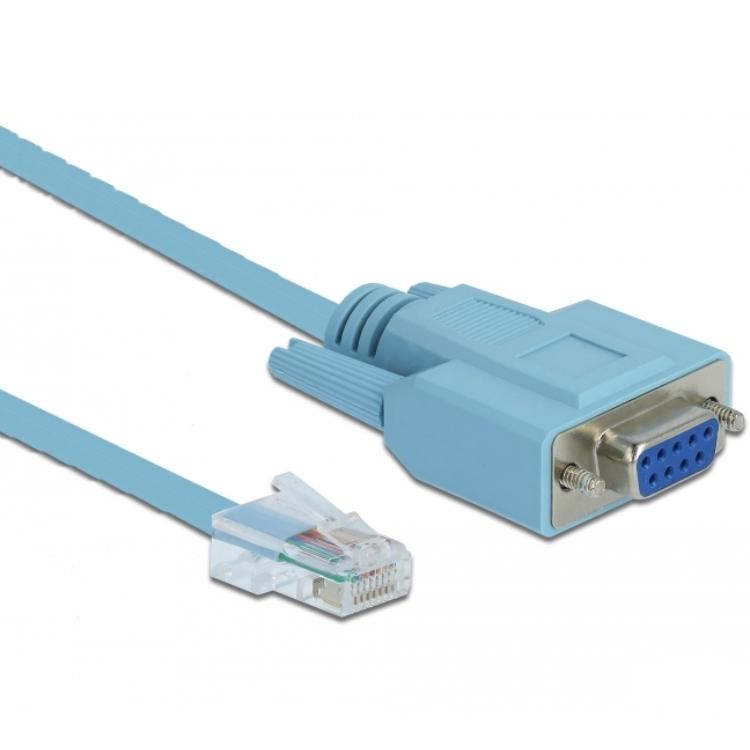
Do I need a cable like in the picture? Or don’t I need any additional hardware?
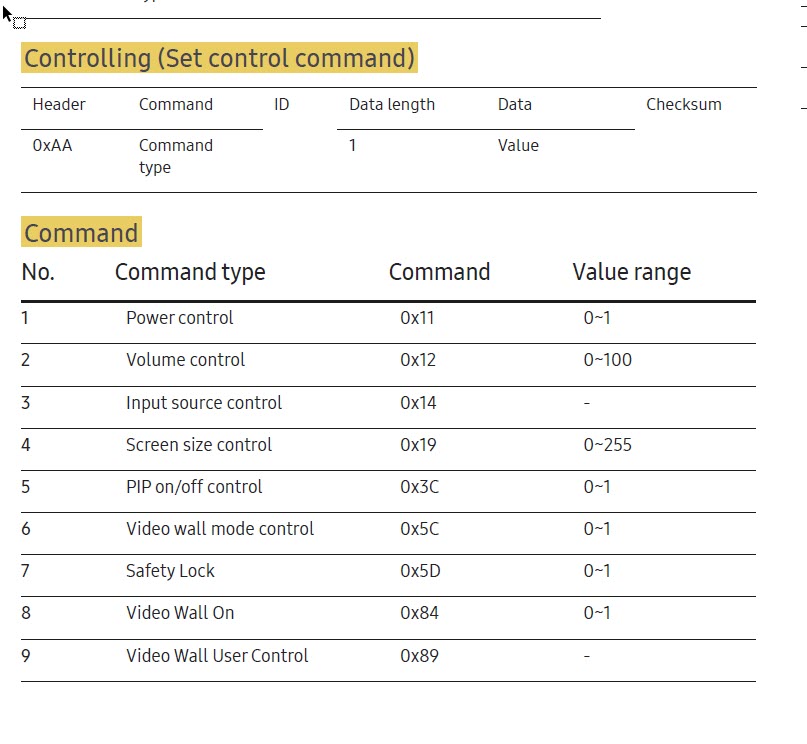
The second picture contains the commands I need to send to the monitor to control the power.
Hopefully someone can help me with this.
Regards. Peter
---
### Author:  [@system](https://community.xibo.org.uk/u/system)
#### Post date: [August 16, 2022, 9:34pm UTC](https://community.xibo.org.uk/t/send-rs232-commands-via-xibo/27337/2 "2022-08-16T21:34:16Z")
This topic was automatically closed 91 days after the last reply. New replies are no longer allowed.