# Problem with remote dataset JSON
**URL:** https://community.xibo.org.uk/t/problem-with-remote-dataset-json/14330
**Category:** Get Help
**Created:** [May 9, 2018, 2:09pm UTC](https://community.xibo.org.uk/t/problem-with-remote-dataset-json/14330 "2018-05-09T14:09:15Z")
**Posts on this page:** 9
**Page:** 1
### Author:  [@riopangeran](https://community.xibo.org.uk/u/riopangeran)
#### Post date: [May 9, 2018, 2:09pm UTC](https://community.xibo.org.uk/t/problem-with-remote-dataset-json/14330/1 "2018-05-09T14:09:16Z")
Here’s my result from test url
```
{
"entries": [
{
"wifi": "GuestAP",
"rows": {
"tglAwal": "7 Mei 2018",
"tglAkhir": "13 Mei 2018",
"password": "WifiPass100"
}
}
],
"number": 1,
"processed": [
[
{
"Tanggal Awal": "tglAwal",
"Tanggal Akhir": "7 Mei 2018"
},
{
"Tanggal Awal": "tglAkhir",
"Tanggal Akhir": "13 Mei 2018"
},
{
"Tanggal Awal": "password",
"Tanggal Akhir": "WifiPass100"
}
]
],
"messages": [
"Processing 1 results into 3 potential columns",
"Processing Result with Data Root rows",
"DataRoot is an object",
"Processing as Multiple Rows",
"Processing tglAwal",
"Processing tglAkhir",
"Processing password",
"Consolidating entries",
"There are 3 entries in total"
]
}
```
I have tried to make Data root to rows but still the fetch was not as expected.
I expect that the dataset return only 1 row, but as you can see, it was processed to 3 rows.
DId i miss something here?
---
### Author:  [@riopangeran](https://community.xibo.org.uk/u/riopangeran)
#### Post date: [May 9, 2018, 11:35pm UTC](https://community.xibo.org.uk/t/problem-with-remote-dataset-json/14330/2 "2018-05-09T23:35:16Z")
Still no luck so far, i couldn’t make it right.
Here’s my dataset column setting
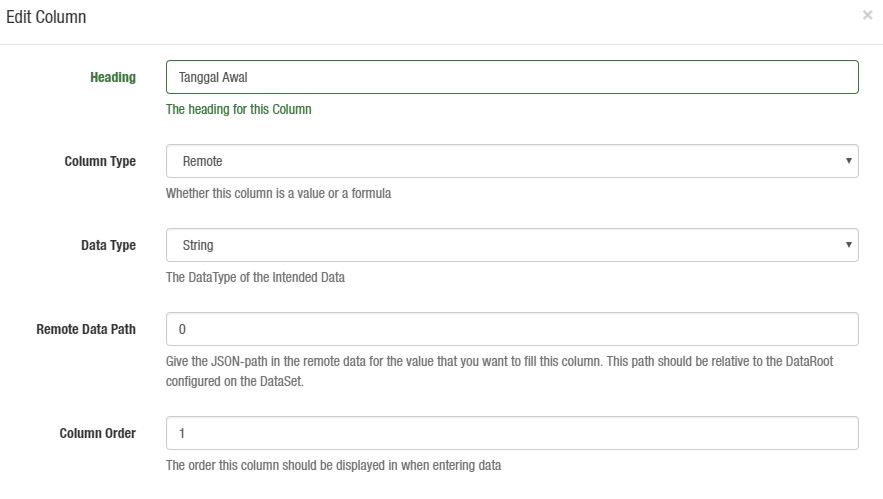 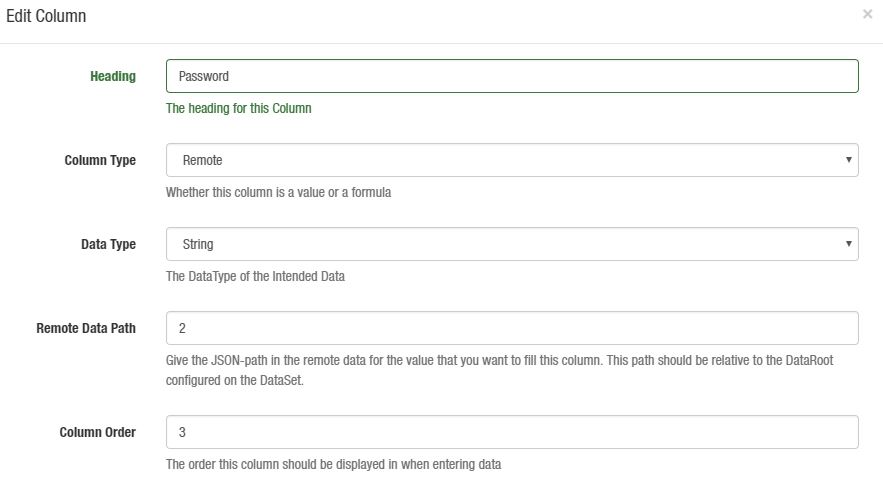 
I think i already put it right for the column data setting.
==
One more thing, i also tried to catch the credential username and password using $\_POST , but the array is empty.
So how do i catch those variables?
My CMS is v.1.8.9 using docker.
---
### Author:  [@caro](https://community.xibo.org.uk/u/caro)
#### Post date: [May 17, 2018, 12:14pm UTC](https://community.xibo.org.uk/t/problem-with-remote-dataset-json/14330/3 "2018-05-17T12:14:59Z")
Hello!
If I understood correctly, your JSON will understand 2 colomns only : one with “tglAwal”, “tglAkhir” and “password” and another with “7 Mei 2018”, “13 Mei 2018” and “WifiPass100”.
Like this example : [Data Set -\> Remote data source](https://community.xibo.org.uk/t/data-set-remote-data-source/13337)
If you want 3 colomns, perhaps the JSON will be rather :
`
{
“wifi”: “GuestAP”,
“rows”: [
{“tglAwal”: “7 Mei 2018”},
{“tglAkhir”: “13 Mei 2018”},
{“password”: “WifiPass100”}
]
}
`
And to edit Colomn, in Remote Data Path you should write juste tglAwal, tglAkhir or password.
I don’t know if it’s what you want, but it’s like this that I successed.
---
### Author:  [@Peter](https://community.xibo.org.uk/u/Peter)
#### Post date: [May 17, 2018, 12:46pm UTC](https://community.xibo.org.uk/t/problem-with-remote-dataset-json/14330/4 "2018-05-17T12:46:42Z")
Indeed json in that format might not be correctly understood there.
You could have it as an array like here [Remote Dataset - Trouble configuring Remote Data Path](https://community.xibo.org.uk/t/remote-dataset-trouble-configuring-remote-data-path/14098)
so say something like this in json.
```auto
{
"wifi": "GuestAP",
"rows":[
{
"tglAwal": "7 Mei 2018",
"tglAkhir": "13 Mei 2018",
"password": "WifiPass100"
},
{
"tglAwal": "15 Mei 2018",
"tglAkhir": "23 Mei 2018",
"password": "WifiPass122"
}
]
}
```
3 columns with the remote data path corresponding to the names in .json ie
`tglAwal`, `tglAkhir` and `password` for your 3 columns.
data root in dataset would be rows as well as in the other example and the processed data should be
```auto
"processed": [
[
{
"tglAwal": "7 Mei 2018",
"tglAkhir": "13 Mei 2018",
"password": "WifiPass100"
},
{
"tglAwal": "15 Mei 2018",
"tglAkhir": "23 Mei 2018",
"password": "WifiPass122"
}
]
],
```
---
### Author:  [@riopangeran](https://community.xibo.org.uk/u/riopangeran)
#### Post date: [May 17, 2018, 2:29pm UTC](https://community.xibo.org.uk/t/problem-with-remote-dataset-json/14330/5 "2018-05-17T14:29:45Z")
I tried again, and this time i copied the example JSON above and compress it using jsonlint ,
here’s the result

Then i try to call it using postman :

I think, so far so good, then i try to recreate the DataSet :
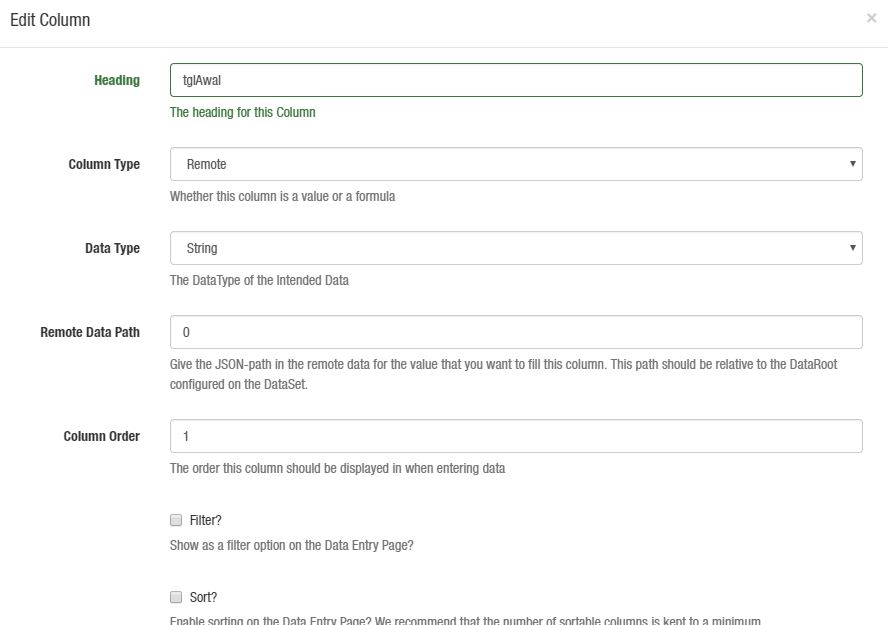 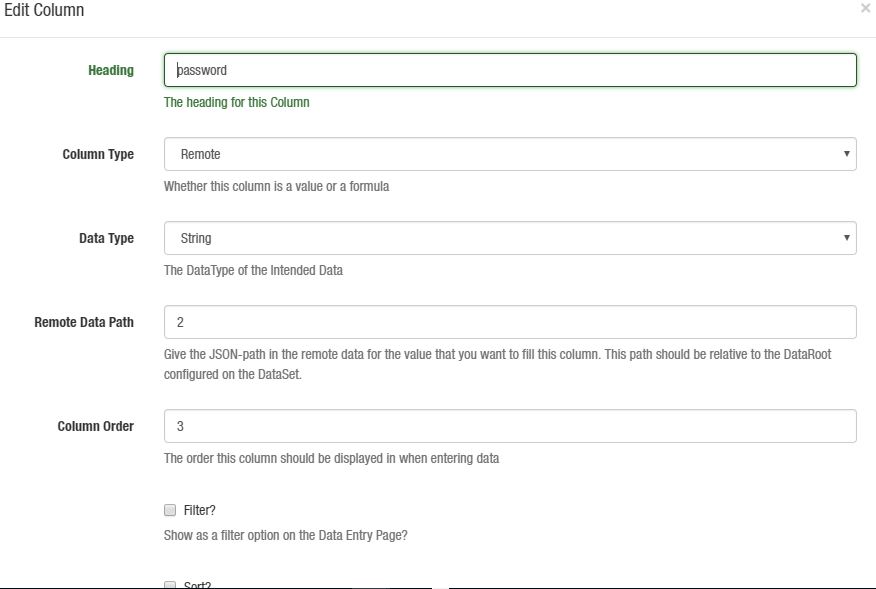 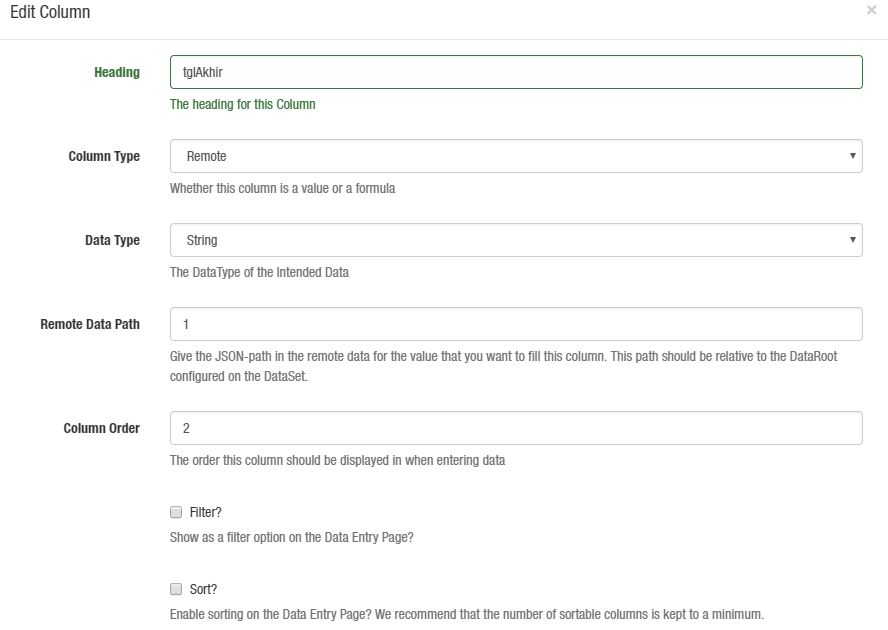
But then when i try to test the data url , here’s the result :
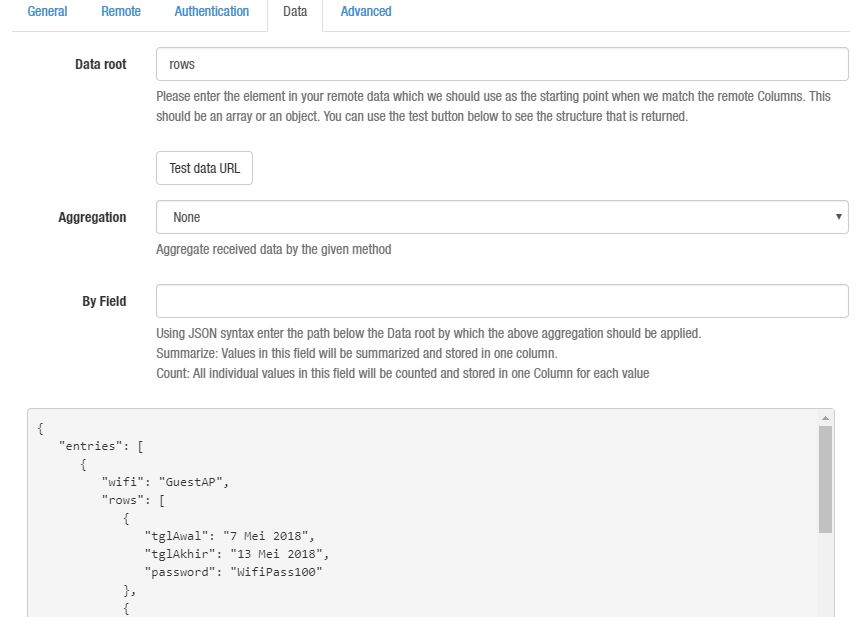
Here’s the complete response from xibo :
```
{
"entries": [
{
"wifi": "GuestAP",
"rows": [
{
"tglAwal": "7 Mei 2018",
"tglAkhir": "13 Mei 2018",
"password": "WifiPass100"
},
{
"tglAwal": "15 Mei 2018",
"tglAkhir": "23 Mei 2018",
"password": "WifiPass122"
}
]
}
],
"number": 1,
"processed": [
[
[],
[]
]
],
"messages": [
"Processing 1 results into 3 potential columns",
"Processing Result with Data Root rows",
"DataRoot is an array",
"Processing 0",
"Processing 1",
"Consolidating entries",
"There are 2 entries in total"
]
}
```
Any idea , did i miss something here?
---
### Author:  [@Peter](https://community.xibo.org.uk/u/Peter)
#### Post date: [May 17, 2018, 2:31pm UTC](https://community.xibo.org.uk/t/problem-with-remote-dataset-json/14330/6 "2018-05-17T14:31:50Z")
The remote data path is incorrect.
As I mentioned it should be tglAwal, tglAkhir, password instead of what you currently have ie 0,1,2
---
### Author:  [@riopangeran](https://community.xibo.org.uk/u/riopangeran)
#### Post date: [May 17, 2018, 2:39pm UTC](https://community.xibo.org.uk/t/problem-with-remote-dataset-json/14330/7 "2018-05-17T14:39:34Z")
Ahh yes, thank you, i just missed that point,
Don’t know why i put those numbers, maybe i missed read something that i have to put relative number there.
Thank you Peter, it solved now…
---
### Author:  [@zuji4antho](https://community.xibo.org.uk/u/zuji4antho)
#### Post date: [August 13, 2018, 4:02pm UTC](https://community.xibo.org.uk/t/problem-with-remote-dataset-json/14330/8 "2018-08-13T16:02:08Z")
pak riopangeran apakah masalah datasetnya sudah beres?? mohon info nya dunk…
---
### Author:  [@system](https://community.xibo.org.uk/u/system)
#### Post date: [March 4, 2020, 5:11pm UTC](https://community.xibo.org.uk/t/problem-with-remote-dataset-json/14330/9 "2020-03-04T17:11:01Z")