# Issue with the weather widget and custom backgrounds
**URL:** https://community.xibo.org.uk/t/issue-with-the-weather-widget-and-custom-backgrounds/38458
**Category:** CMS Features and Functionality
**Created:** [October 2, 2026, 11:50am UTC](https://community.xibo.org.uk/t/issue-with-the-weather-widget-and-custom-backgrounds/38458 "2026-10-02T11:50:39Z")
**Posts on this page:** 3
**Page:** 1
### Author:  [@ditcham](https://community.xibo.org.uk/u/ditcham)
#### Post date: [October 2, 2026, 11:50am UTC](https://community.xibo.org.uk/t/issue-with-the-weather-widget-and-custom-backgrounds/38458/1 "2026-10-02T11:50:39Z")
To be completed by the original poster:
# CMS Version
Specify the full CMS version you are using, including the revision number.
Docker - 4.5.2
# Player Type
Include the Player type you are using.
Windows
Android
# Player Version
Include the full version, including the revision number.
Windows - Windows 4 R407.2-407
Android - Android 4-412
# Issue
Please provide full details as to the issue you are experiencing, include screenshots where possible.
Hi all,
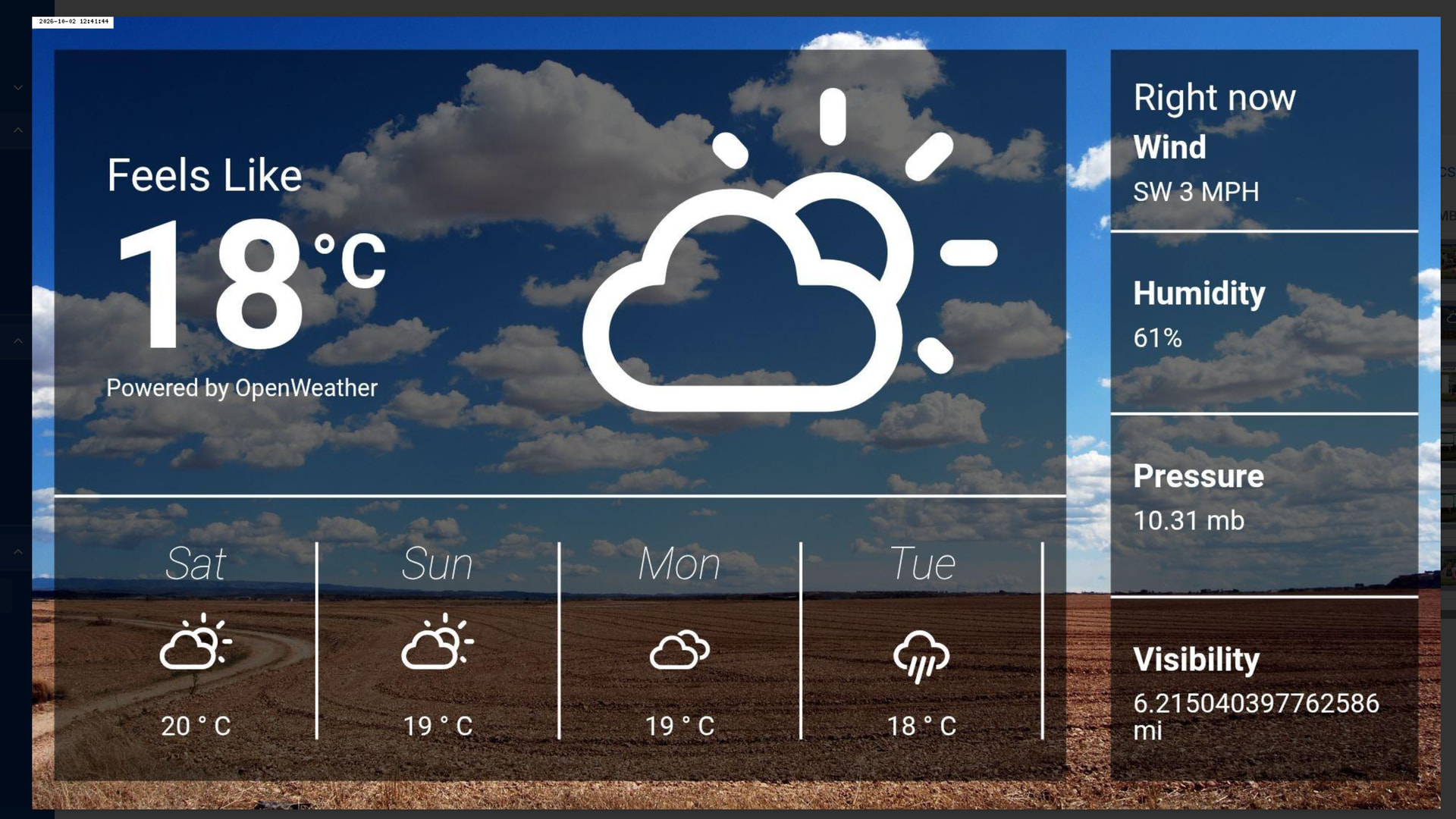
I am having issues getting the weather widget to display custom background images. When I leave them as default the displays display the correct stock image for the current weather.
The layout is basic, it is one of the static templates (Landscape - Current day detailed table, 4 day forecast)
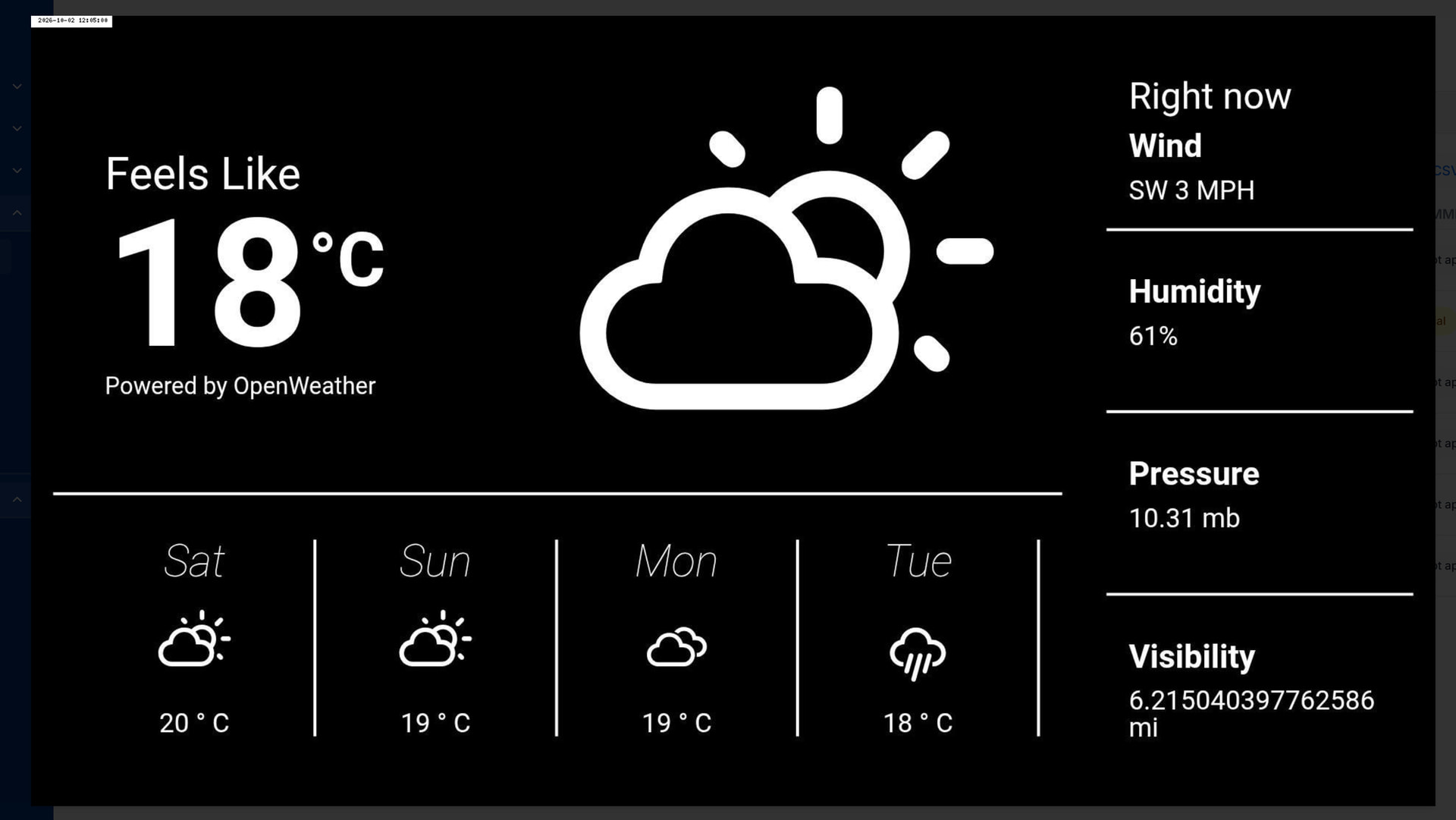
However, when I change the Cloudy, Clear, Fog, etc. images to a custom library image the displays show the weather but with a black background. The same as what is shown when you set the ‘Background Image’ to none.
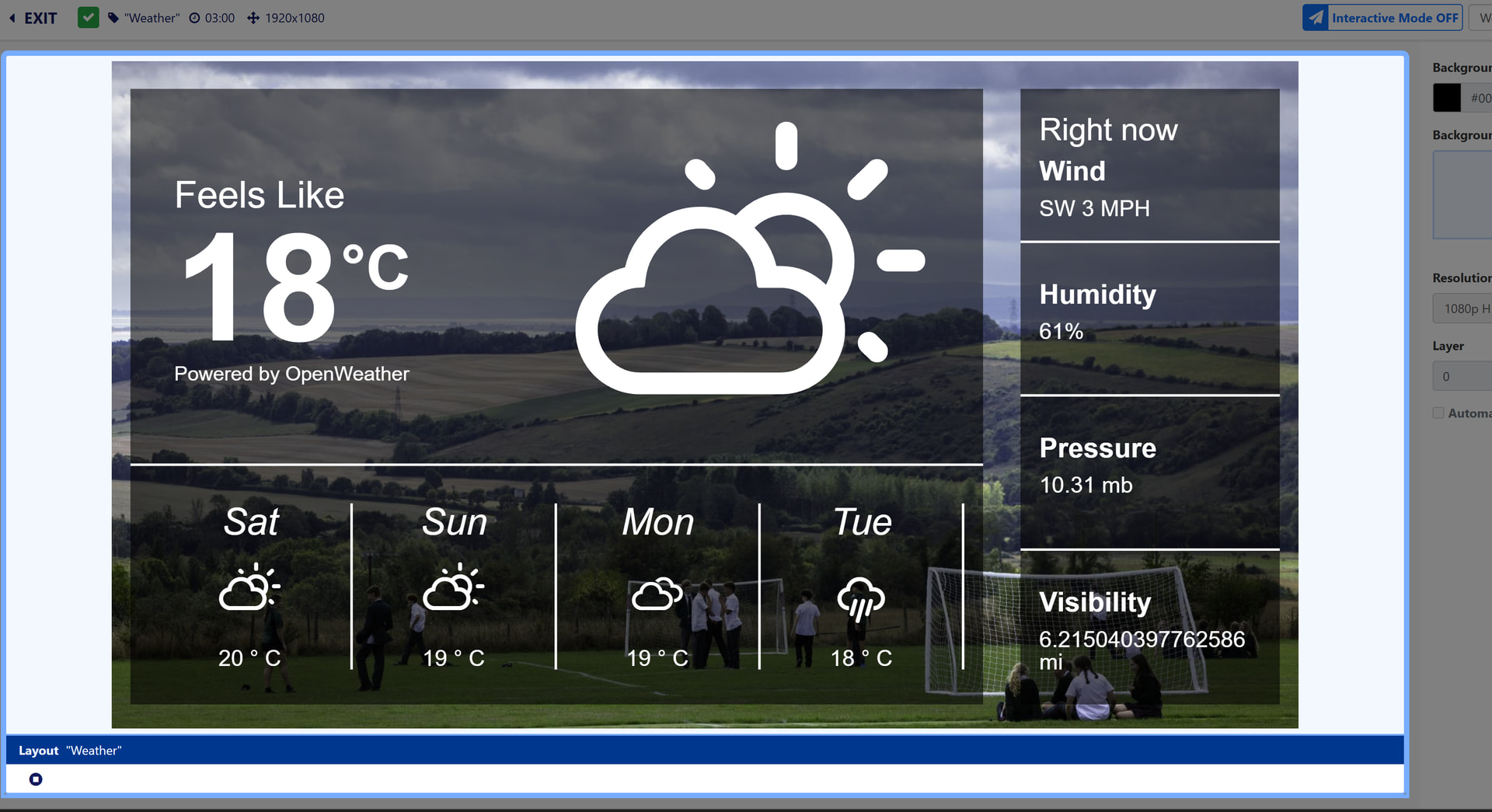
I have tested the layout on a Windows and Android device and both have the same issue. When I preview the layout in the CMS it displays the custom image correctly.
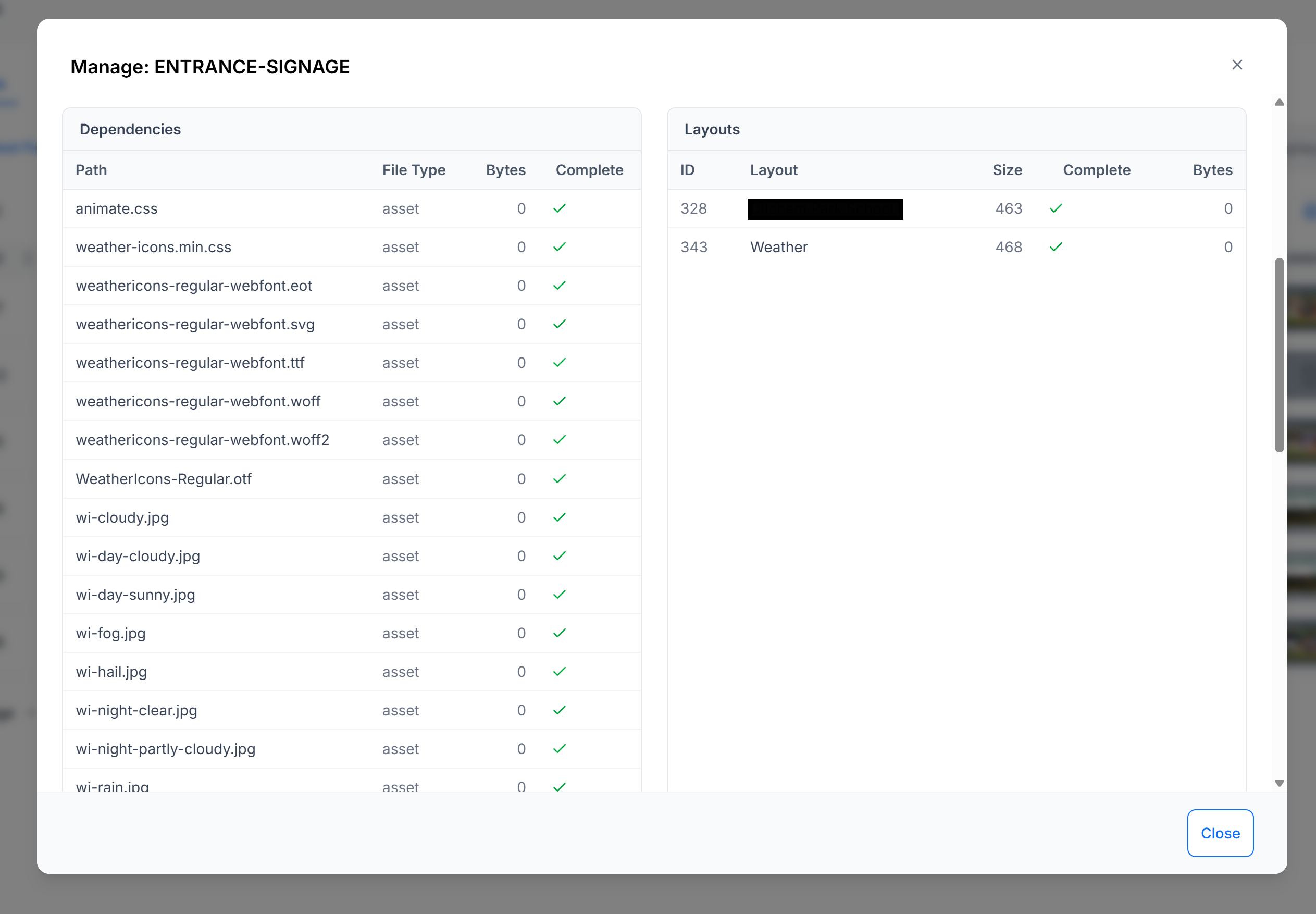
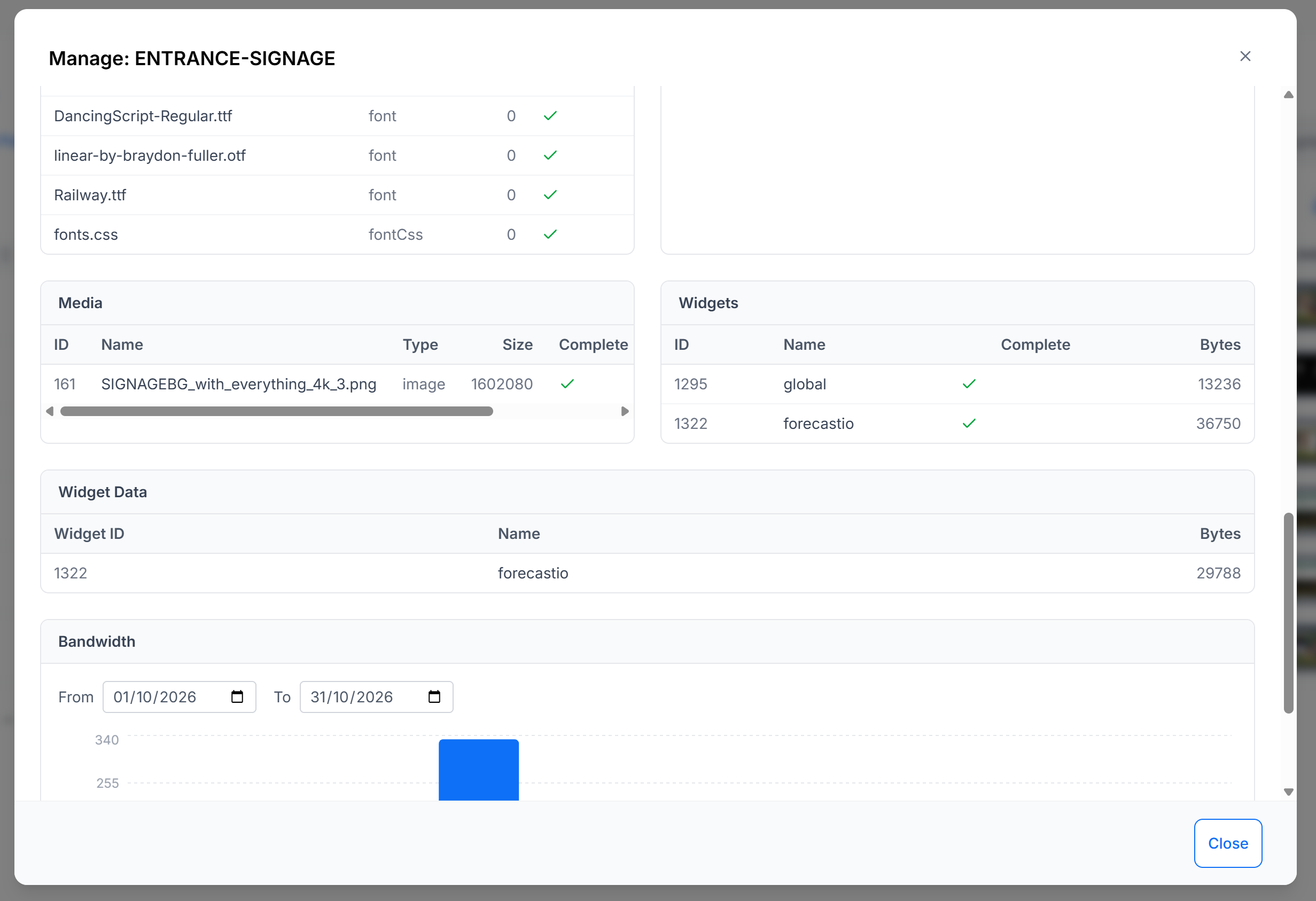
If I check under ‘Manage’ on either of the displays the custom images aren’t listed under ‘Dependencies’ or ‘Media’. So it doesn’t look like the images are being downloaded by the clients. I have also tried manually assigning the files to the displays but this didn’t help.
There is also nothing in the logs on the CMS or player.
I feel like I am missing something obvious! Any help greatly appreciated. Screenshot below:
Display with stock image:
Preview in CMS with custom image:
Display with custom image:
Display media:
---
### Author:  [@natasha](https://community.xibo.org.uk/u/natasha)
#### Post date: [October 5, 2026, 11:41am UTC](https://community.xibo.org.uk/t/issue-with-the-weather-widget-and-custom-backgrounds/38458/2 "2026-10-05T11:41:56Z")
Hi, thank you for posting. The dev team have taken a look and opened the following issue: [Weather widget: custom background images show black on players (never assigned to the widget) · Issue #3979 · xibosignage/xibo · GitHub](https://github.com/xibosignage/xibo/issues/3979)
---
### Author:  [@ditcham](https://community.xibo.org.uk/u/ditcham)
#### Post date: [October 5, 2026, 12:44pm UTC](https://community.xibo.org.uk/t/issue-with-the-weather-widget-and-custom-backgrounds/38458/3 "2026-10-05T12:44:26Z")
Brilliant, thank you!