# Improved Layout Designer in 2.3.0-alpha
**URL:** https://community.xibo.org.uk/t/improved-layout-designer-in-2-3-0-alpha/21498
**Category:** Guides
**Created:** [January 8, 2020, 12:11pm UTC](https://community.xibo.org.uk/t/improved-layout-designer-in-2-3-0-alpha/21498 "2020-01-08T12:11:52Z")
**Posts on this page:** 2
**Page:** 1
### Author:  [@natasha](https://community.xibo.org.uk/u/natasha)
#### Post date: [January 8, 2020, 12:11pm UTC](https://community.xibo.org.uk/t/improved-layout-designer-in-2-3-0-alpha/21498/1 "2020-01-08T12:11:52Z")
## Guidance as to the improvements that have been made to the Layout Designer for the 2.3 alpha release.
In 1.8 many elements of the Layout Designer were hidden from view, such as the available **Edit Options** for media, **Timeline** of content for Regions and all the available **Media** options which resulted in many screen clicks to get to where you needed to go. Based on feedback gathered from users of 1.8, we improved the Layout Designer to make design features more visible and more easily accessible for users.
As before, on first adding a Layout, the **Layout Designer** will open, now with a more simplified view:
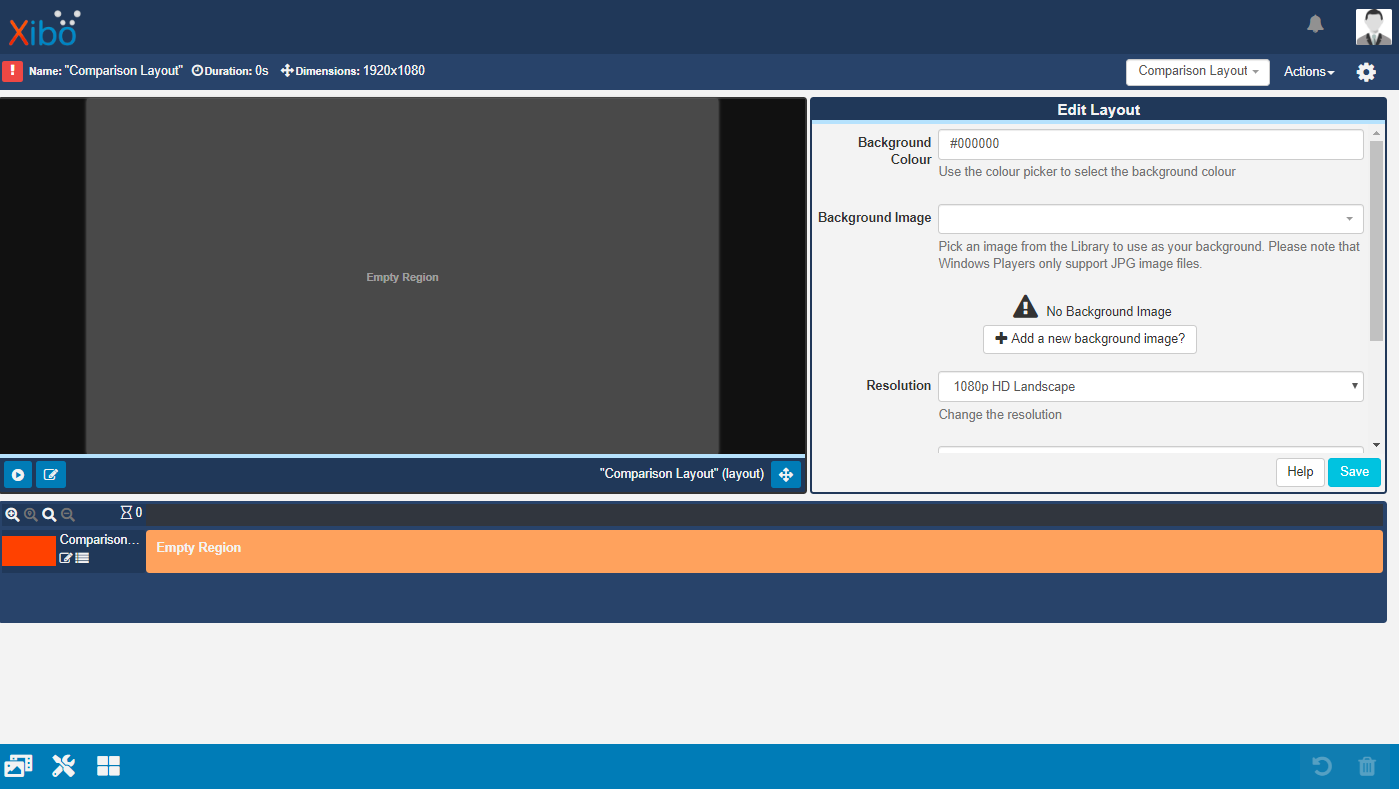
Following the release of v2 of the CMS and the feedback received since that release, we have made improvements in an effort to make the user experience more intuitive, smoother and much easier when using the new look Layout Designer of v2.
Click on the **Edit Layout** icon to put into an ‘edit mode’ to add and configure **Regions**.

Clicking anywhere in a **Region** will open the **Region Options** form for that Region to allow for more precise **Positioning** , to determine a **Layering order** (if appropriate) and to apply an **Exit Transition** if required. Alternatively, use the resize handle in the bottom right hand corner of a Region to drag and drop. Reposition and move Regions around the canvas as in 1.8.
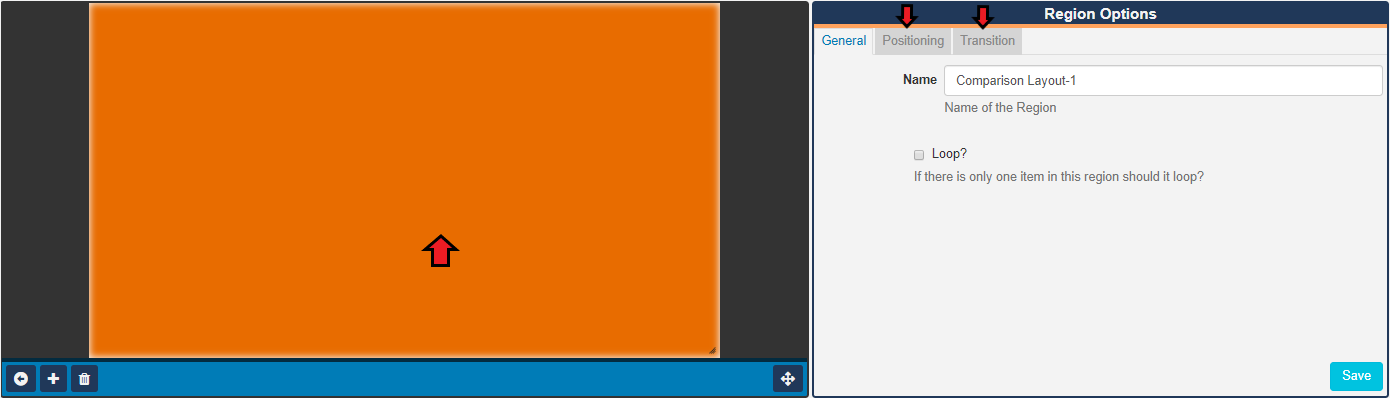
Easily **Add** , **Delete** or toggle to a **Fullscreen Mode** using the available buttons along the bottom of this window whilst in ‘edit’ mode. Return to the **Layout View** and exit edit mode after saving any edits.
Use the **Edit Layout** form to add a **Background Colour** or **Background Image** to the Layout as in 1.8.
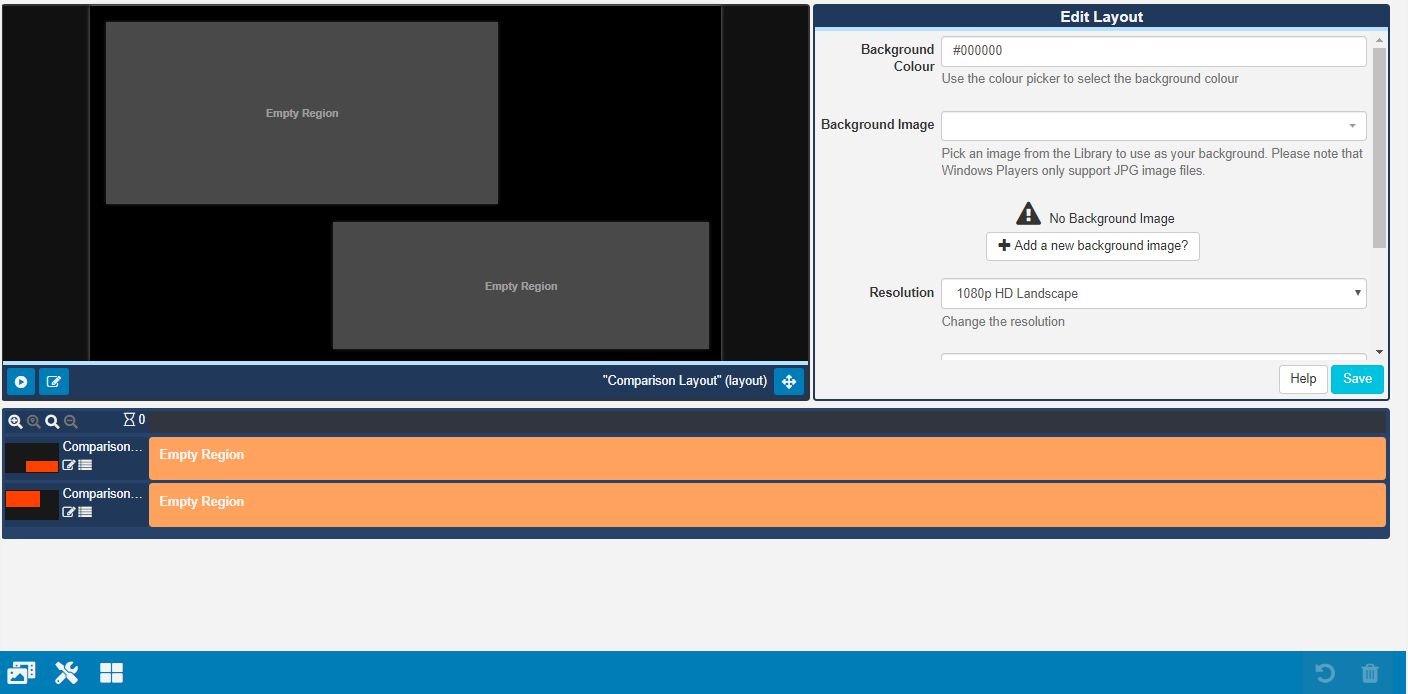
**Media** is added to **Regions** using the **Library Search** feature or by adding available **Widgets**.
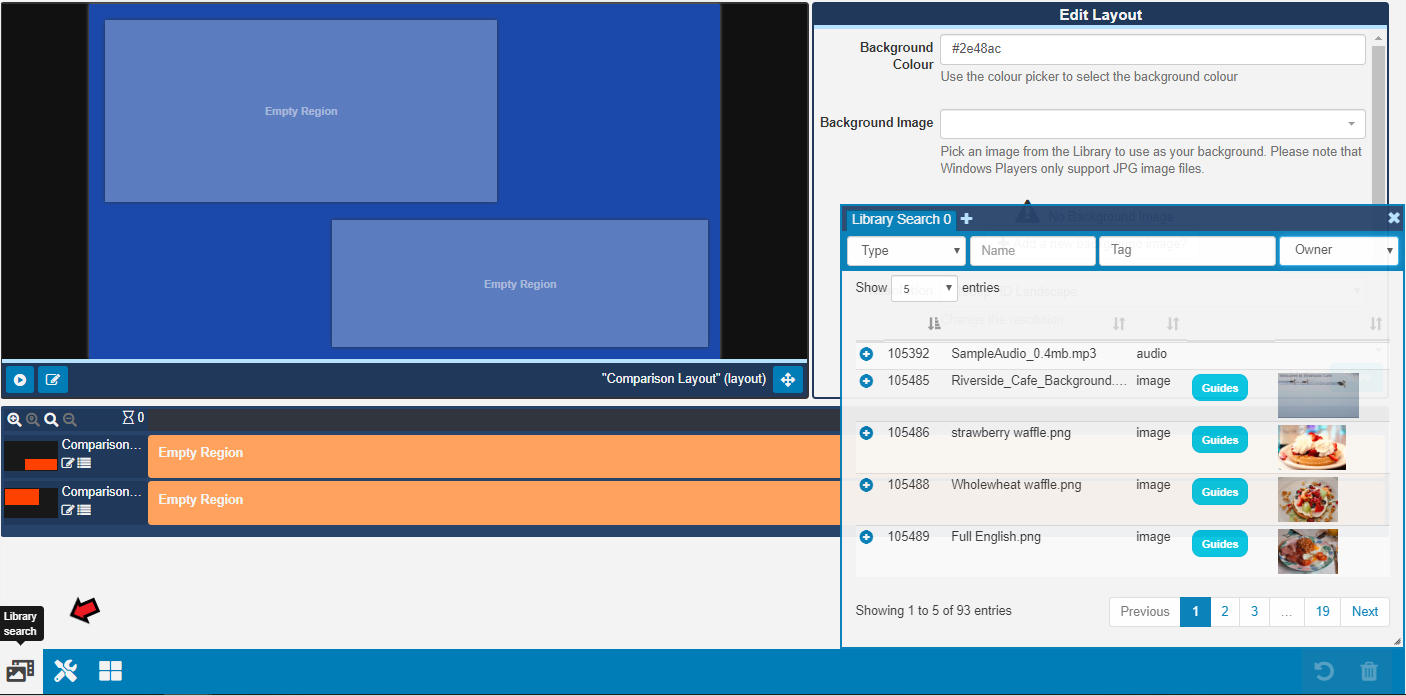
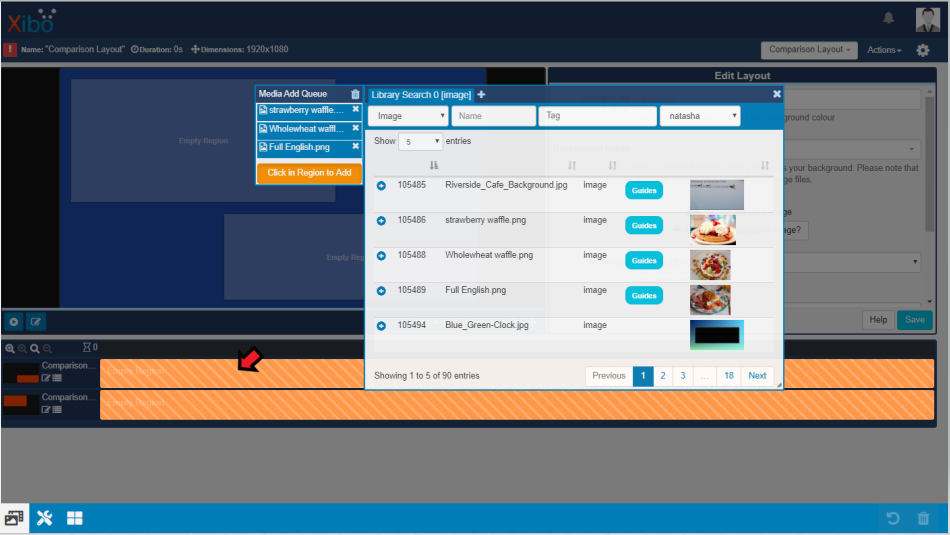
Clicking on the **Library Search** button, on the bottom toolbar, opens the Library Search window which will show all your stored, uploaded **Media** files already held in your **CMS library**. Use the available fields to filter your search results. This window allows for multiple tabbed searches by using the + icon to add tabs!
This Window can be resized and moved around the screen by using the resize handle in the bottom right hand corner of the window and clicking in the window to simply move by drag and drop.
Clicking on the **blue cross** next to a **media file** will add it to the **Media Add Queue**.
This ‘Media Queue’ allows for reordering of the selected media files by dragging to a new order as well as the removing of files from this list. **Add** queued media to a Region by clicking directly into a **Region** to add.
Click on **Layout Designer Widgets** to open.
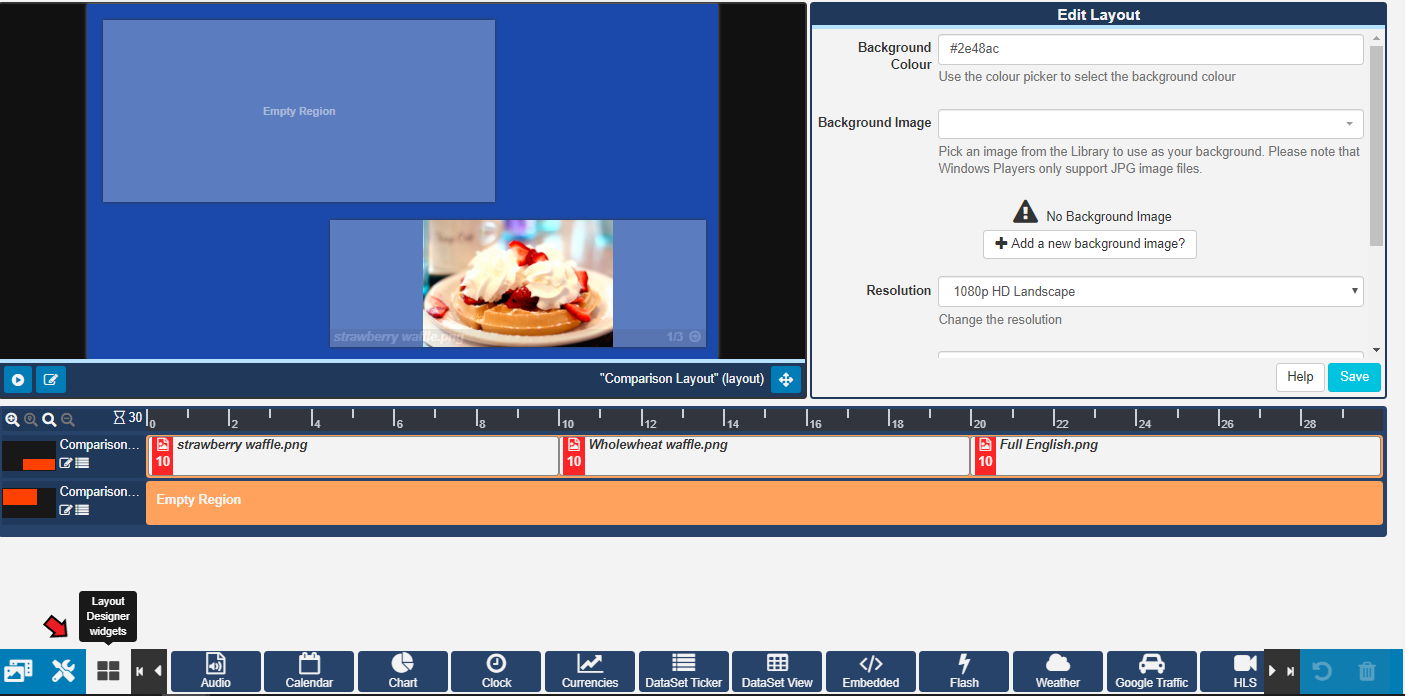
Each **Widget** has a ‘star’ in the top left corner. Clicking on a star marks the Widget as a ‘favourite’ and it will therefore be shown at the beginning of the Widget list for easier selection when designing Layouts.

Widgets are added to Regions by clicking on the **+ button** then clicking in a **Region** or by **drag and drop** to the target Region.

Clicking in a **Widget** on the **Timeline** opens the available **Edit options** for that Widget, allowing for configuration.
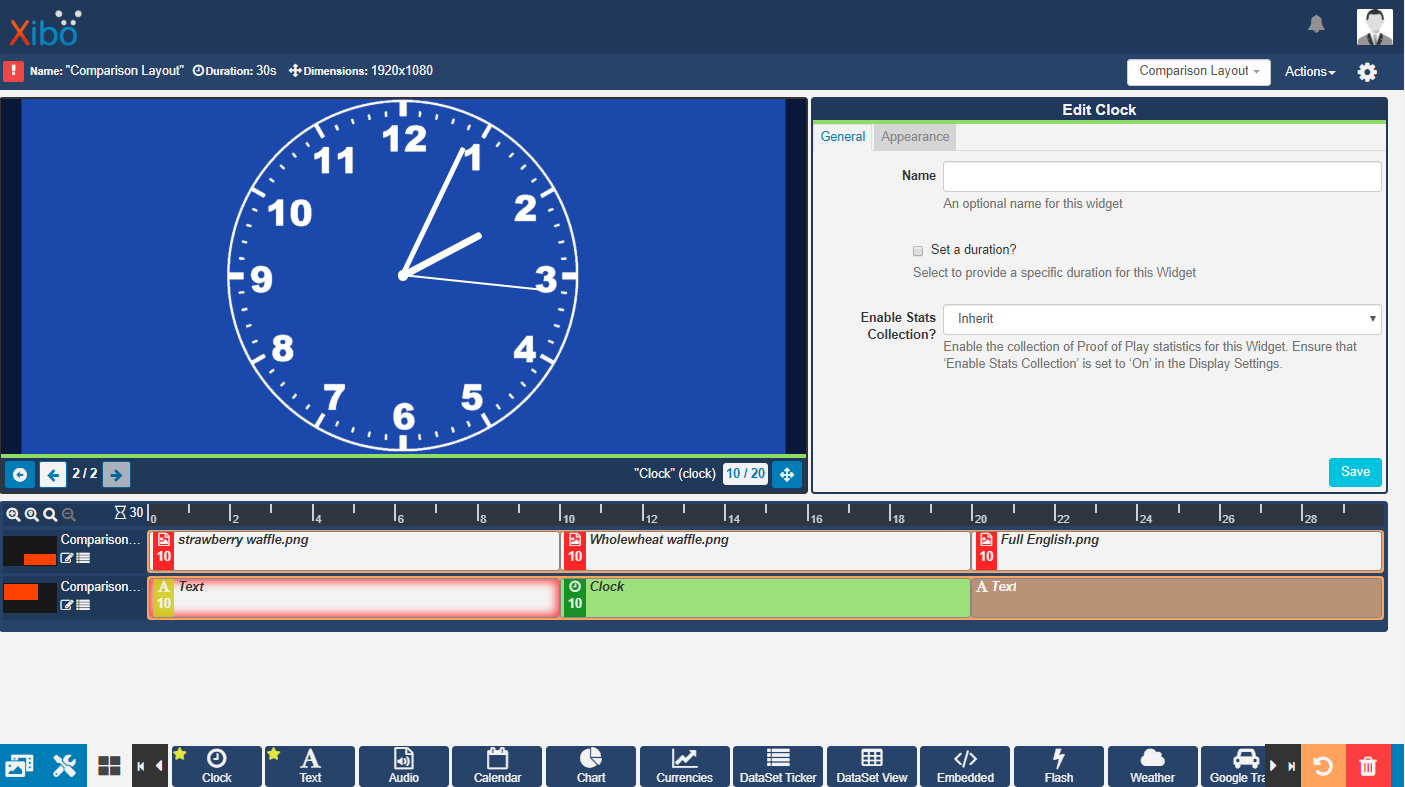
Drag and drop items in a **Regions** timeline to reorder the **Playlist** for that Region.
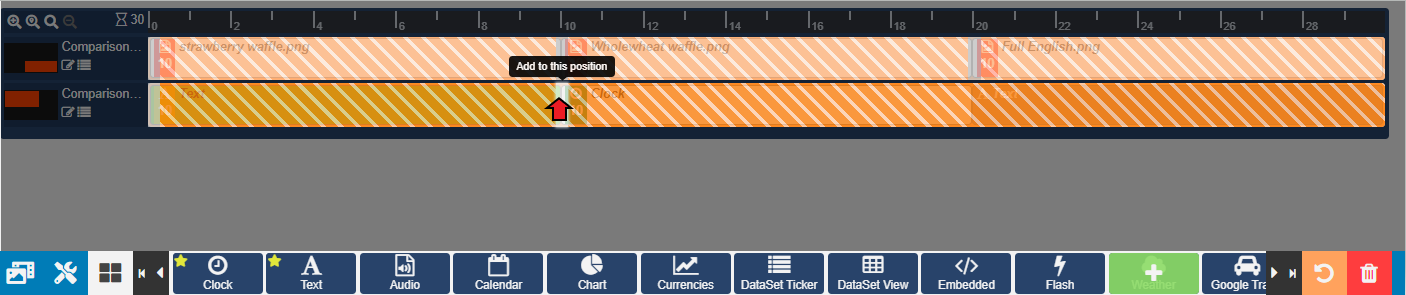
**Media** can now be added to the **Timeline** at a specific point on the target **Region**. When adding, simply click or drag to the point you wish to add.
The left hand side of a Region’s **Timeline** includes an overview as to the positioning of that Region on the Layout, clicking here will open the **Region Options** form to make edits for that Region. Alternatively click on the **edit icon** next to the overview to go into ‘edit mode’.
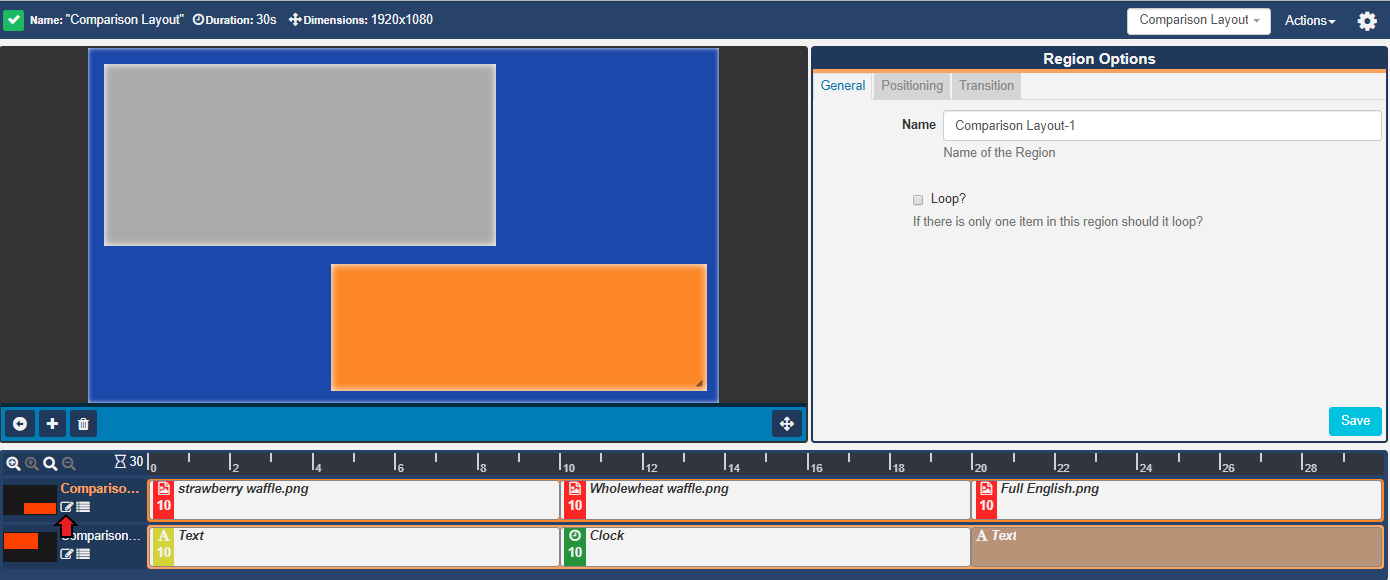
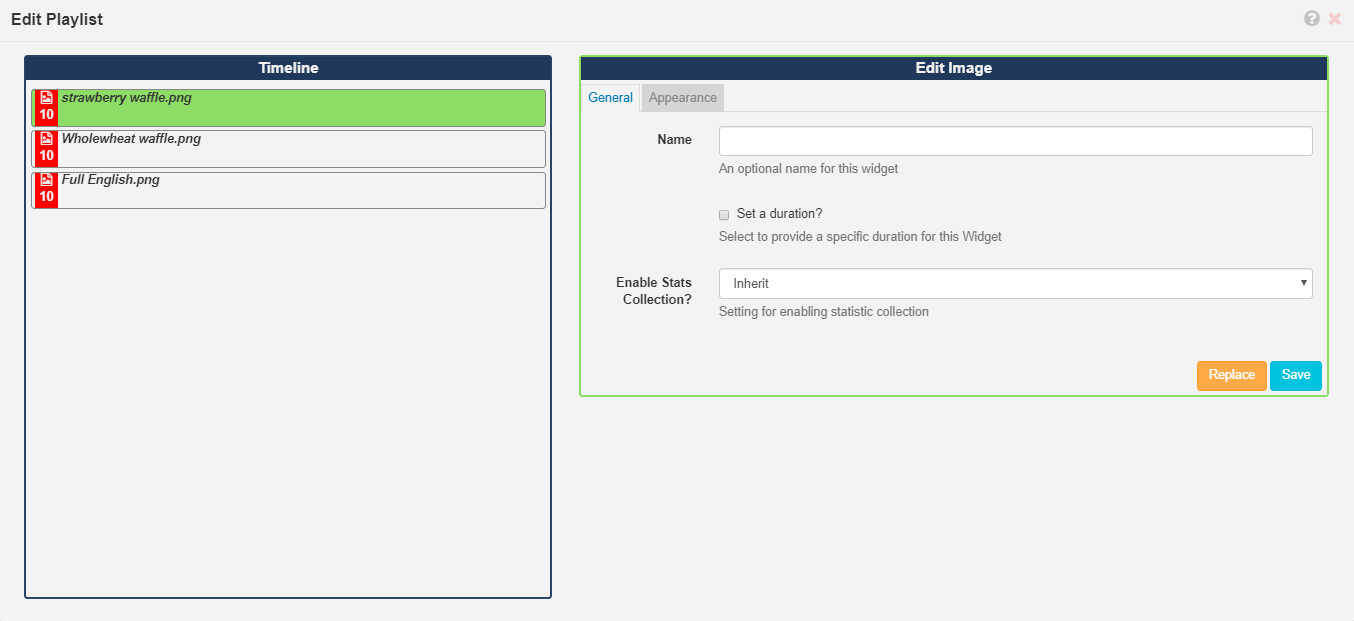
Located next to the edit icon is a button that will take you to a **Playlist Editor** for that Region which has a similar vertical interface to that of the 1.8 CMS. Add and configure **Media** as before using the **Library Search** function and selecting **Widgets**.
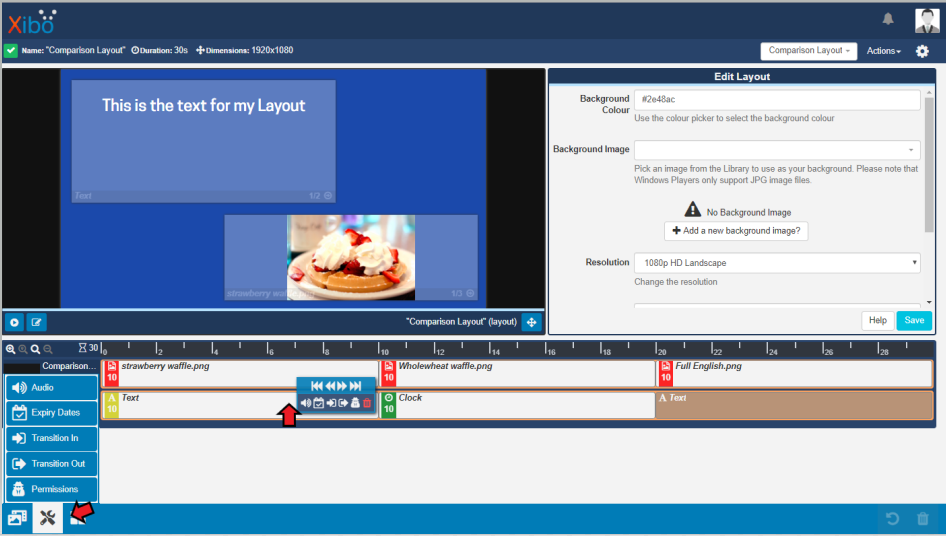
Right click on a **Widget** on the **Timeline** to easily open the **Tools** menu to easily assign actions to Widgets. The **Tools** menu is also located on the bottom toolbar.
Use the arrows to **Preview** content assigned to a **Widget**.
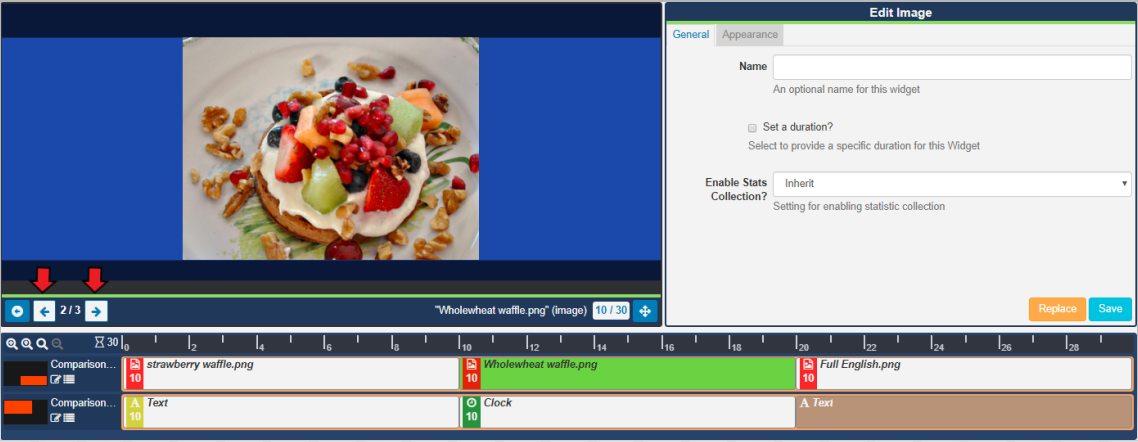
Use the back arrow to return to the **Layout View** to **Preview** the full Layout. Use the arrows to cycle through the content assigned to **Regions**.
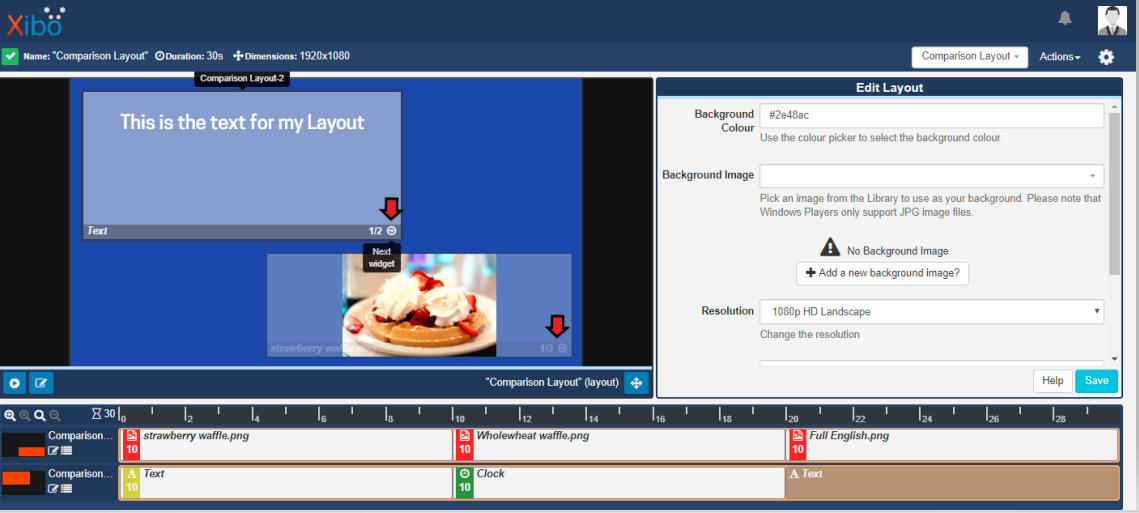
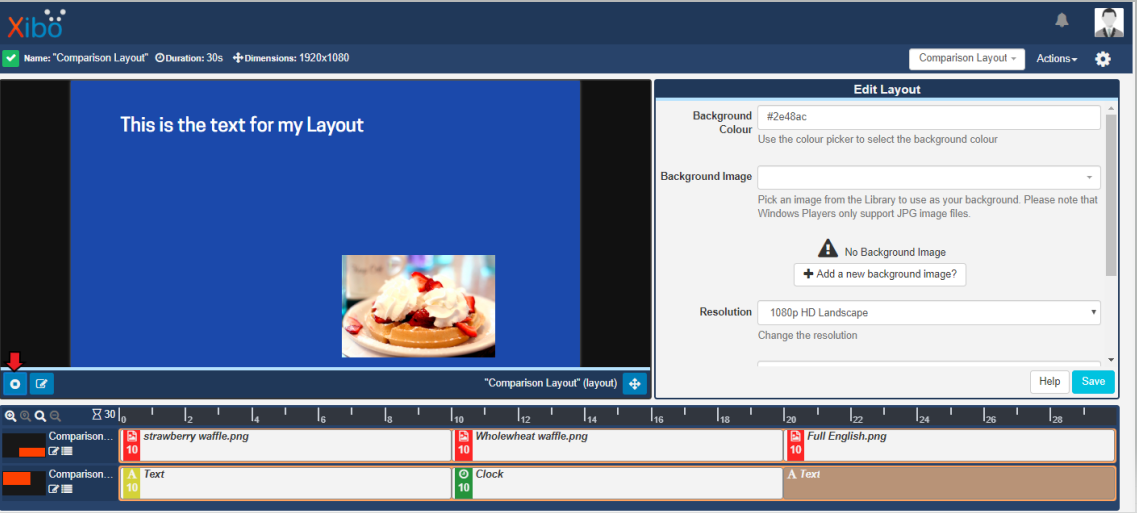
Click on the **Play** button to Preview how the full **Layout** will play when scheduled.
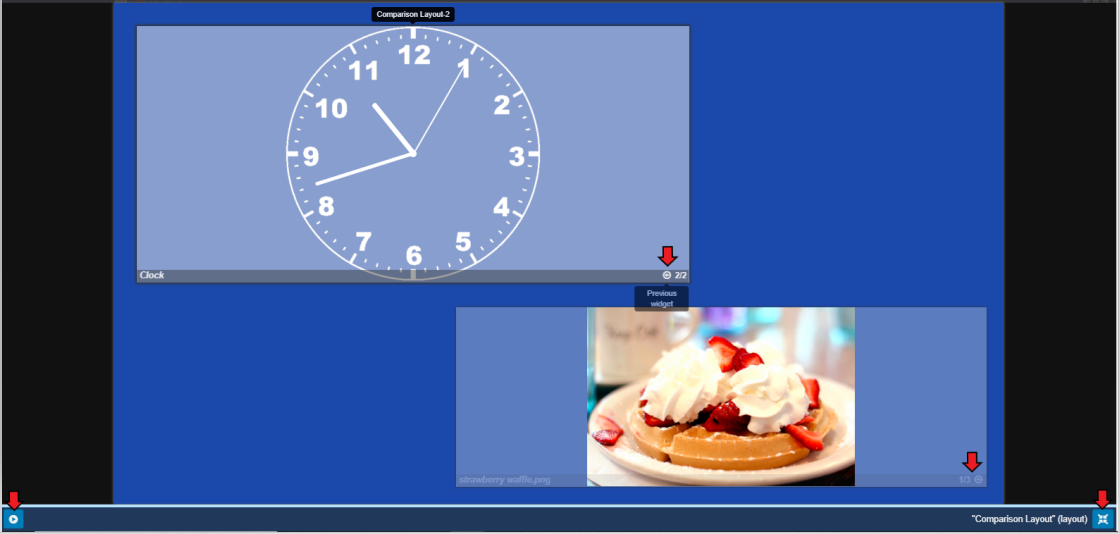
Toggle to **Full Screen Mode** to tab through content using the arrows for each Region as well as Play a Layout Preview.
We welcome all users, old and new, to try this developmental preview which has been made available via our recommended installation **Docker** only at present. To download and see all the features this release contains, please see our latest [Blog](https://blog.xibo.org.uk/2-3-0-alpha-released/).
Any feedback or indeed any issues you encounter with the Layout Designer, please do post your responses to this topic.
Thank you for your support!
---
### Author:  [@lgray](https://community.xibo.org.uk/u/lgray)
#### Post date: [January 24, 2020, 8:28pm UTC](https://community.xibo.org.uk/t/improved-layout-designer-in-2-3-0-alpha/21498/2 "2020-01-24T20:28:01Z")
This looks absolutely fantastic. Great job!