# How to change text or image through API
**URL:** https://community.xibo.org.uk/t/how-to-change-text-or-image-through-api/7758
**Category:** Uncategorised Topics
**Created:** [November 16, 2016, 7:34am UTC](https://community.xibo.org.uk/t/how-to-change-text-or-image-through-api/7758 "2016-11-16T07:34:33Z")
**Posts on this page:** 1
**Showing post:** 2
### Author:  [@Peter](https://community.xibo.org.uk/u/Peter)
#### Post date: [November 16, 2016, 9:37am UTC](https://community.xibo.org.uk/t/how-to-change-text-or-image-through-api/7758/2 "2016-11-16T09:37:56Z")
EDIT: Just in case it wasn’t clear, the guide and the information below are exclusive to 1.8 API, I don’t think you can do any of those in 1.7.
Regarding images/media files, you can have a look at my guide there is a part with media upload, which with additional parameters can replace existing media file. -
> [@API Introduction with Postman](https://community.xibo.org.uk/t/1-8-api-introduction/7702):
>
> Introduction This guide is applicable for CMS 1.8 and later versions and assumes that you already have a working CMS. Players need to be version 1.8.0-rc1 or later and [XMR](http://xibo.org.uk/manual-tempel/en/xmr.html) also needs to be configured. As a first step, you will need to decide what application you will want to use to connect to the API. In this guide we will use [Postman](https://www.getpostman.com/) as an example application. The API documentation can be found in the [Developer manual](https://xibo.org.uk/docs/developer/) under the [Integration](https://xibo.org.uk/docs/developer/integrating-with-xibo) section. CMS Application No matter what applicatio…
Changing text, actually could prove to be somewhat difficult - it’s not documented at all yet.
In order to edit text in a region, you will need widgetId for that text item
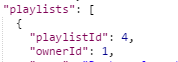
Now, you will need to call GET Layout to get playlistId:
Then call GET playlist to get widgedId you need:
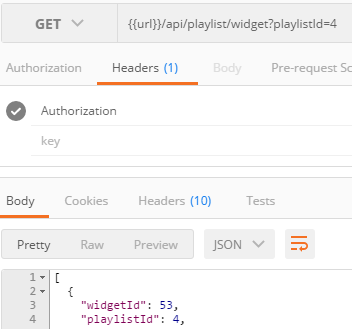
Please keep in mind there might be more widgets on your playlist, in my test there is only the text item to make it clearer.
Now that you have your widgetId, you can use PUT `playlist/widget/:widgetId` call to change the text it will be like this:
Headers:

Body

so you’re changing the text to:
`TEST
`
The colour and font size are obviously just an example.
Hope that will help you.
---
_[View the full topic](https://community.xibo.org.uk/t/how-to-change-text-or-image-through-api/7758)._