# Display problem due to scroll bar
**URL:** https://community.xibo.org.uk/t/display-problem-due-to-scroll-bar/21112
**Category:** Xibo Player for Linux
**Created:** [November 27, 2019, 7:17am UTC](https://community.xibo.org.uk/t/display-problem-due-to-scroll-bar/21112 "2019-11-27T07:17:00Z")
**Posts on this page:** 5
**Page:** 1
### Author:  [@Valentin1](https://community.xibo.org.uk/u/Valentin1)
#### Post date: [November 27, 2019, 7:17am UTC](https://community.xibo.org.uk/t/display-problem-due-to-scroll-bar/21112/1 "2019-11-27T07:17:00Z")
Hello,
We have a display problem with the Linux player (Xubuntu 18.04) which was not the case with the Windows version.
Indeed the different informations are “compacted” because of a scroll bar that is not “unfolded” (see photo attached)
The layout is a web link
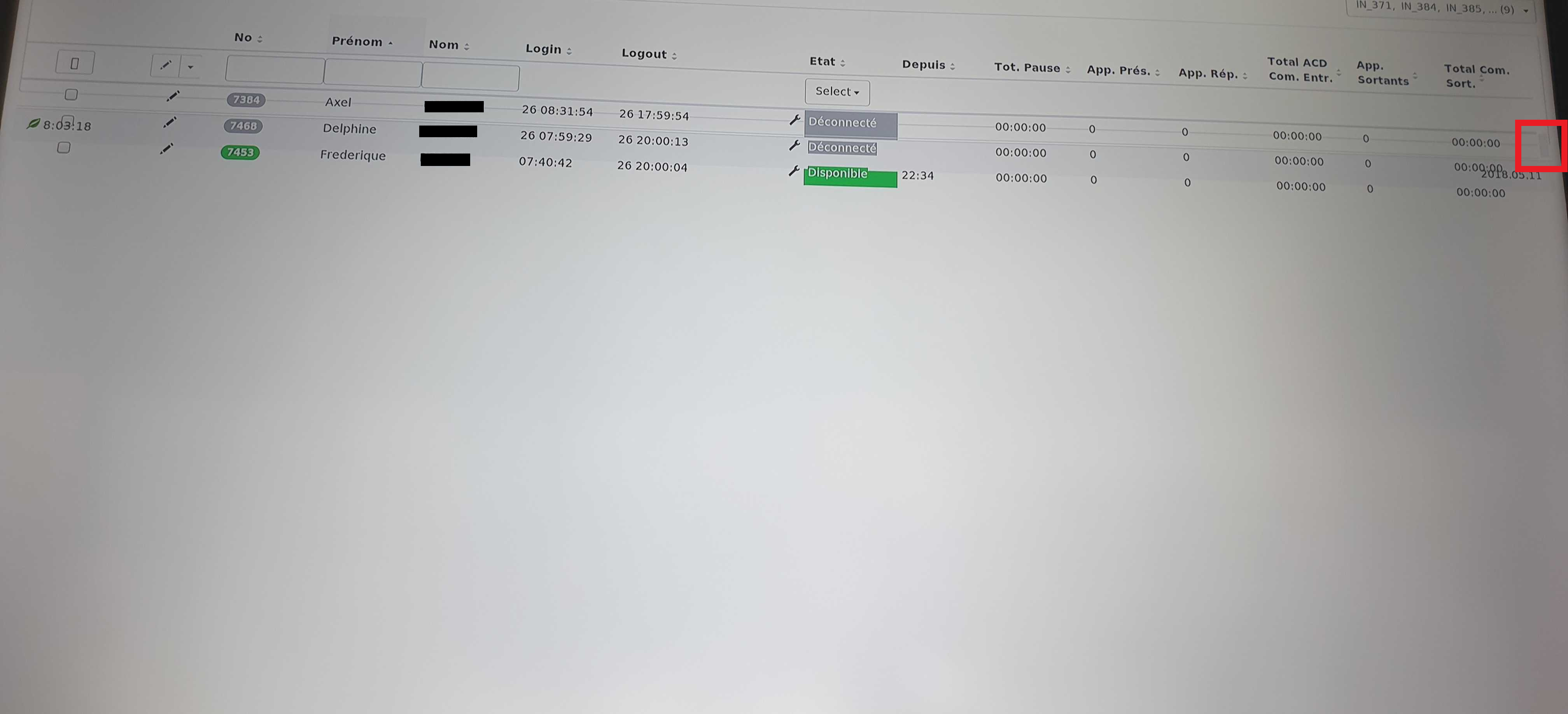 (Display error)
 (original display)
Thank you in advance,
---
### Author:  [@Walid\_MOGHRABI](https://community.xibo.org.uk/u/Walid_MOGHRABI)
#### Post date: [November 27, 2019, 2:17pm UTC](https://community.xibo.org.uk/t/display-problem-due-to-scroll-bar/21112/2 "2019-11-27T14:17:58Z")
I would add that it looks related to the rendering engine used by the player (seems this is a webkit component but not the system default web browser).
This web pages uses many js components and does a lot of js rendering and this is where it fails.
Displaying the same layout in the CMS editor works just fine because it uses your own web browser for rendering.
Would one of these options be possible ? :
- either update webkitgtk to a newer release (I see your minimal requirement is webkitgtk-3.0\>=2.4.10 but current stable release is 2.26.2)
- or give the ability to embed a web browser of choice (if I remember well, there was such option in the windows player)
---
### Author:  [@Valentin1](https://community.xibo.org.uk/u/Valentin1)
#### Post date: [December 3, 2019, 10:28am UTC](https://community.xibo.org.uk/t/display-problem-due-to-scroll-bar/21112/3 "2019-12-03T10:28:33Z")
Up, This problem is extremely restrictive for us
---
### Author:  [@Valentin1](https://community.xibo.org.uk/u/Valentin1)
#### Post date: [December 4, 2019, 1:24pm UTC](https://community.xibo.org.uk/t/display-problem-due-to-scroll-bar/21112/4 "2019-12-04T13:24:01Z")
Up, Nobody to help us ?
---
### Author:  [@system](https://community.xibo.org.uk/u/system)
#### Post date: [March 4, 2020, 7:24pm UTC](https://community.xibo.org.uk/t/display-problem-due-to-scroll-bar/21112/5 "2020-03-04T19:24:05Z")
This topic was automatically closed 91 days after the last reply. New replies are no longer allowed.