# Can't view library
**URL:** https://community.xibo.org.uk/t/cant-view-library/11843
**Category:** Get Help
**Created:** [October 3, 2017, 7:26pm UTC](https://community.xibo.org.uk/t/cant-view-library/11843 "2017-10-03T19:26:31Z")
**Posts on this page:** 11
**Page:** 1
### Author:  [@louloizides](https://community.xibo.org.uk/u/louloizides)
#### Post date: [October 3, 2017, 7:26pm UTC](https://community.xibo.org.uk/t/cant-view-library/11843/1 "2017-10-03T19:26:31Z")
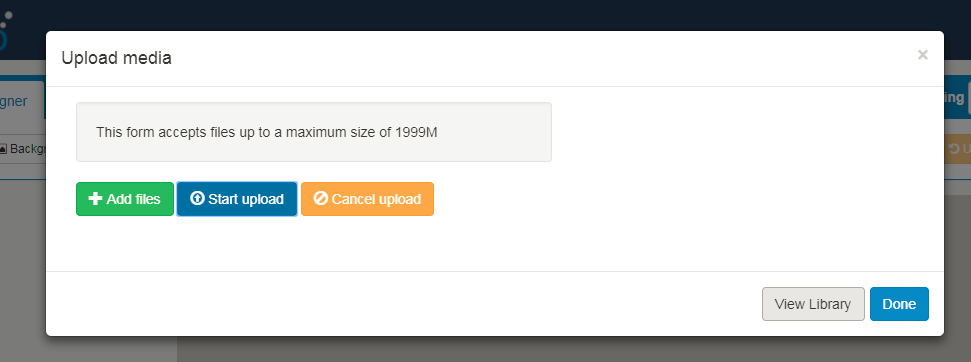
I’m trying to use an existing powerpoint doc for a region…
When I go to click on “View Library” on this dialog nothing happens -?
---
### Author:  [@Peter](https://community.xibo.org.uk/u/Peter)
#### Post date: [October 4, 2017, 8:47am UTC](https://community.xibo.org.uk/t/cant-view-library/11843/2 "2017-10-04T08:47:02Z")
Again, what CMS version are you using please?
Also is that on the super admin user or your own created user user type?
In the later case, does that user has permission to the library and to that existing file in it?
---
### Author:  [@louloizides](https://community.xibo.org.uk/u/louloizides)
#### Post date: [October 4, 2017, 2:02pm UTC](https://community.xibo.org.uk/t/cant-view-library/11843/3 "2017-10-04T14:02:40Z")
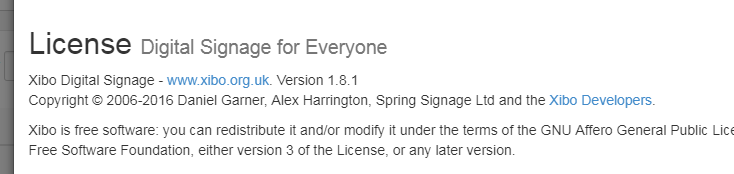
We’re using 1.8.1. I’m getting the same thing with every user - both super user and group admin. The view library button doesn’t throw an error - just that nothing comes up.
---
### Author:  [@Peter](https://community.xibo.org.uk/u/Peter)
#### Post date: [October 4, 2017, 2:12pm UTC](https://community.xibo.org.uk/t/cant-view-library/11843/4 "2017-10-04T14:12:17Z")
Is it the same when you click on Library from the left panel and not through Image -\> View Library?
What browser are you using please?
It would be best to upgrade the CMS to 1.8.2 and see if the issue persist.
---
### Author:  [@louloizides](https://community.xibo.org.uk/u/louloizides)
#### Post date: [October 4, 2017, 2:18pm UTC](https://community.xibo.org.uk/t/cant-view-library/11843/5 "2017-10-04T14:18:10Z")
Yes, if I go to Library \> Media everything is there.
I’m using Chrome 61.0.3163.100
It’ll take me some time to upgrade to 1.8.2. The server isn’t online because of how our firewalls are set up… I have to pull it off the rack and modify the routing in order to get it online (not sure if there’s an easier way?)
---
### Author:  [@alex](https://community.xibo.org.uk/u/alex)
#### Post date: [October 5, 2017, 12:37pm UTC](https://community.xibo.org.uk/t/cant-view-library/11843/6 "2017-10-05T12:37:09Z")
Is it a Docker-based install? If so, you can transfer the Docker images to it out of band (ie without it having internet access).
---
### Author:  [@louloizides](https://community.xibo.org.uk/u/louloizides)
#### Post date: [October 5, 2017, 12:53pm UTC](https://community.xibo.org.uk/t/cant-view-library/11843/7 "2017-10-05T12:53:54Z")
Ok, interesting… I don’t know much about that… trying to learn as I go. Is there a tutorial you can recommend? Since this is in use I’m very concerned about screwing something up.
---
### Author:  [@alex](https://community.xibo.org.uk/u/alex)
#### Post date: [October 5, 2017, 12:58pm UTC](https://community.xibo.org.uk/t/cant-view-library/11843/8 "2017-10-05T12:58:05Z")
> [@ERROR: Get https://registry-1.docker.io/v2/](https://community.xibo.org.uk/t/error-get-https-registry-1-docker-io-v2/9618/6):
>
> If you can’t work around the proxy issues, you can transfer the images out of band. So on a machine without proxy, run the following: docker pull xibosignage/xibo-xmr:release\_1.8.1 docker pull xibosignage/xibo-cms:release\_1.8.1 docker pull mysql:5.6 docker save xibosignage/xibo-xmr:release\_1.8.1 \> xmr.tar.gz docker save xibosignage/xibo-cms:release\_1.8.1 \> cms.tar.gz docker save mysql:5.6 \> mysql.tar.gz Copy those three tar.gz files over to the production box, then run docker load -i xmr.tar…
You’d clearly choose the 1.8.2 images rather than 1.8.1 as shown in the example.
Once you have the images loaded on your machine and available, then you’d do the upgrade as normal (ie backup, put fresh docker-compose files in place, and then bring the updated containers up).
[https://xibo.org.uk/manual-tempel/en/upgrade\_docker.html](https://xibo.org.uk/manual-tempel/en/upgrade_docker.html)
---
### Author:  [@louloizides](https://community.xibo.org.uk/u/louloizides)
#### Post date: [October 6, 2017, 3:40pm UTC](https://community.xibo.org.uk/t/cant-view-library/11843/9 "2017-10-06T15:40:38Z")
Thanks… hoping to try the upgrade today.
I did find someout out that might be interesting… this behaivor _only_ happens on the layout where I explicitly set permissions for other users.
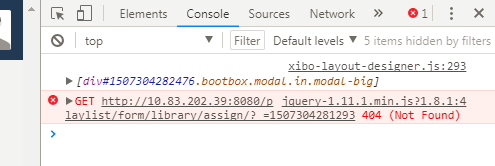
For instance, in the list below everything on the TEST layout works fine - I see the items in the timeline as I add them and I can view the library. If I open up the EHS layout, no matter which user I’m logged in as, I can’t view the library and items don’t show up in the layout. I also got the error in the console below as I tried to add items.

---
### Author:  [@louloizides](https://community.xibo.org.uk/u/louloizides)
#### Post date: [October 6, 2017, 3:43pm UTC](https://community.xibo.org.uk/t/cant-view-library/11843/10 "2017-10-06T15:43:07Z")
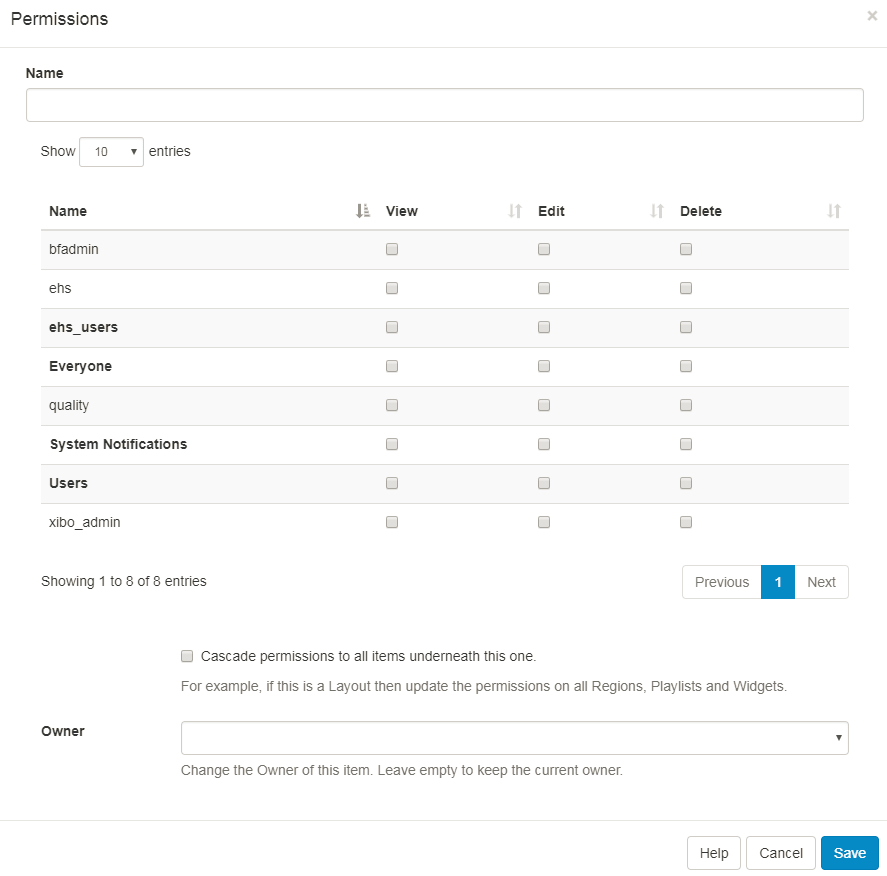
Also, when I took out all of the permissions and just left it blank like this everything worked again… then I gave view+edit permissions to just ehs and ehs users and it worked ok.
---
### Author:  [@system](https://community.xibo.org.uk/u/system)
#### Post date: [March 4, 2020, 5:08pm UTC](https://community.xibo.org.uk/t/cant-view-library/11843/11 "2020-03-04T17:08:55Z")