# API Add Media - Error Filetype Not Allowed
**URL:** https://community.xibo.org.uk/t/api-add-media-error-filetype-not-allowed/15552
**Category:** Developer Experience
**Created:** [August 24, 2018, 9:02pm UTC](https://community.xibo.org.uk/t/api-add-media-error-filetype-not-allowed/15552 "2018-08-24T21:02:06Z")
**Posts on this page:** 4
**Page:** 1
### Author:  [@PaulD](https://community.xibo.org.uk/u/PaulD)
#### Post date: [August 24, 2018, 9:02pm UTC](https://community.xibo.org.uk/t/api-add-media-error-filetype-not-allowed/15552/1 "2018-08-24T21:02:06Z")
Hello,
I am trying to add media to the library via the API. I am using postman, and am able to get a token and retrieve various pieces of data via the API.
I am now trying to upload an image, and am getting this error:
{“files”:[{“name”:“1535143374-0032”,“size”:100279,“type”:“multipart/form-data; boundary=--------------------------005954883975465110847801”,“error”:“Filetype not allowed”}]}
The actual image file types I’ve tried are jpg and png.
Here are a couple of screenshots from Postman:
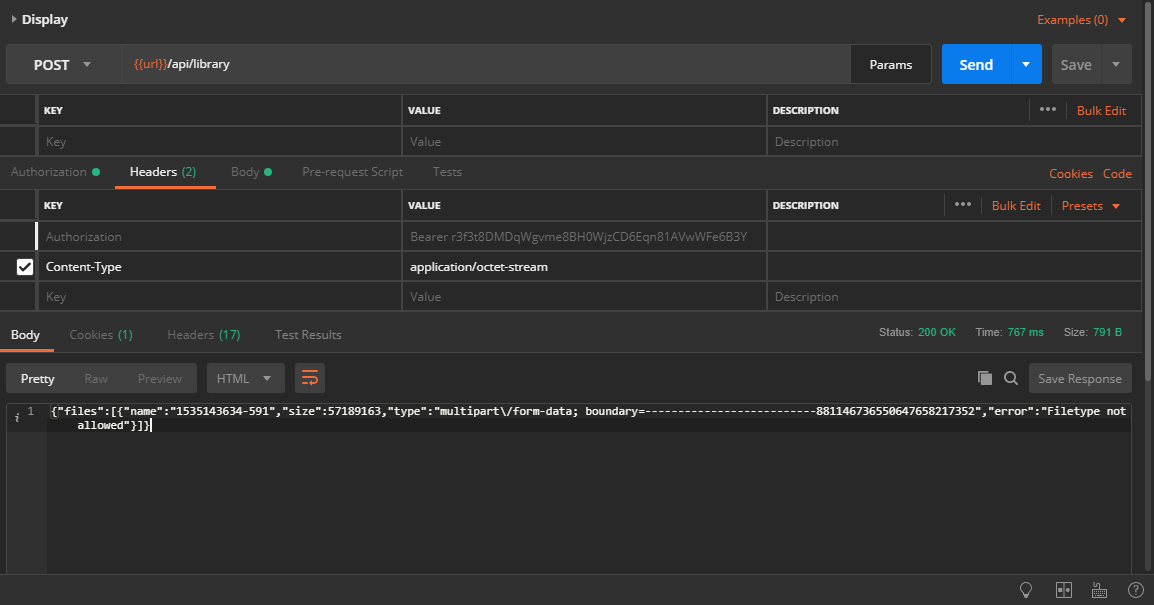
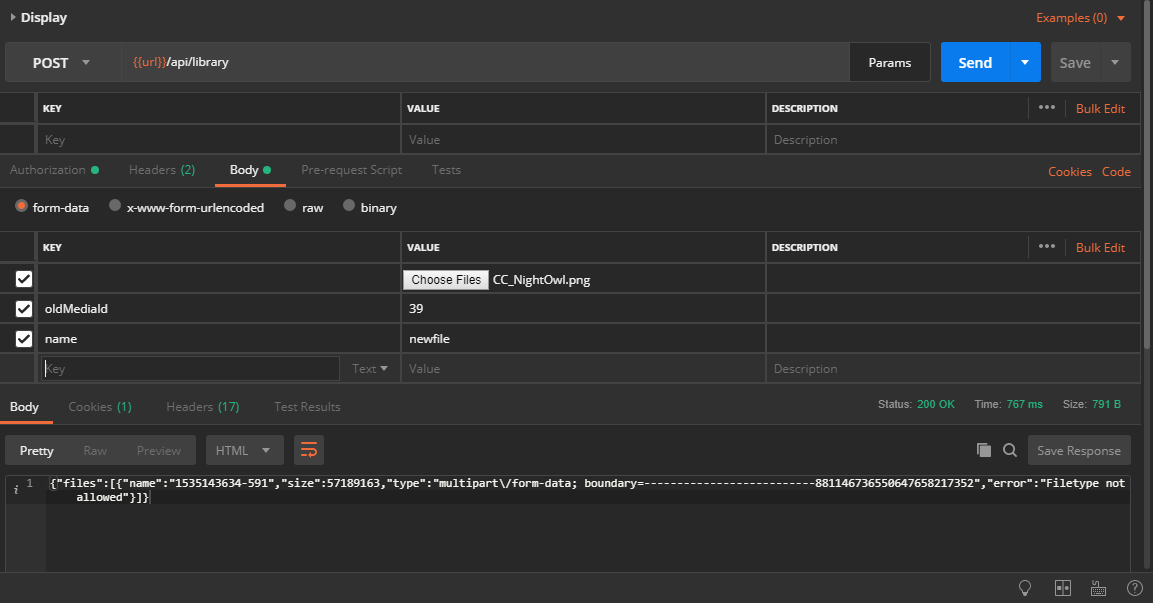
Can anyone give me any tips on what might be causing this?
Thanks!!
---
### Author:  [@alex](https://community.xibo.org.uk/u/alex)
#### Post date: [August 30, 2018, 12:07pm UTC](https://community.xibo.org.uk/t/api-add-media-error-filetype-not-allowed/15552/2 "2018-08-30T12:07:47Z")
I have a feeling you need to use `x-www-form-urlencoded` not `form-data`, but I could be wrong. It’s not really my area of expertise.
---
### Author:  [@PaulD](https://community.xibo.org.uk/u/PaulD)
#### Post date: [August 31, 2018, 12:56pm UTC](https://community.xibo.org.uk/t/api-add-media-error-filetype-not-allowed/15552/3 "2018-08-31T12:56:51Z")
Alex,
If I select “x-www-form-urlencoded” rather than “form-data”, then the option to “Choose Files” goes away.
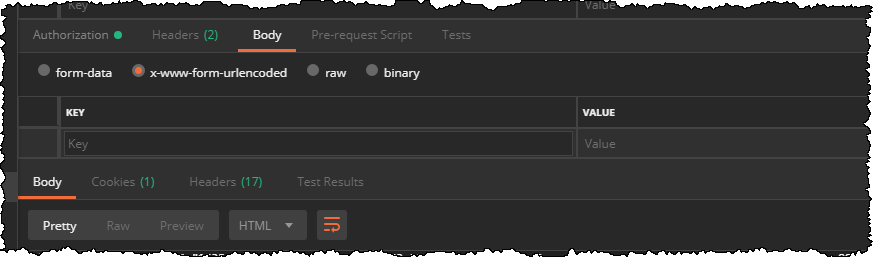
Thanks,
Paul
---
### Author:  [@Peter](https://community.xibo.org.uk/u/Peter)
#### Post date: [September 3, 2018, 8:50am UTC](https://community.xibo.org.uk/t/api-add-media-error-filetype-not-allowed/15552/4 "2018-09-03T08:50:38Z")
> [@PaulD](#):
>
> If I select “x-www-form-urlencoded” rather than “form-data”, then the option to “Choose Files” goes away.
You’d need to specify the key type to file again etc.
However that is not needed, `form-data` is what you should use.
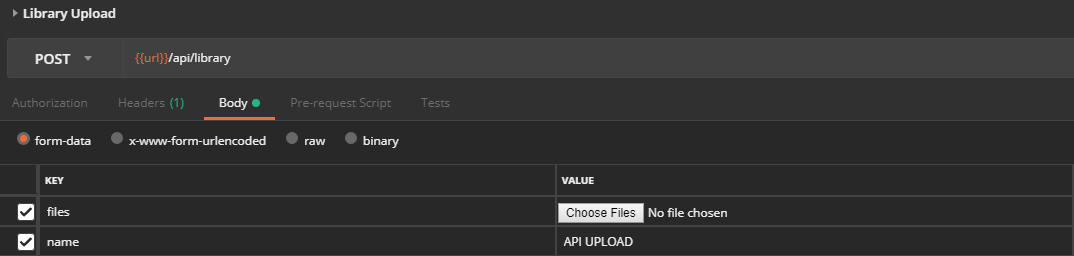
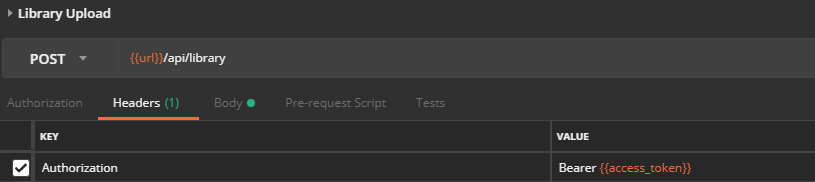
It’s all explained in our API introduction guide, there is also postman collection link there with several calls, including library upload - [API Introduction with Postman](https://community.xibo.org.uk/t/1-8-api-introduction/7702)